Tangem Wallet Review 2026: Is the Seedless Card Wallet Worth It?
Tangem is a credit-card-shaped hardware wallet that uses NFC instead of USB cables and lets you skip the seed phrase entirely by default. You tap the card to your phone to sign transactions, and the private key never leaves the chip. It supports over 16,000 tokens across 85+ blockchains, costs $54.90 for a 2-card set, and comes with a 25-year warranty. The catch is that there is no screen on the device, which means you rely on your phone to verify transaction details before signing. For beginners and long-term holders who want cold storage without the usual hassle, it is one of the simplest options available. For power DeFi users who need desktop workflows and browser extensions, it might not be the right fit.
Our Verdict: 4.3 / 5
Best for: Beginners, long-term holders, and frequent travelers who want cold storage that fits in a card slot and takes three minutes to set up.
Avoid if: You need a built-in screen for transaction verification, a desktop client, or browser extension support for heavy DeFi use.
Strongest points:
- Seedless setup removes the biggest beginner friction point. No 24-word phrase to write down, store, and protect.
- NFC tap-to-sign takes seconds. No cables, no batteries, no charging, no desktop software.
- 16,000+ supported tokens across 85+ blockchains with built-in swaps, staking, and a fiat on-ramp.
Weakest points:
- No hardware screen. You verify transactions on your phone, which means a compromised phone could theoretically show a wrong address.
- Losing all your cards in a seedless setup means permanent, unrecoverable loss.
- No desktop app or browser extension. The entire experience is phone-only.
Bottom line: Tangem made self-custody as simple as tapping a bank card. The trade-off is that you give up the on-device screen that traditional hardware wallets provide. For most people who just want to hold crypto safely and send it occasionally, that trade-off is worth it. For traders who live in DeFi, it is not.
What Is the Tangem Crypto Wallet?
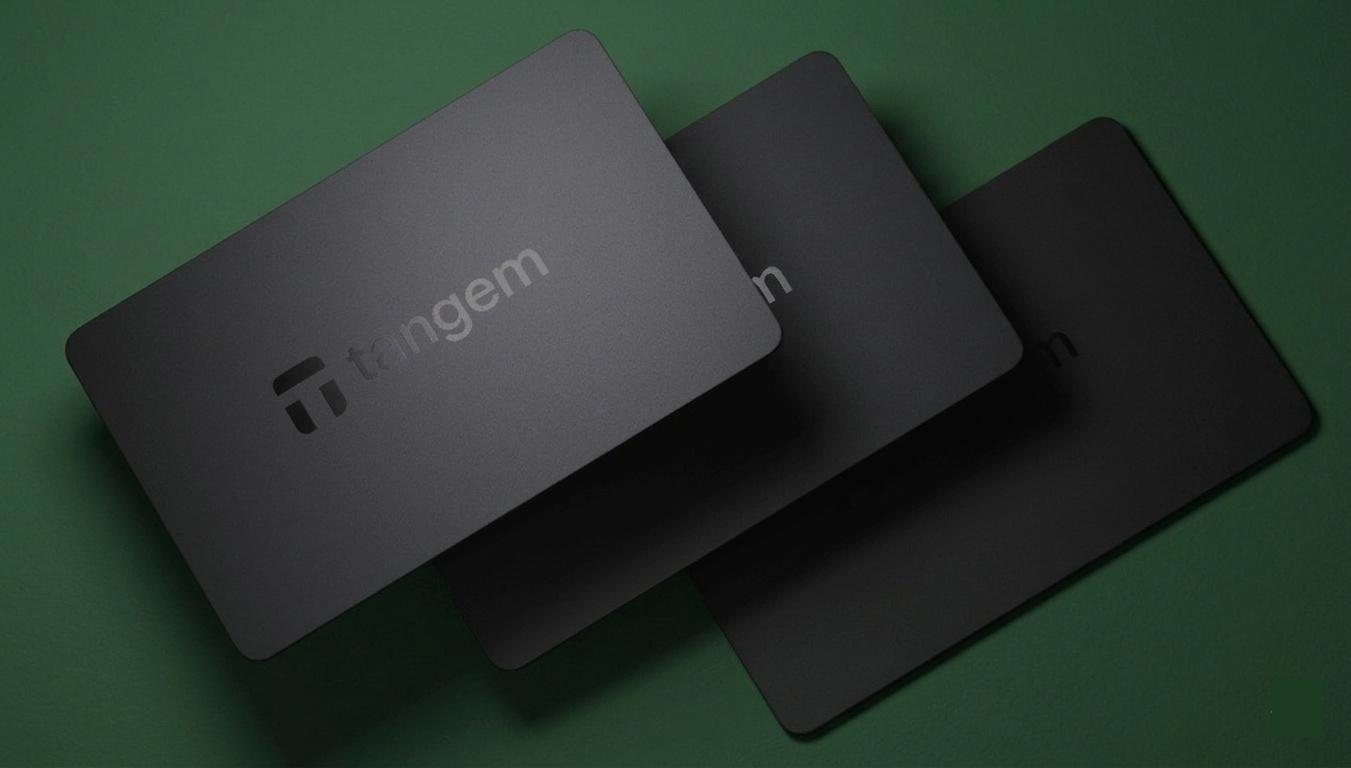
Tangem is a hardware wallet maker founded in 2017 and headquartered in Zug, Switzerland. The wallet itself is a contactless smart card, roughly the size of a credit card, that stores your private key inside a Samsung S3D350A secure element chip with EAL6+ certification.
During setup, the chip generates the key internally, and it never leaves the card. To sign a transaction, you tap the card to your phone's NFC antenna. There are no USB ports, no cables, no batteries, and no desktop software involved.
The company says it has produced over 6 million cards to date, making it one of the most widely distributed hardware wallets on the market. It sits in an interesting position between traditional USB devices like Ledger and Trezor and newer card-form-factor wallets like CoolWallet. The main differentiator is that Tangem lets you skip the seed phrase entirely.
Instead of writing down 24 words and storing them somewhere safe, you can use a multi-card backup system where two or three identical cards act as recovery devices. Lose one, and the others still work. It is the closest thing to a foolproof backup system for people who find seed phrases intimidating.
How Tangem Keeps Your Keys Safe?
Tangem’s security model is built around the idea that your private key should never exist anywhere except inside the card's chip.
The Samsung secure element (EAL6+ certified) generates the key using a hardware true random number generator, stores it permanently, and signs transactions on-chip when you tap. No seed phrase is displayed, no key is transmitted over NFC, and no key material touches your phone.
The firmware is immutable, meaning it is installed at the factory and cannot be updated after production. That sounds limiting, but it is actually a security feature. It eliminates the attack vector where malicious firmware gets pushed to a device through a fake update.
Two independent security labs have audited the system. Kudelski Security reviewed the smartcard code in 2018 and found no backdoors. Riscure performed a deeper hardware-level assessment in 2023 and reached the same conclusion. In 2026, Cure53 audited the mobile app as well. The app is fully open source on GitHub, so anyone can inspect it.
The obvious weak point is the lack of a hardware screen. Traditional wallets like Ledger and Trezor have a small display where you can verify the recipient address before signing. But with Tangem you rely entirely on your phone's screen, which means that if your phone were compromised by malware that swapped addresses, the card would sign the wrong transaction without knowing. In practice, this risk is low for most users, but it is the one trade-off that cannot be ignored.
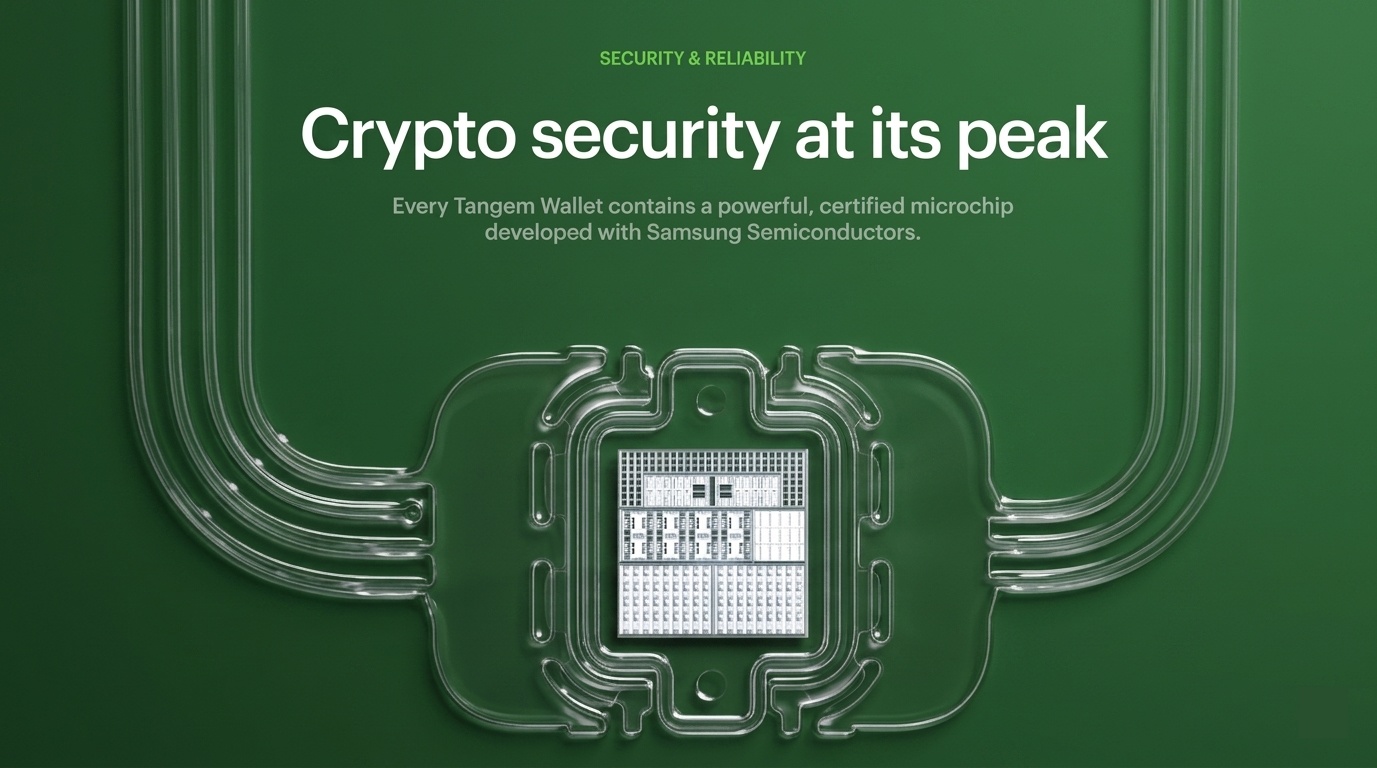
Tangem uses state-of-the-art Samsung S3D350A secure element chip with EAL6+ certification
Tangem Wallet Features
Asset Support and Multi-Chain Coverage
Tangem supports over 16,000 tokens across 85+ blockchains, which puts it among the broadest in the hardware wallet category. You can hold BTC, ETH, SOL, DOT, ADA, XRP, and virtually any ERC-20, BEP-20, or SPL token alongside each other without switching apps or seed phrases.
Network and token coverage is updated regularly through app updates. For NFTs, Tangem added direct in-app support across Ethereum, Solana, Polygon, and several other networks, though there is no built-in marketplace. You connect to OpenSea or Rarible through WalletConnect.
Built-In Swaps, Buy, and Sell
The Tangem app includes a swap aggregator called Tangem Express that pulls quotes from multiple providers including 1inch, ChangeNOW, Changelly, and SimpleSwap. You can buy crypto with fiat through integrated partners like Mercuryo and Simplex using cards or Apple Pay/Google Pay while selling is available through MoonPay.
The wallet itself does not add a markup on any of these. You pay the provider's commission (if any) plus the blockchain network fee.
Tangem Pay
In late 2025, Tangem launched Tangem Pay, a non-custodial payment account that lets you spend USDC on the Polygon network through a virtual Visa card via Apple Pay and Google Pay.
The key detail is that Tangem Pay is a separate product from the wallet itself. Your main wallet stays fully anonymous with no KYC. The payment account requires identity verification through Tangem's US partner Paera LLC, but that KYC data is siloed and never touches Tangem's own systems.
It is currently available in the US, Latin America, and parts of Asia-Pacific, with a UK and EU rollout planned for early 2026 aligned with MiCA standards.
Tangem Yield Mode
A newer feature that lets you earn yield on USDT, USDC, and DAI directly from the crypto wallet. Behind the scenes, Tangem's audited smart contract supplies your funds to Aave's liquidity pools.
Your assets stay liquid the entire time, meaning you can send, swap, or withdraw them even while they are earning yield. If Tangem detects a protocol vulnerability, the backend can instantly withdraw your funds from Aave.
Setup takes no more than 30 seconds. Select a supported token, review the APY and network fee, confirm, and your assets start earning automatically.
Multi-Accounts
You can create up to 20 separate accounts within one wallet, each with its own addresses, balances, and transaction history. This is useful for separating long-term holdings, daily spending, and DeFi activity and eliminates the need for multiple wallets.
Setting Up the Tangem Wallet
Setting up Tangem wallet genuinely takes around three minutes.
- Install the app, open it, tap Scan, hold the card to your phone's NFC antenna, and follow the prompts to set an access code.
- The chip generates the private key during this step. If you bought a 2 or 3 card pack, the app prompts you to complete the backup by tapping each additional card to clone the key. Once done, all cards in the set can access the same wallet.
- Now you can choose between two setup paths. The default is seedless, where the key lives only on the cards and there is no written recovery phrase.
- The alternative (available on Tangem 2.0+) lets you generate a 12 or 24 word seed phrase through the app, or import an existing seed from another wallet.
- If you go seedless, make sure you store backup cards in separate physical locations. If you lose all of them, your funds are permanently gone with no recovery option.
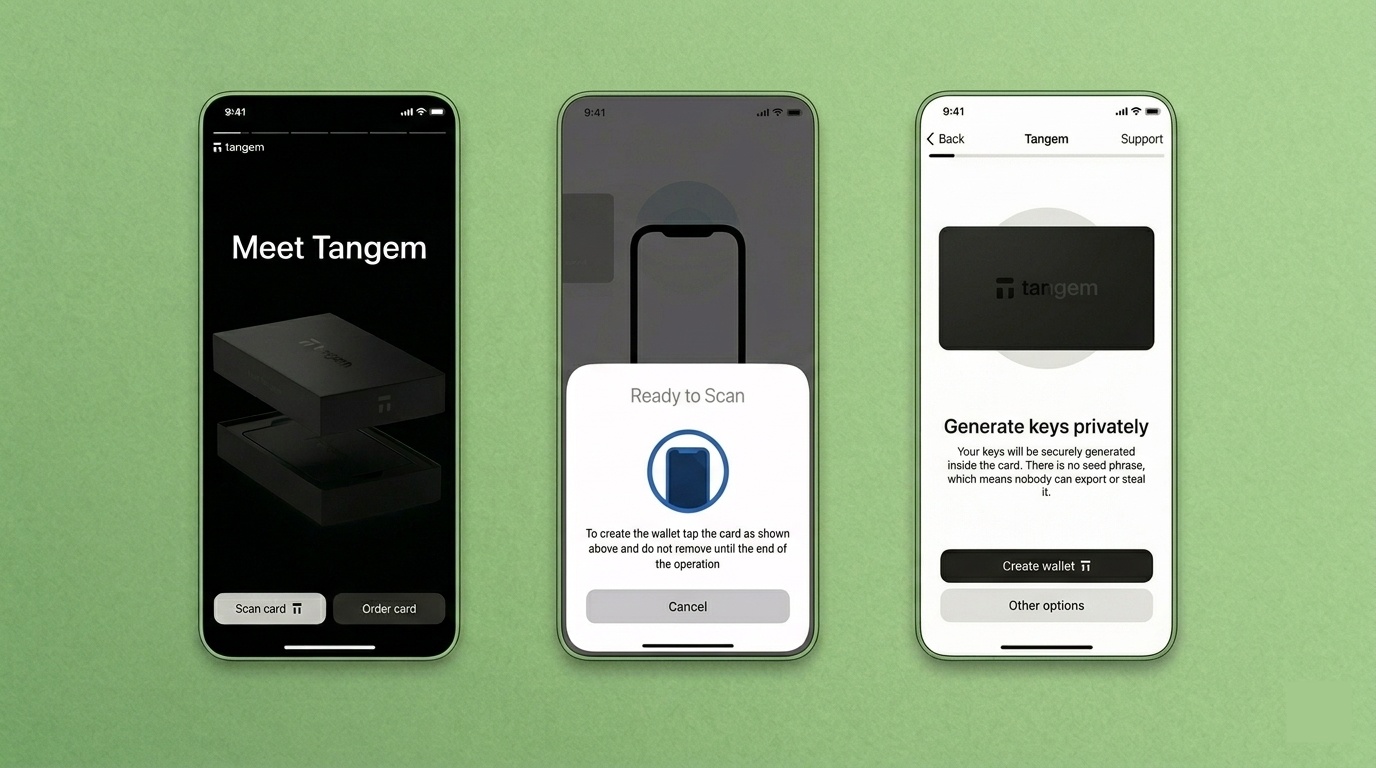
Start using Tangem wallet in three simple steps
Tangem Wallet Pricing
|
Package |
Base Price |
What You Get |
|
2-card set |
~$54.90 |
Basic wallet + one backup card |
|
3-card set |
~$69.90 |
Wallet + two backup cards (recommended) |
|
Family Pack |
~$125.80 |
Multiple wallet sets |
|
Ring + 2 cards |
~$160.00 |
Tangem Ring form factor + card backups |
|
Pro Kit |
~$180.00 |
Ring + cards + accessories |
There are no ongoing fees from Tangem itself. Your only recurring costs are blockchain network fees when you send or swap, plus any provider commissions on buy/sell/swap transactions through integrated partners.
Shipping is free on orders above $100 (VAT excluded). Buy from the official Tangem store if possible. Third-party resellers sometimes charge more and may ship older hardware batches with limited warranty coverage.
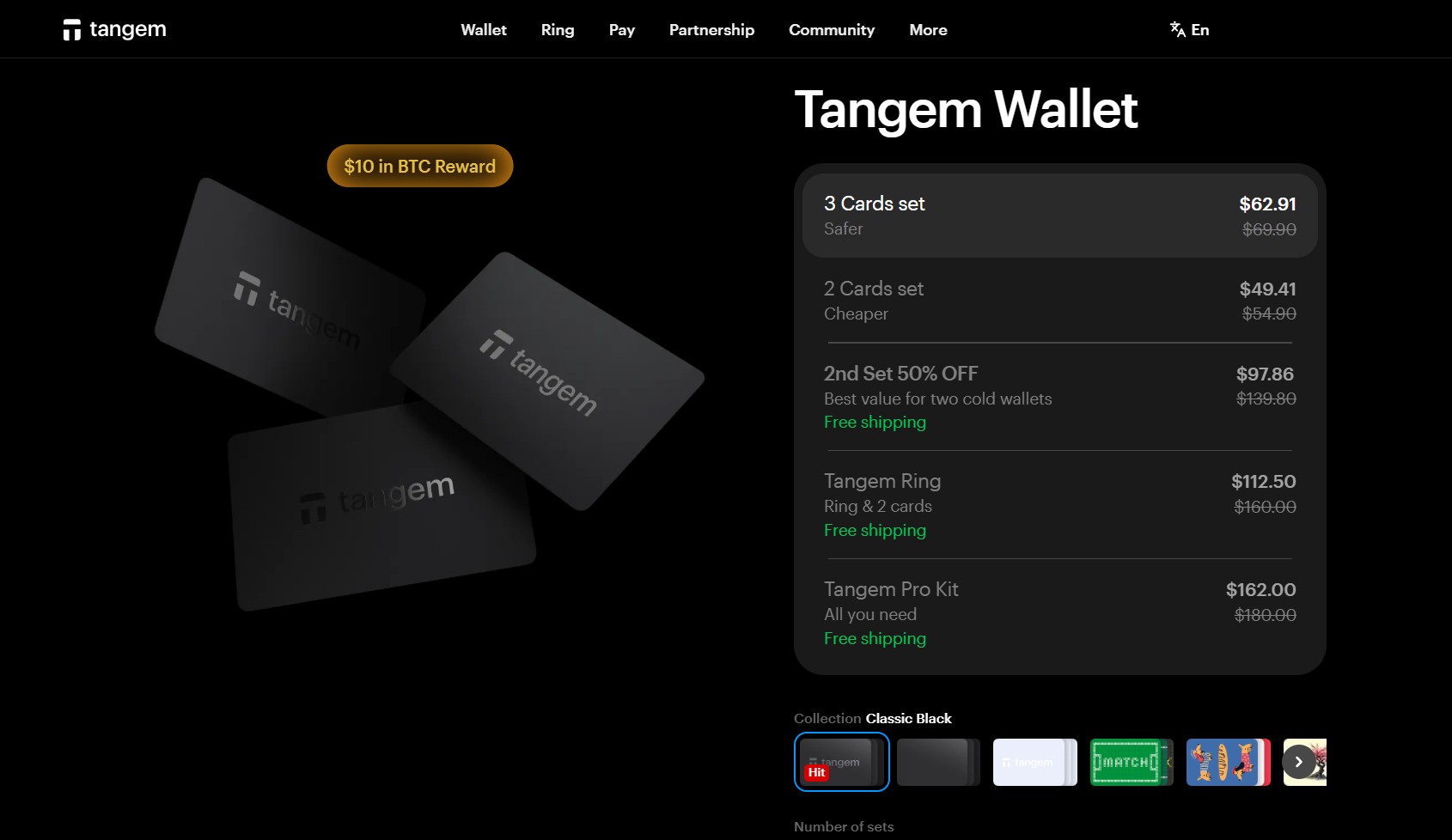
Note: Tangem wallet also runs offer so you can catch the product on discounted prices as well from time to time
How to Transfer Crypto from Robinhood to Tangem Wallet?
If you are holding crypto on Robinhood and want to move it to your Tangem wallet for self-custody, the process is straightforward but there are a few things you need to know before starting.
First, make sure your Robinhood account has identity verification and two-factor authentication enabled. Robinhood requires both before it allows crypto withdrawals. Robinhood also has a daily withdrawal limit of approximately $5,000 and a maximum of 10 transfers per 24-hour window.
- Open the Tangem app on your phone and select the cryptocurrency you want to receive (BTC, ETH, SOL, etc.). Tap Receive and copy the wallet address. Make sure you are on the correct network for that asset.
- Open the Robinhood app, go to the crypto you want to transfer, tap the dropdown arrow, and select Send & Receive.
- Paste the Tangem wallet address into the recipient field. Double-check every character. Sending to the wrong address or wrong network means permanent loss.
- Enter the amount, review the network fee (Robinhood does not charge a platform fee for transfers, only the blockchain network fee), and confirm the withdrawal.
- Wait for blockchain confirmation. Bitcoin can take 10 to 60 minutes depending on network congestion. ETH and SOL are typically faster.
Tip: Always send a small test transaction first. Send $5 worth, confirm it arrives in your Tangem wallet, and then send the rest. This one step has saved people from irreversible mistakes more times than anyone can count.
How to Connect Tangem to Exodus Wallet to Transfer Crypto?
This is a common search query, so it is worth being clear about what is actually possible here. Tangem and Exodus do not connect directly. There is no sync or integration between the two wallets. What you can do is send crypto from one to the other using a standard blockchain transaction, the same way you would send crypto between any two wallets.
Sending from Tangem to Exodus:
- Open the Exodus app and select the crypto you want to receive. Tap Receive and copy the wallet address.
- Open the Tangem app, select the same crypto on the same network, tap Send, and paste the Exodus address.
- Review the details, confirm the network fee, and tap your Tangem card to sign the transaction.
Sending from Exodus to Tangem:
- Open the Tangem app, select the crypto, tap Receive, and copy the address.
- Open Exodus, tap Send, paste the Tangem address, enter the amount, and confirm.
Important update: As of April 2026, Exodus discontinued WalletConnect support for new wallets. If you created your Exodus wallet after that date, you cannot use WalletConnect to interact with DApps. This does not affect basic send/receive transfers between Tangem and Exodus, but it does limit DApp connectivity for newer Exodus users.
Tangem vs Other Hardware Wallets
|
Feature |
Tangem |
Ledger Nano X |
Trezor Model T |
CoolWallet S |
|
Seedless option |
Yes (default) |
No |
No |
No |
|
Form factor |
NFC card / ring |
USB + Bluetooth |
USB |
Bluetooth card |
|
Hardware screen |
No |
Yes |
Yes (touchscreen) |
Small display |
|
Supported assets |
16,000+ |
5,500+ |
Thousands |
10,000+ |
|
Desktop app |
No (mobile only) |
Yes (Ledger Live) |
Yes (Trezor Suite) |
Mobile app |
|
Price |
From $54.90 |
~$149 |
~$219 |
~$149 |
|
Warranty |
25 years |
2 years |
2 years |
1 year |
|
Open source |
App: yes / Firmware: no |
App: yes / Firmware: no |
Fully open source |
No |
- Tangem wins on price, portability, and beginner-friendliness.
- Ledger wins on ecosystem depth and desktop support.
- Trezor wins on transparency (fully open source) and the touchscreen.
- CoolWallet is the closest direct competitor in form factor but uses Bluetooth instead of NFC and lacks the seedless option.
Who Should Use the Tangem Wallet?
Tangem is a good fit for:
- Long-term holders who want cold storage without managing cables, batteries, or seed phrases.
- Beginners who find the typical hardware wallet setup process intimidating.
- Frequent travelers who want a wallet that fits in a card slot and works anywhere with a phone.
- Users who want built-in swaps, staking, and a fiat on-ramp without leaving the app.
Tangem is not ideal for:
- Power DeFi users who need browser extensions, multi-window desktop workflows, and deep DApp integrations.
- Security purists who require an on-device screen for independent transaction verification.
- Desktop-only traders who prefer managing crypto from a computer rather than a phone.
Common Mistakes with the Tangem Wallet
1. Storing all backup cards in the same place
The whole point of a multi-card backup is redundancy. If both cards are in the same drawer and your house floods, you have zero cards and zero recovery options in a seedless setup. Keep backup cards in physically separate locations.
2. Skipping the test transaction
When transferring crypto from Robinhood, Exodus, or any other platform to your Tangem wallet, always send a small amount first. Verify it arrives and then send the rest. This takes two minutes and protects you from address errors or network mismatches that would otherwise cost you everything.
3. Choosing the wrong network
If someone sends you USDT on the Tron network but your Tangem wallet address was generated for Ethereum, those tokens are lost. Always confirm the sending and receiving networks match before approving any transfer.
4. Assuming seedless means no risk
Seedless setup removes the risk of someone finding your written seed phrase. But it introduces a different risk. If you lose every card in your set and did not set up a seed phrase, your funds are gone permanently. The Tangem team cannot recover them. Choose your setup path carefully and test your recovery before loading significant funds.
Closing Thoughts
Tangem stripped out everything that makes self-custody intimidating and replaced it with a simple card tap. It turns a technical headache into a familiar experience without compromising on security, backed by an EAL6+ chip and three independent audits.
The trade-offs are straightforward. You have to trust your phone screen for verification and losing your cards in a seedless setup means losing everything. But for most people who want safe cold storage without managing 24-word phrases, this is the most friction-free path available. At about $55 for a set with a 25-year warranty, the value is tough to argue with.
Frequently Asked Questions
Is the Tangem wallet safe?
Yes. It uses a Samsung EAL6+ certified secure element, has been independently audited by Kudelski Security (2018), Riscure (2023), and Cure53 (2026), and stores your private key on-chip where it cannot be extracted.
Can I use Tangem without a seed phrase?
Yes. The default setup is seedless. Instead of writing down 24 words, you use 2 or 3 cards as backups. As long as one card survives, you have access to your wallet. Tangem 2.0+ also offers optional seed phrase generation or import for users who prefer traditional backup.
How do I transfer crypto from Robinhood to my Tangem wallet?
Open the Tangem app, select the crypto you want to receive, tap Receive, and copy the address. In Robinhood, go to the crypto, tap Send, paste the Tangem address, and confirm. Robinhood does not charge a platform fee, only the blockchain network fee. Always send a small test transaction first.
Can I connect Tangem to Exodus wallet directly?
No. Tangem and Exodus do not integrate directly. You transfer crypto between them using standard blockchain transactions. Copy the receiving address from one wallet, paste it in the sending wallet, and confirm. Make sure both wallets are on the same network for the asset you are transferring.
What happens if I lose my Tangem card?
If you have a backup card from the same set, you can continue using your wallet normally from the surviving card. If you lose all cards and did not set up a seed phrase, your funds are permanently lost. Tangem cannot recover them. This is why the 3-card set is recommended over the 2-card set.
Does Tangem charge transaction fees?
No. Tangem does not add any wallet-level fees. You pay only the blockchain network fee for each transaction, plus any commissions from integrated swap or buy/sell providers.
Does Tangem support NFTs?
Yes. Tangem supports NFTs on Ethereum, Solana, Polygon, Arbitrum, and several other networks. There is no built-in marketplace, but you can connect to OpenSea and Rarible through WalletConnect to buy, sell, and manage NFTs.
What is Tangem Pay?
A separate non-custodial payment feature inside the Tangem app that lets you spend USDC via a virtual Visa card through Apple Pay and Google Pay. It requires KYC (handled by Tangem's partner, not Tangem itself) and is currently available in the US, Latin America, and parts of Asia-Pacific.
Disclaimer: All content on The Moon Show is for informational and educational purposes only. The opinions expressed do not constitute financial advice or recommendations to buy, sell, or trade cryptocurrencies. Trading involves significant risk and may result in substantial losses. Always seek independent financial advice before making investment decisions. The Moon Show is not responsible for any financial losses or decisions made based on the information provided.
Please view the full disclaimer at: https://themoonshow.com/disclaimer
Ledger Wallet Review - Features, Models, and Security Explained
A cryptocurrency wallet is a software application or a physical device that enables users to st...
Exodus Wallet Review – Security, Fees, and Usability
Exodus is a non-custodial cryptocurrency wallet that lets you send, receive, store, and swap ov...
Trust Wallet Review - Features, Security, and Performance Explored
A cryptocurrency wallet is a tool that allows users to manage, store, send, and receive cryptoc...