Trezor Crypto Wallet Explained – A Beginner’s Guide to Cold Storage
Trezor offers several cold storage devices for securing digital assets, including Safe 3, Safe 5, and Safe 7. It is among the early cryptocurrency wallets that implement BIP39 and BIP44 standards. All its wallet devices feature built-in PIN and passphrase protection, as well as a Secure Element chip, for maximum protection of funds. Additionally, you can buy, sell, and stake over 1,000 cryptocurrencies directly with the Trezor Suite App. On the downside, you might experience connectivity issues with Safe 3 and Safe 5 models when using iOS.
Trezor Wallet Pros and Cons
Pros
- Open-source firmware
- Built-in PIN and passphrase protection
- Trezor Suite supports over 1,000 cryptocurrencies
- Buy/Sell, Swap, and Stake features
- Supports WalletConnect for DeFi and NFTs
- Budget-friendly
- Advanced backup and recovery options
Cons
- Discontinued Trezor Model One and T
- Safe 3 and Safe 5 wallets lack iOS support
A cryptocurrency wallet is a software application or a hardware device that allows you to safely store, manage, send, and receive digital assets. It does not store cryptocurrencies; instead, it stores the cryptographic keys needed to access and manage assets on the blockchain. One such hardware wallet preferred by millions worldwide for storing their crypto assets is the Trezor wallet.
This guide will focus on reviewing the Trezor wallet, its different models, and key features.
What is Trezor?
Developed by SatoshiLabs and designed to keep private keys offline, Trezor is a renowned brand of hardware cryptocurrency wallets. The company offers leading open-source decentralized wallets, known for their transparency and security. You can choose from wallet models, including Safe 3, Safe 5, and Safe 7. However, it no longer sells its Model One and Model T wallets to transition users to newer, more secure hardware wallets.
As a cold storage device, Trezor wallet allows you to safely manage, send, and receive more than 1,000 cryptocurrencies, including Bitcoin (BTC), Ethereum (ETH), and Solana (SOL). All wallets feature a secure, open-source, and user-friendly interface to facilitate different tasks. Trezor is one of the earliest crypto wallet providers that implements the BIP39 and BIP44 standards. Both are Bitcoin improvement proposals to standardize how crypto wallets generate, organize, and back up keys.
All Trezor wallets offer advanced recovery and backup options and include built-in PIN and passphrase protection. The Trezor Suite app allows you to buy, sell, swap, and stake cryptocurrencies directly from wallets and dApps. You can easily connect your Trezor wallet with software wallets, such as OKX, Exodus, and MetaMask.
Trezor wallets feature advanced backup and recovery options for greater user convenience. They are budget-friendly decentralized wallets and can be easily purchased from the Trezor official website or from an authorized reseller.
Trezor Wallet Models
Trezor offers three wallet models for storing digital assets: Trezor Safe 3, Trezor Safe 5, and Trezor Safe 7. All these wallets also come with a special Bitcoin (BTC) edition to help you keep your BTC safe. The Bitcoin-only wallets are exclusively designed to store BTC only.
Trezor Safe 3
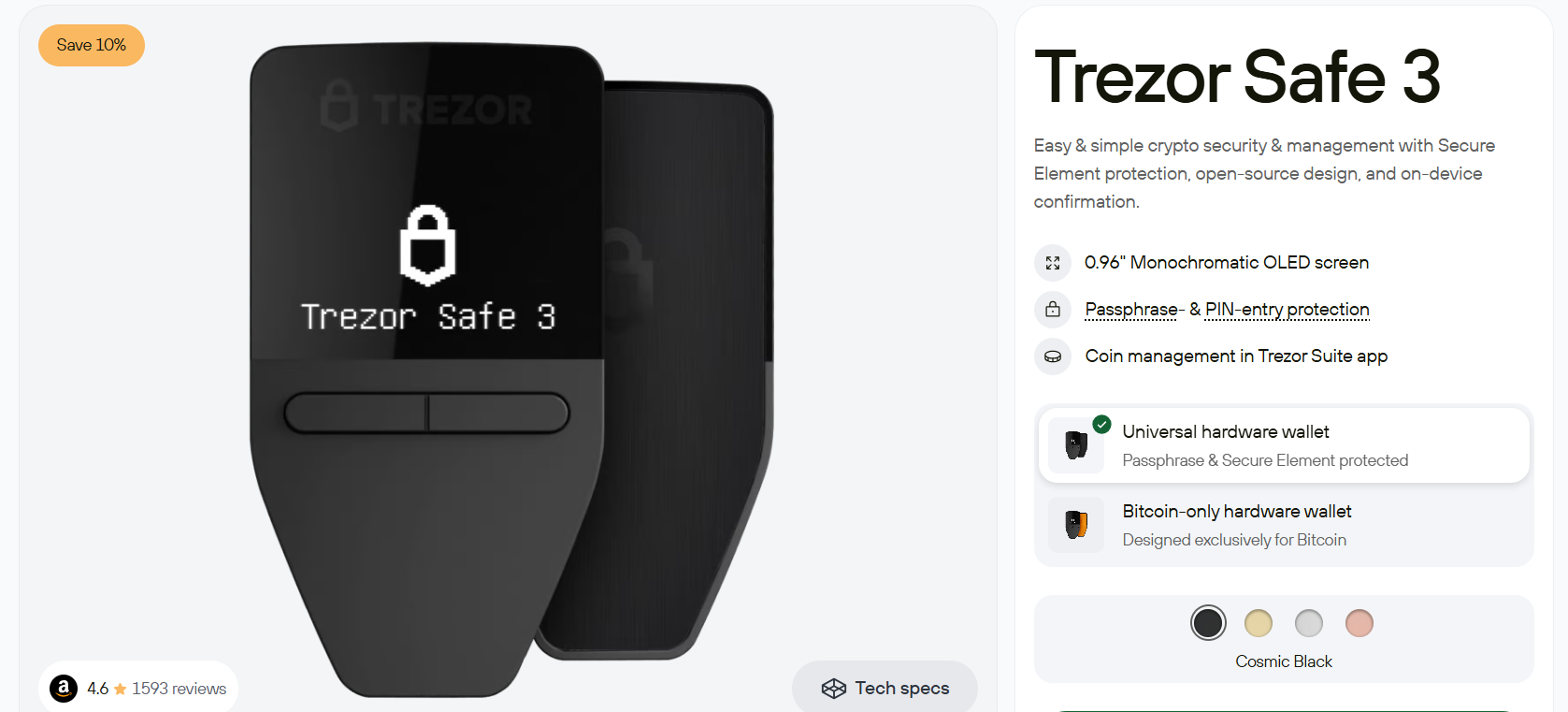
Launched in October 2023, Trezor Safe 3 is a beginner-friendly cryptocurrency wallet. The wallet features a 0.96-inch monochrome OLED display and a two-button pad. It uses an EAL6+ certified Secure Element Chip to enhance security.
The cryptocurrency wallet offers advanced multi-share backup for added safety. You can directly enter your PINs and passphrases on the device. Additionally, Trezor Safe 3 is available as a Bitcoin-only wallet that comes with Bitcoin-only firmware. It is fully compatible with Trezor Suite for a unique Bitcoin-themed experience.
You can buy Trezor Safe 3 and Trezor Safe 3 Bitcoin-Only for USD 59 each from its official website.
Trezor Safe 5
Launched in June 2024, Trezor Safe 5 is an advanced cryptocurrency wallet that offers a premium design and enhanced display. The wallet features a 1.54-inch color touchscreen with Trezor Touch Haptic Engine. The all-glass surface with Gorilla Glass offers superior durability and resistance to scratches and damage.
Trezor Safe 5 wallet is built on more than 10 years of open-source security and privacy, and provides a solid foundation for crypto security. The wallet seamlessly integrates with the Trezor Suite mobile and desktop apps. It protects your assets with the advanced Multi-share Backup Scheme, dividing the wallet backup into multiple individual wordlists. The wallet is also available as a Bitcoin-only wallet to secure your BTC.
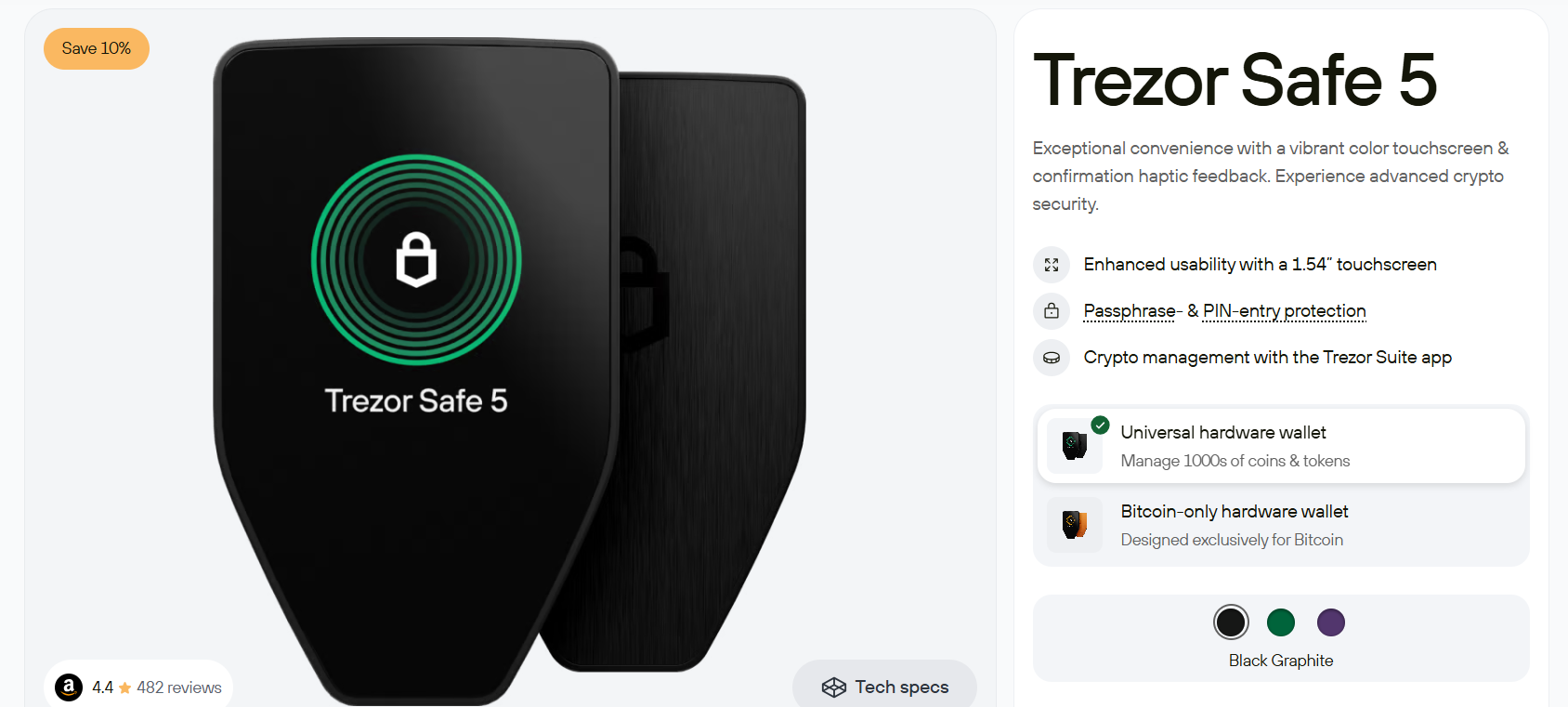
Both Trezor Safe 5 and Trezor Safe 5 Bitcoin-only can be purchased for USD 129 each from the official Trezor website.
Trezor Safe 7
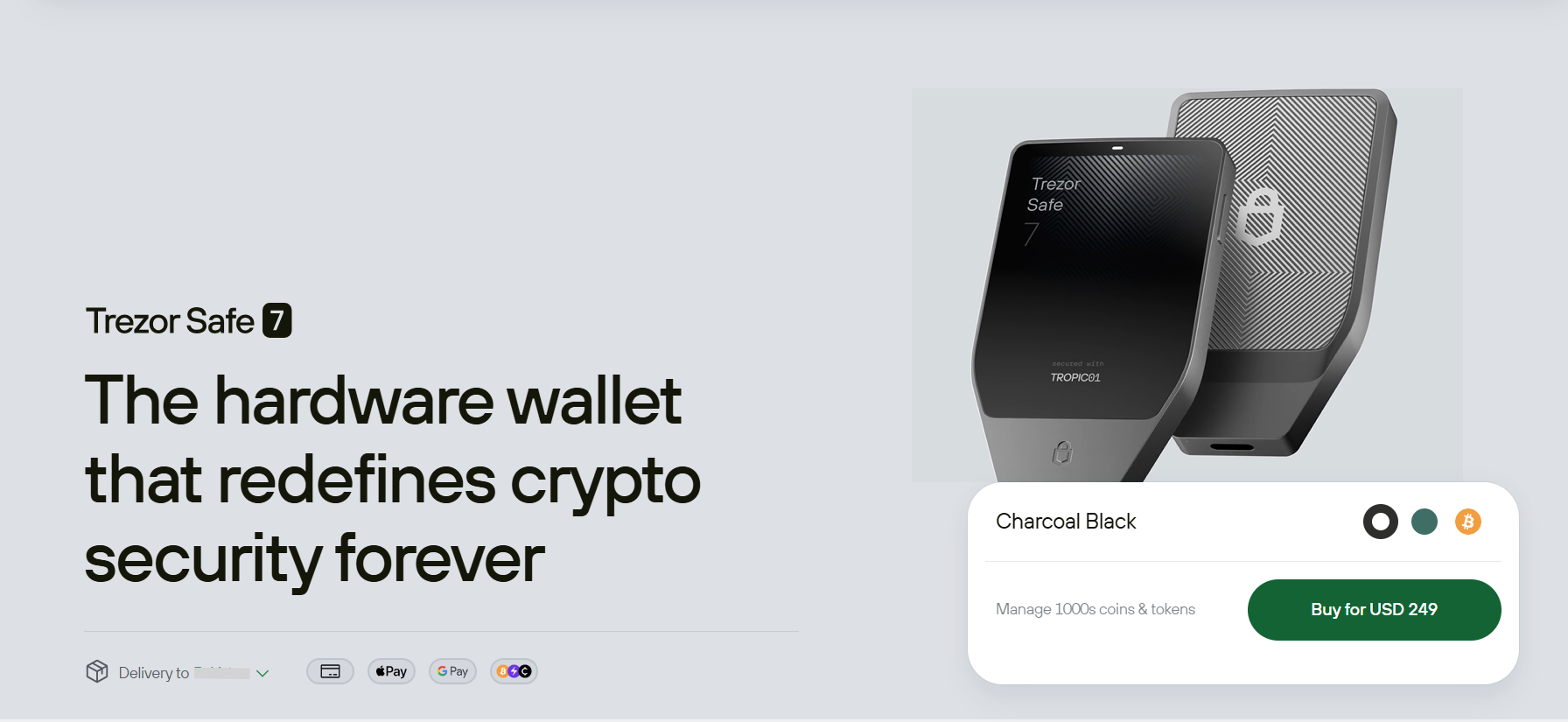
Launched in October 2025, Safe 7 is the largest Trezor wallet, featuring a 2.5-inch high-resolution touchscreen. It is made from aluminum, features a Gorilla Glass-protected display, and is IP67 certified, meaning it is fully dustproof and can stay underwater to 1 meter for 30 minutes.
Trezor Safe 7 features TROPICO1, the world’s first auditable, transparent secure element chip, which adds an extra layer of protection. Additionally, the wallet is also designed to receive quantum-secure updates. It offers several connectivity options, including USB-C, Bluetooth, and wireless connectivity. Like other Trezor wallets, Safe 7 is also available as a Bitcoin-only wallet.
Trezor Safe 7 and Trezor Safe 7 Bitcoin-only are available for USD 249 each on the official Trezor website.
Trezor Wallet Models Comparison
The following table compares Trezor wallets based on price, design, and key features.
|
Model |
Price |
Connectivity |
Display |
Key Features |
|
Trezor Safe 3 |
$59 |
USB-C |
0.96-inch monochromatic OLED |
Multi-share backup, two-button pad, EAL6+ certified Secure Element Chip, available as a Bitcoin-only wallet |
|
Trezor Safe 5 |
$129 |
USB-C |
1.54-inch color display |
Haptic feedback, EAL6+ certified Secure Element Chip, scratch-resistant all-glass surface, available as a Bitcoin-only wallet |
|
Trezor Safe 7 |
$249 |
USB-C, Bluetooth, and wireless connectivity |
2.5-inch high-resolution color display |
Next-gen TROPIC01 secure chip, iOS compatibility, reinforced glass backplate, quantum-secure updates, available as a Bitcoin-only wallet |
Trezor Crypto Wallet Security Features
Trezor wallets are designed to provide a secure crypto environment to everyone. All wallet models use open-source firmware, meaning anyone can verify and audit their code. They feature built-in PIN and passphrase protection, as well as advanced safety features, including multi-share backup and a Secure Element Chip.
Listed below are several essential security features of Trezor Wallets.
PIN and Passphrase Protection
Trezor wallet models feature built-in PIN and passphrase protection to safeguard your assets. You can create a unique 4- to 9-digit code to unlock your wallet and authorize transactions. Passphrase protection works like a custom 25th word for the BIP39 seed.
Fully Open-Source
All Trezor wallets use open-source software, allowing anyone to review code and verify its integrity. Also, Trezor Suite and Trezor Connect, which integrate Trezor wallets with third-party apps and extensions, are open source.
Secure Element Chip
Trezor Safe 3 and Safe 5 wallets feature an EAL6+ certified Secure Element chip, improving their resistance against physical attacks. When you set a PIN, the wallet generates a secret key that is stored on the chip. This means you will use this key, along with your PIN, to encrypt your private key.
On the other hand, Trezor Safe 7 wallet uses the next-gen TROPIC01 secure chip, the first open-architecture hardware security element. It enables manufacturers to verify the implementation and security claims.
SLIP39
SLIP39, or Shamir Backup, is a security feature that protects your wallet’s recovery seed from theft and loss. It first featured in the Trezor Model T wallet, but since then has been made a default security feature in Safe 3 and Safe 5 wallets.
SLIP39 splits private keys into multiple recovery shares. It allows you to create up to 16 recovery shares containing a sequence of 20 or 33 words. Additionally, you can also decide how many shares are required to recover the wallet.
Tor Support
You can use the Tor network in the Trezor Suite app. It is open-source software that anonymizes your location and IP address when you use the wallet. It also shields crypto transactions from leaks, network surveillance, and tracking.
Address Poisoning Protection
Trezor Suite has a built-in address poisoning protection feature. It ensures that the tokens you receive at your address are not a fraud, the so-called address poisoning. In case the transaction appears suspicious, the Trezor Suite app will blur it and mark it as unverified.
Trezor Keep Metal
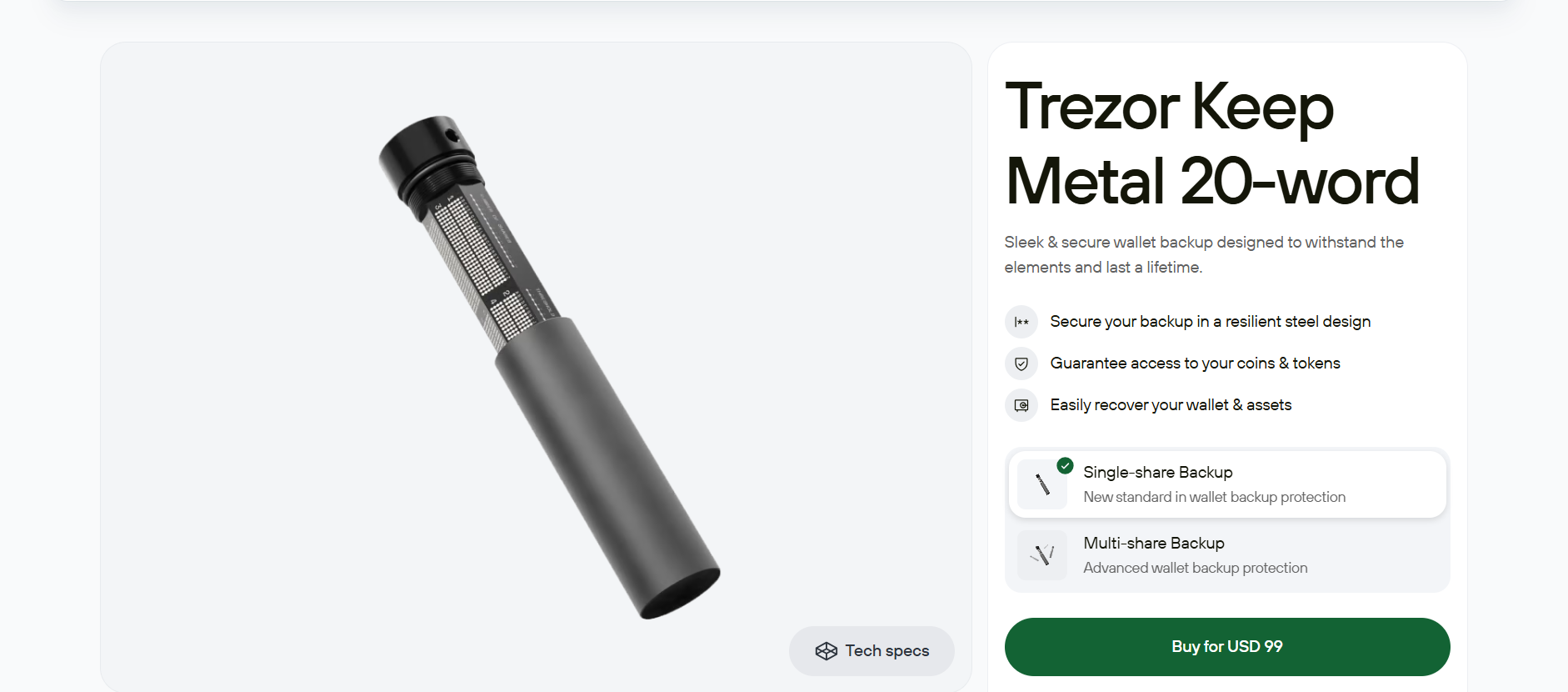
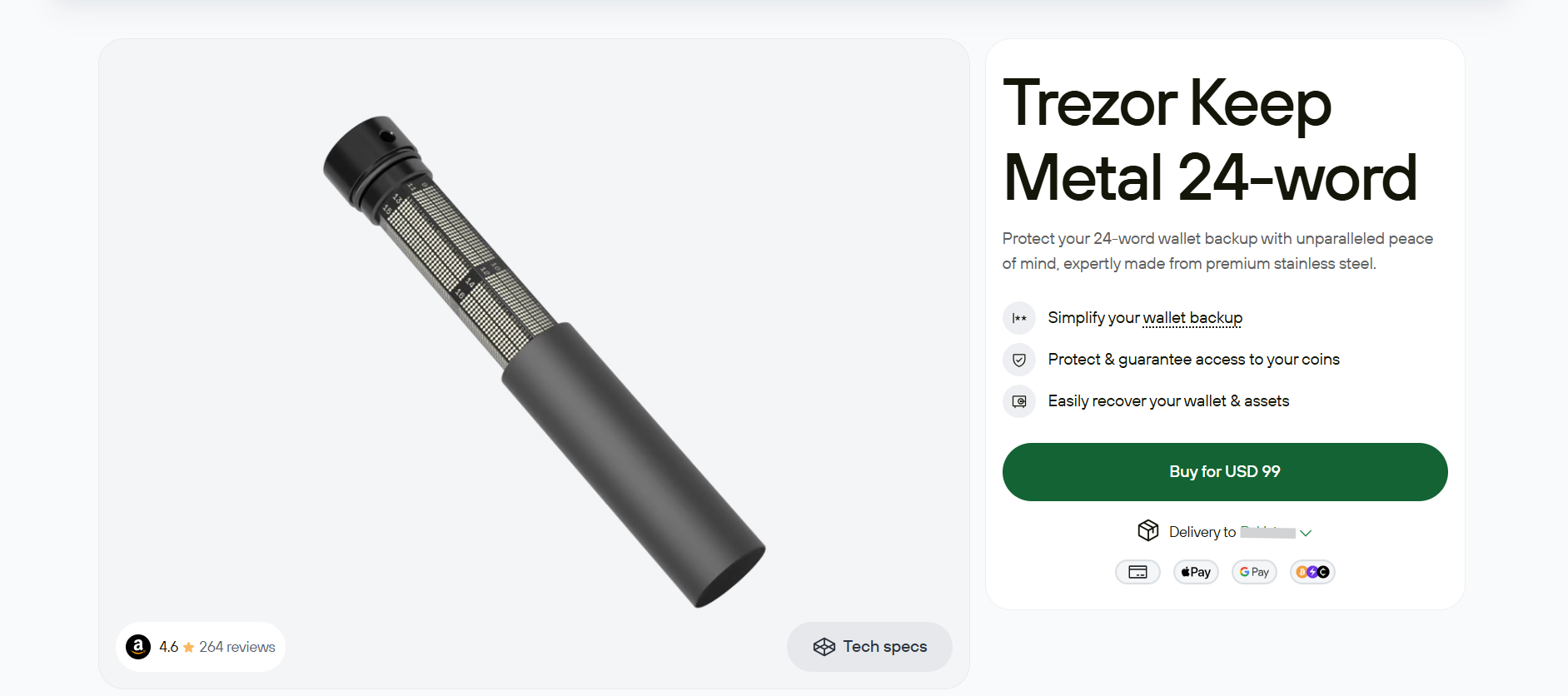
Compatible with Safe 3, Safe 5, and Safe 7 wallets, Trezor Keep Metal devices are designed to store recovery seeds. These devices include Trezor Keep Metal 20-word and Trezor Keep Metal 24-word. Both devices are made of AISI 304 aerospace-grade stainless steel, making them water and fire-resistant.
The Trezor Keep Metal 20-word is a 20-word wallet backup device. The easy four-letter entry of the device simplifies your wallet backup words. It supports SLIP39, which is a cryptographic standard used to secure and recover digital assets. Its seals are tamper-evident, clearly showing if anyone tries to tamper with your device.
You can buy Trezor Keep Metal 20-word for USD 99 from the official Trezor website.
As the name suggests, Trezor Keep Metal 24-word is a 24-word recovery seed device. It utilizes the BIP-39 standard, meaning you will use mnemonic phrases to recover crypto assets. Its aerospace-grade stainless steel structure makes it fire and water-resistant.
You can buy Trezor Keep Metal 24-word for USD 99 from the Trezor official website.
Trezor Wallet Supported Coins and Networks
You can safely secure more than 1,000 cryptocurrencies in Trezor wallets, including Bitcoin (BTC) and Ethereum (all ERC-20 tokens). The wallets are also compatible with EVM networks, such as Avalanche, Binance Smart Chain, Cronos, and Polygon.
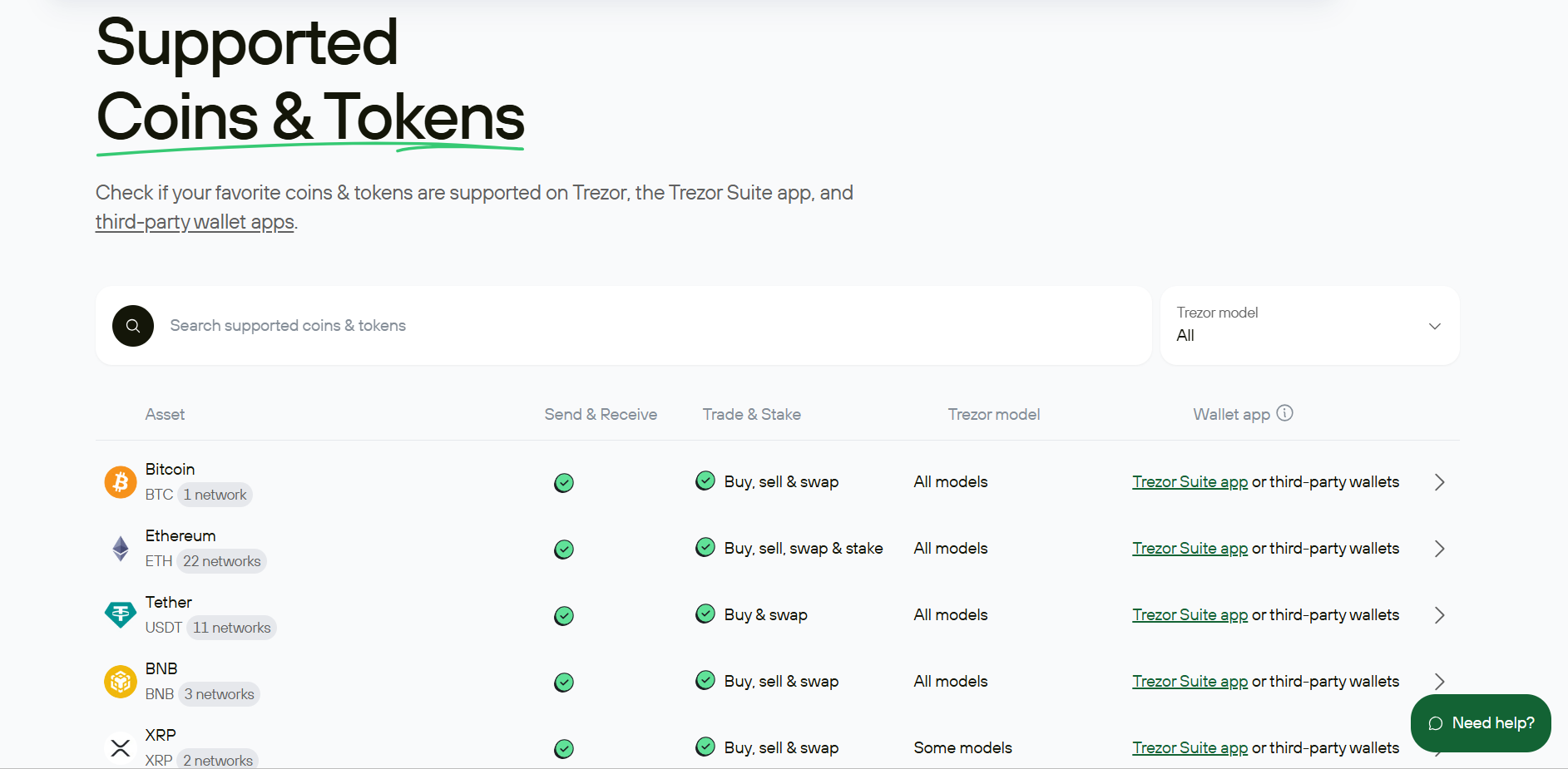
When using Trezor Suite, you can also add custom BEP-20 and ERC-20 tokens to your wallet. You can store NFTs in your Trezor wallet, but you cannot manage them directly via Trezor Suite. For this, you need to use third-party wallets such as MetaMask, Exodus, Sparrow, and others. Additionally, Trezor wallets offer connectivity for decentralized applications (dApps), such as Jupiter, Curve.fi, 1inch, and more.
Trezor Suite App
To use Trezor Wallet, you need to download the Trezor Suite app. It is available as a desktop app for Windows, Linux, and macOS, a mobile app (Android), and a web browser. The app is also available on iOS, but operates in view-only mode to monitor balance, meaning you will not be able to use it to send or receive crypto. After downloading the app, connect your wallet, secure your digital assets, and start earning by staking cryptocurrencies.
The Trezor Suite app enables you to buy, sell, and swap crypto assets directly from your wallet. It also allows you to stake cryptocurrencies, including Ethereum (ETH), Cardano (ADA), and Solana (SOL). The app's intuitive interface is extremely user-friendly, and you can customize it to suit your trading style. You can toggle between dark and light modes, hide coins you don’t like, and label your wallet and transactions.
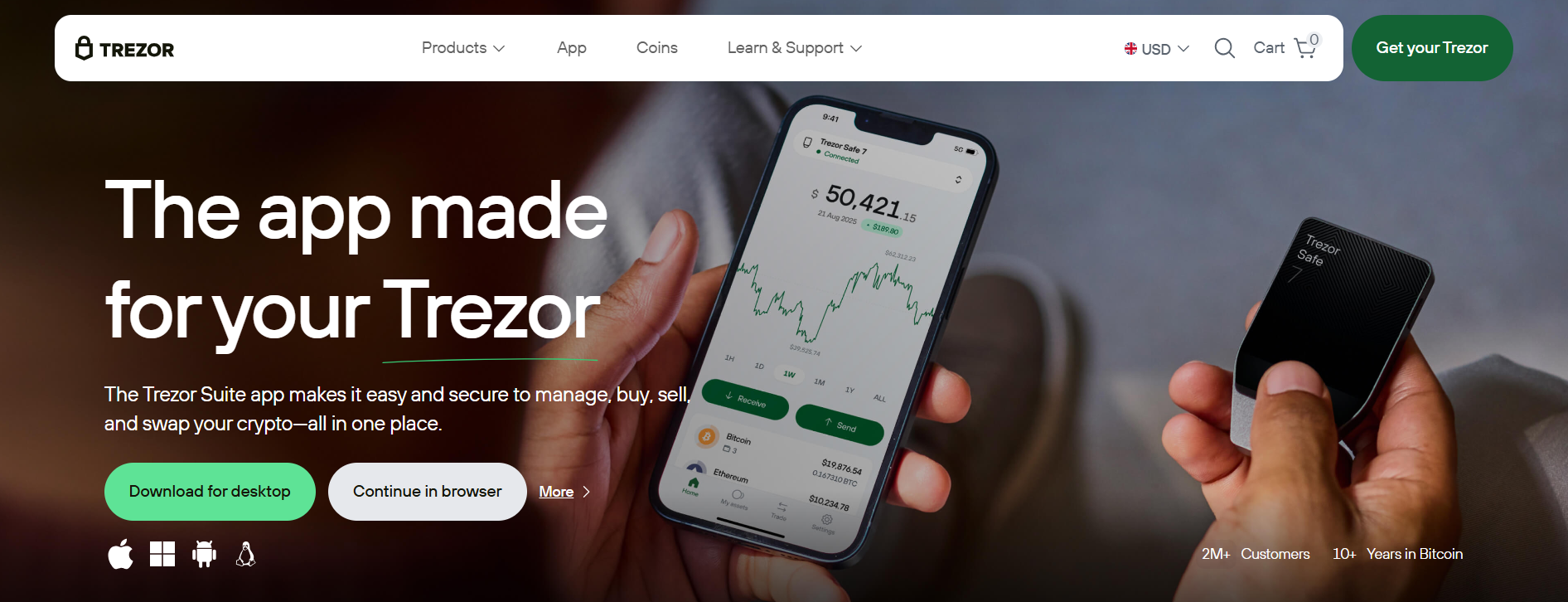
The in-built features of the Trezor Suite app include address poisoning protection, PIN and passphrase security, scam and airdrop protection, and the Tor Network (for the desktop app). The application also includes WalletConnect, which allows users to access DeFi protocols, participate in DAOs, and trade NFTs.
Buy/Sell, Swap, and Stake Cryptocurrency
The Trezor Suite app integrates buy, sell, swap, and stake features. The buy and sell features are powered by Invity, an exchange aggregator that lets users buy/sell cryptocurrencies directly from their wallets using multiple payment methods. These include SEPA, Visa, Mastercard, SOFORT, EPS, and more. You can also start over-the-counter (OTC) trading in the app if you wish to make large cryptocurrency purchases.
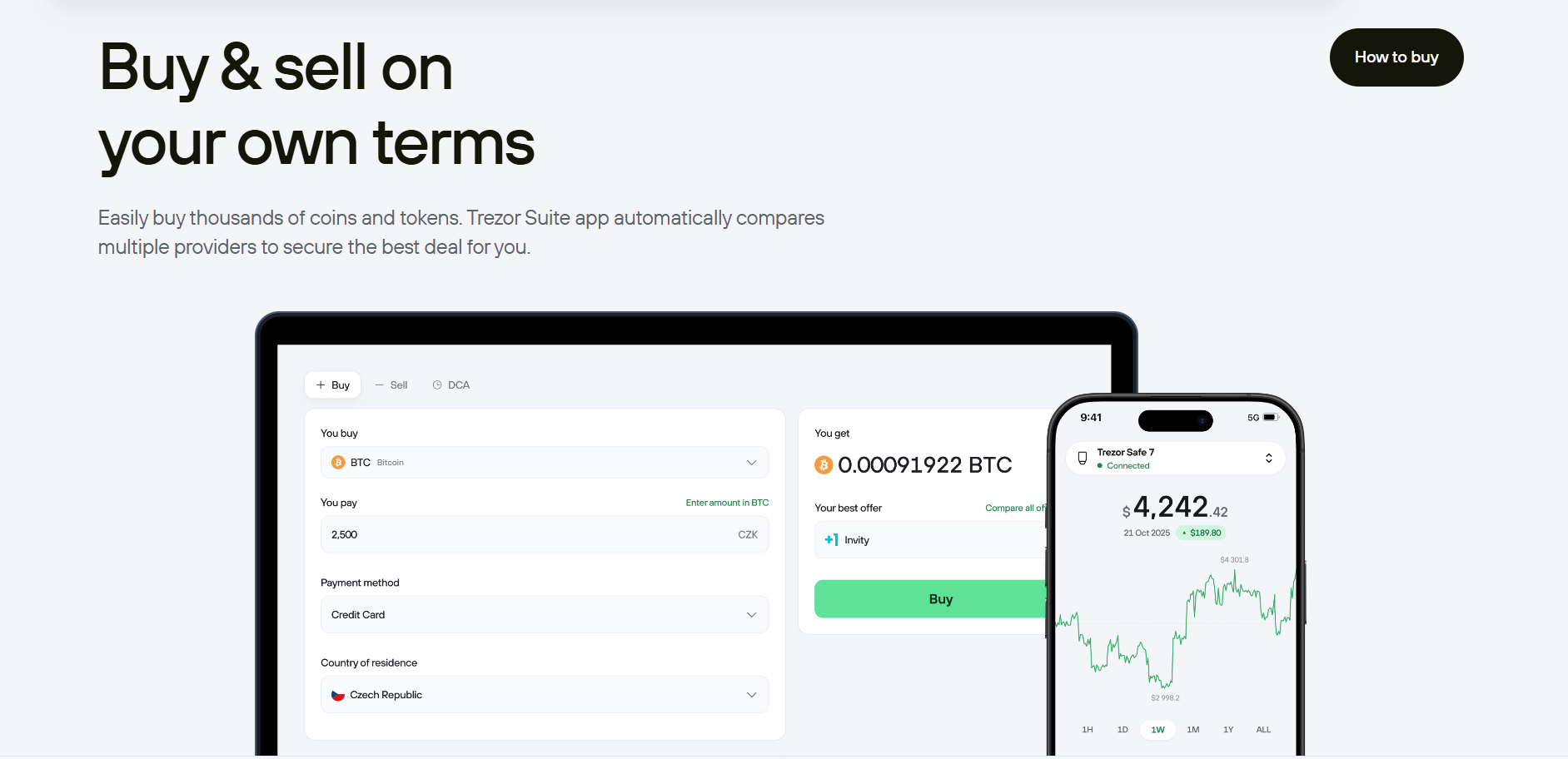
The app offers a swap feature that enables you to convert one digital asset into another. Powered by Invity’s exchange providers, you can swap cryptocurrencies directly from the wallet instead of sending them to a centralized exchange.
Additionally, you can stake cryptocurrencies like Ethereum and Solana in the app and start earning an annual percentage yield (APY). Staking in the app is empowered by Everstake, a staking service provider that allows users to stake ETH without needing a full 32 ETH validator setup. This means that you can start staking Ethereum with only 0.1 ETH.
Trezor Affiliate Program
Trezor is more than just a secure wallet, as it offers multiple opportunities to generate passive income. Trezor runs an affiliate program where you can earn up to 15% commission on successful referrals. The platform makes monthly payouts in Euros and BTC under this program.
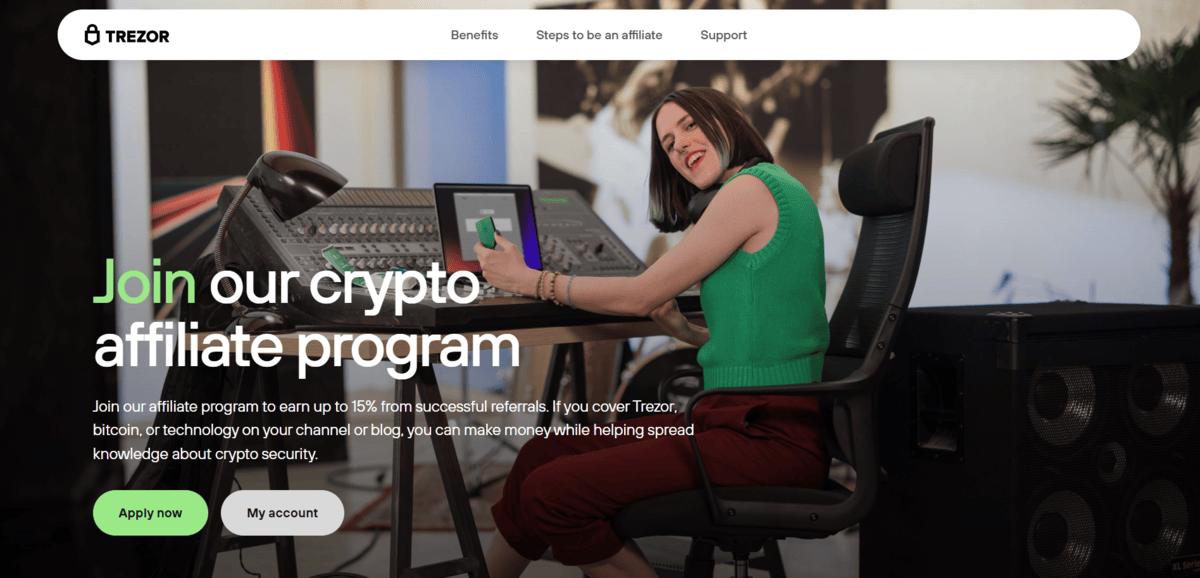
All you need to do is join the Trezor affiliate program by submitting your application on its official website. Once approved, log in to your dashboard to fund unique affiliate links and marketing materials. Start sharing your links, and you can earn up to 15% commission on every sale made within the 30-day cookie window.
Final Takeaways
Trezor is among the first cryptocurrency hardware wallets that has set enhanced safety standards for over 10 years. With open-source code, independent security audits, and advanced safety features, you get unmatched usability and transparency. The Trezor Suite app enables you not only to secure your crypto assets but also to buy, sell, swap, and stake to generate passive income. With devices like Safe 7, you also benefit from full Android and iOS support, quantum-ready security, and a transparent Secure Element.
Frequently Asked Questions (FAQs)
What is Trezor Wallet?
Trezor is a secure cryptocurrency wallet that lets you keep your digital assets offline. You can choose from its different wallet models, including Safe 3, Safe 5, and Safe 7.
Are Trezor Model One and Model T still available?
Both Model One and Model T are officially discontinued by Trezor.
Can I buy/sell, swap, and stake crypto on Trezor?
Yes, the Trezor Suite app allows you to buy/sell, swap, and stake over 1,000 cryptocurrencies.
How to connect a Trezor wallet?
Trezor wallets interact with the blockchain through Trezor Suite, a desktop or web application. After downloading it, you can connect wallets via USB-C, Bluetooth, or wireless connectivity.
Will my crypto be lost if I lose my Trezor wallet?
Your crypto will not be lost as long as you keep the wallet backup, called a recovery phrase.
Can I access DeFi and NFTs on Trezor?
Yes, Trezor supports WalletConnect, which lets you interact with DeFi dApps like Uniswap and NFT marketplaces like OpenSea directly from your hardware wallet.
Are there any hidden charges for using Trezor?
No, Trezor keeps pricing fully transparent. Whether you buy, sell, or swap crypto in Trezor Suite, you can always see the full cost upfront and select the best available offer.
Can I trust Trezor?
Trezor can be a trustworthy hardware wallet provider as it implements the BIP39 and BIP44 standards and an optional passphrase feature.
Are the Trezor Safe 3 and Safe 5 wallets iOS-compatible?
No, Trezor Safe 3 and Safe 5 wallets lack native iOS support.
From where should I buy a Trezor wallet?
You should buy a Trezor wallet from its official website or from an authorized reseller.
How many cryptocurrencies are supported by Trezor Suite?
The Trezor Suite app supports more than 1,000 cryptocurrencies, including Bitcoin (BTC), Ethereum (ETH), and Solana (SOL).
Disclaimer: All content on The Moon Show is for informational and educational purposes only. The opinions expressed do not constitute financial advice or recommendations to buy, sell, or trade cryptocurrencies. Trading involves significant risk and may result in substantial losses. Always seek independent financial advice before making investment decisions. The Moon Show is not responsible for any financial losses or decisions made based on the information provided.
Please view the full disclaimer at: https://themoonshow.com/disclaimer
Ledger Wallet Review - Features, Models, and Security Explained
A cryptocurrency wallet is a software application or a physical device that enables users to st...
Exodus Wallet Review – Security, Fees, and Usability
Exodus is a non-custodial cryptocurrency wallet that lets you send, receive, store, and swap ov...
Trust Wallet Review - Features, Security, and Performance Explored
A cryptocurrency wallet is a tool that allows users to manage, store, send, and receive cryptoc...