Coinbase Wallet Review 2026: Self-Custody Done the Mainstream Way
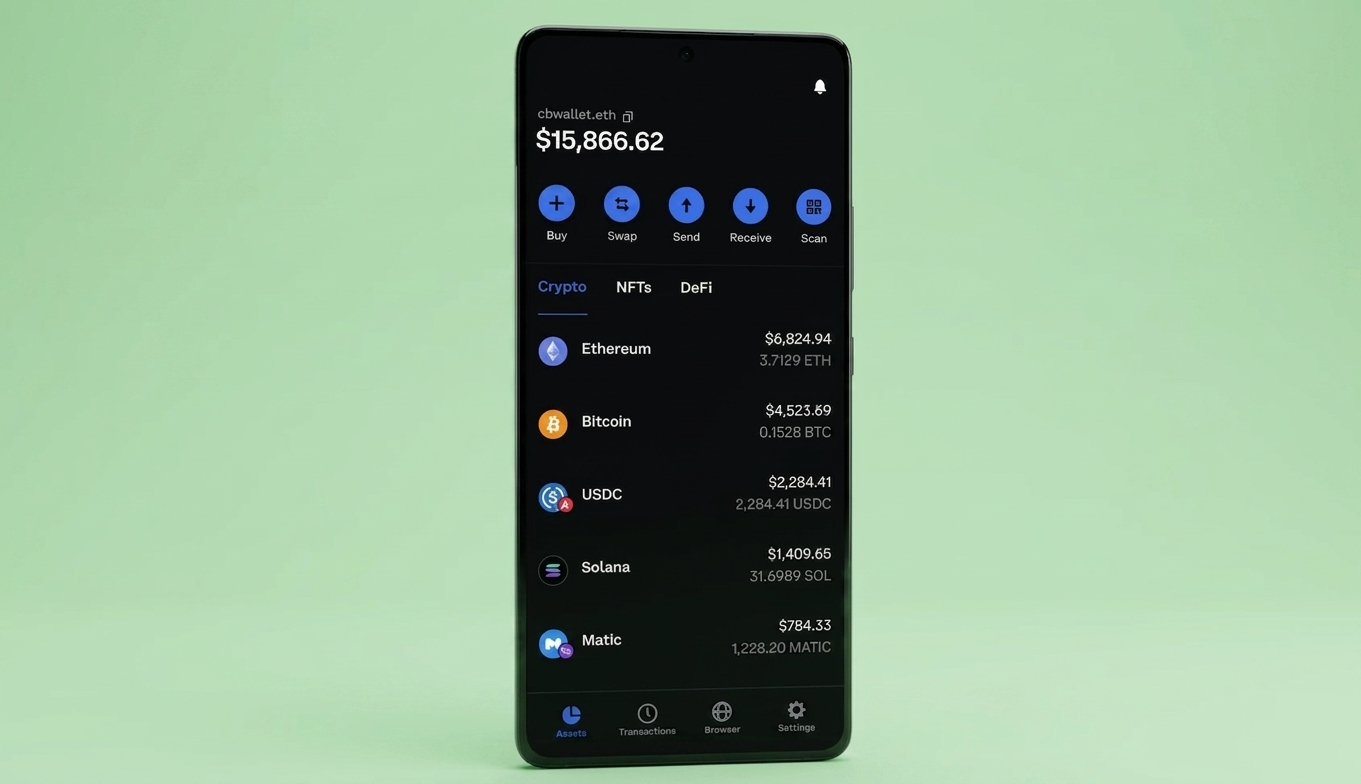
Coinbase Wallet is a self-custody hot wallet that gives you full control over your private keys while staying connected to the Coinbase ecosystem. It supports 10,000+ tokens across Ethereum, Solana, Bitcoin, and every major EVM-compatible chain, with a built-in dApp browser, an integrated DEX for swaps, a cross-chain bridge, and NFT storage across multiple networks. The wallet is free to use with no platform fees. You pay only blockchain network fees plus up to 1% on in-app swaps. It works as a mobile app (iOS and Android) and a browser extension (Chrome and Brave), and you can link it to your Coinbase exchange account for easy transfers. The catch is that it is a hot wallet, so your keys live on an internet-connected device, and if you lose your 12-word recovery phrase, there is no way to get your crypto back.
Our Verdict: 4.1 / 5
Best for: Coinbase exchange users who want self-custody, Web3 beginners who need a familiar interface, and anyone who wants DeFi access with a recognizable brand behind the product.
Avoid if: You want cold storage security, need support for XRP/XLM/BCH, or prefer a desktop-first workflow without browser extensions.
Strongest points:
- Seamless integration with the Coinbase exchange. You can move crypto between your exchange account and your wallet in a few taps.
- Broad multi-chain support. Ethereum, Solana, Bitcoin, Dogecoin, Litecoin, and all EVM chains in one place, with 10,000+ tokens detected automatically.
- Built-in dApp browser, DEX, and bridge mean you can do most Web3 tasks without leaving the app.
Weakest points:
- Hot wallet. Keys are stored on your device, which is inherently less secure than hardware cold storage.
- No support for BCH, ETC, XLM, or XRP. These were dropped in 2023 and have not been reinstated.
- Solana DEX is temporarily disabled due to a security upgrade. You can hold SOL but cannot swap it in-app right now.
Bottom line: Coinbase Wallet is the easiest bridge between centralized exchange convenience and self-custody control. If you already use Coinbase and want to start holding your own keys without a steep learning curve, this is the most natural path. But it is a hot wallet, and that means it will never match the security of a hardware device like Ledger or Tangem. For significant holdings, consider pairing it with a cold storage solution.
What Is Coinbase Wallet?
Coinbase Wallet is a self-custody crypto wallet built by Coinbase, the publicly traded US exchange founded by Brian Armstrong and Fred Ehrsam in 2012. The wallet launched as a separate product in 2018, and it is important to understand the distinction right away.
Your Coinbase exchange account is custodial, meaning Coinbase holds your keys and controls your crypto on your behalf. Coinbase Wallet is something completely different . You generate a 12-word recovery phrase during setup, your private keys are stored locally on your device, and Coinbase has zero access to your funds. If you lose the recovery phrase, nobody can help you recover it.
In 2026, Coinbase has been rebranding the wallet under the name 'Base App' in some contexts, adding social features, messaging, and mini-apps. The core self-custody functionality has not changed, but the product is clearly expanding beyond a simple wallet into something closer to a Web3 social platform.
For this review, we are focusing on the wallet functionality that most crypto users actually care about including storing, sending, swapping, and interacting with DApps.
Coinbase Wallet Features
Multi-Chain Support
The wallet supports Ethereum, Solana, Bitcoin, Dogecoin, Litecoin, and every EVM-compatible network including Base, Polygon, Arbitrum, Optimism, and BNB Chain. You can also add custom networks manually.
In total, the wallet recognizes over 10,000 tokens, and most ERC-20 tokens show up automatically after you receive them without needing to add them manually. Each network sits in its own view inside the app, which means you need to pay attention to which chain you are on before sending or receiving.
Sending tokens on the wrong network can mean funds arriving on a chain the recipient does not have access to, requiring extra steps and fees to recover.
Built-In DEX and Swaps
The integrated DEX aggregates quotes from 21+ liquidity sources and supports swaps across seven chains including Base, Ethereum, BNB, Avalanche, Polygon, and Arbitrum.
Default slippage is set to 3% but you can adjust it according to your liking. There is also a gasless swap feature that lets you pay network fees with the token you are swapping rather than the chain's native coin, which is genuinely useful when you do not hold ETH for gas. The swap fee is up to 1% on top of the network fee.
One notable gap right now is that Solana swaps are temporarily disabled due to a security upgrade, so you can hold SOL but cannot trade it in-app. Though, this will likely get resolved in the future.
Cross-Chain Bridge
Coinbase Wallet includes a built-in cross-chain bridge that lets you move supported tokens between Polygon, Base, Arbitrum, and Optimism without leaving the app.
This is useful when you want to shift assets to a cheaper or faster network for a specific DeFi interaction, or when you need liquidity on a chain where you currently hold nothing.
Bridge fees depend on network congestion. In testing, a typical bridge transaction cost around $6 and completed in a few minutes.
dApp Browser
The mobile app includes a built-in browser for connecting to decentralized applications like Uniswap, OpenSea, Aave, and Compound. You can bookmark favorites and the wallet tracks your DeFi activity on Ethereum. The browser works reliably for common DeFi tasks, though switching networks mid-session sometimes requires reconnecting. On desktop, the Chrome/Brave browser extension handles dApp connections and is smoother for multi-tab workflows.
NFT Storage
NFTs show up automatically after transfer and sit in a dedicated tab. The wallet supports NFTs on Ethereum, Base, Polygon, Optimism, and Solana.
You can view, manage, and list NFTs on marketplaces like OpenSea, Magic Eden, and Blur directly from the wallet. There is no advanced sorting or filtering, so larger collections can get messy, but for most users the experience is pretty standard and straightforward.
Coinbase Exchange Integration
Now, this is where Coinbase Wallet has a genuine edge over competitors. You can link your Coinbase exchange account and move assets between the two in a few taps, making it trivially easy to buy crypto on the exchange and then transfer it to self-custody.
You can also use Coinbase Pay to fund wallet purchases with your existing payment methods. For users who already hold crypto on Coinbase, this integration removes the inconvenience that stops most people from moving to self-custody in the first place.
USDC Rewards and Sub-Wallets
Eligible users can earn up to 4.1% APY by holding USDC in the wallet, paid monthly on the Base network. In the US, this feature currently requires a Coinbase One membership and does not work without it.
The wallet also supports up to 15 sub-wallets, each with a unique Ethereum and Solana address sharing the same recovery phrase. This lets you separate DeFi activity, NFTs, and long-term holdings without managing multiple seed phrases, which is a smart organizational feature that most competing wallets do not offer.
Coinbase Wallet Fees
|
Action |
Fee |
|
Sending USDC on Base, Polygon, Optimism, Arbitrum, Avalanche C-chain |
Free (zero network fee) |
|
Other token sends |
Blockchain network fee only (varies by chain and congestion) |
|
In-app token swaps |
Up to 1% commission + network fee |
|
Buying crypto via Coinbase Pay |
0.5% to 4.5% depending on token, volume, and payment method |
|
Bridge transactions |
Network fee only (varies, ~$6 in testing) |
|
Holding, receiving, wallet usage |
Free |
|
ETH staking commission |
15% of staking rewards |
The free USDC transfers on five networks are a genuine standout. If you regularly send stablecoins, this alone could save you meaningful amounts in gas fees over time compared to wallets that charge standard network fees on every transfer.
Security: How Safe Is Coinbase Wallet?
As a self-custody wallet, your private keys are generated and stored locally on your device, not on Coinbase's servers. The wallet uses a standard 12-word BIP39 recovery phrase, and Coinbase is explicit that they cannot recover your wallet if you lose it.
Security features include biometric authentication (Face ID, fingerprint), passcode protection, transaction previews that decode what a smart contract is actually doing before you sign, token approval alerts, and a dApp blocklist that warns you before connecting to known malicious sites.
The browser extension also supports Ledger hardware wallet pairing, which adds a second signature requirement for transactions. This is the recommended setup if you hold significant amounts. One caveat is that Ledger integration requires starting a new Coinbase Wallet rather than connecting to an existing one, which is a friction point that MetaMask handles more smoothly.
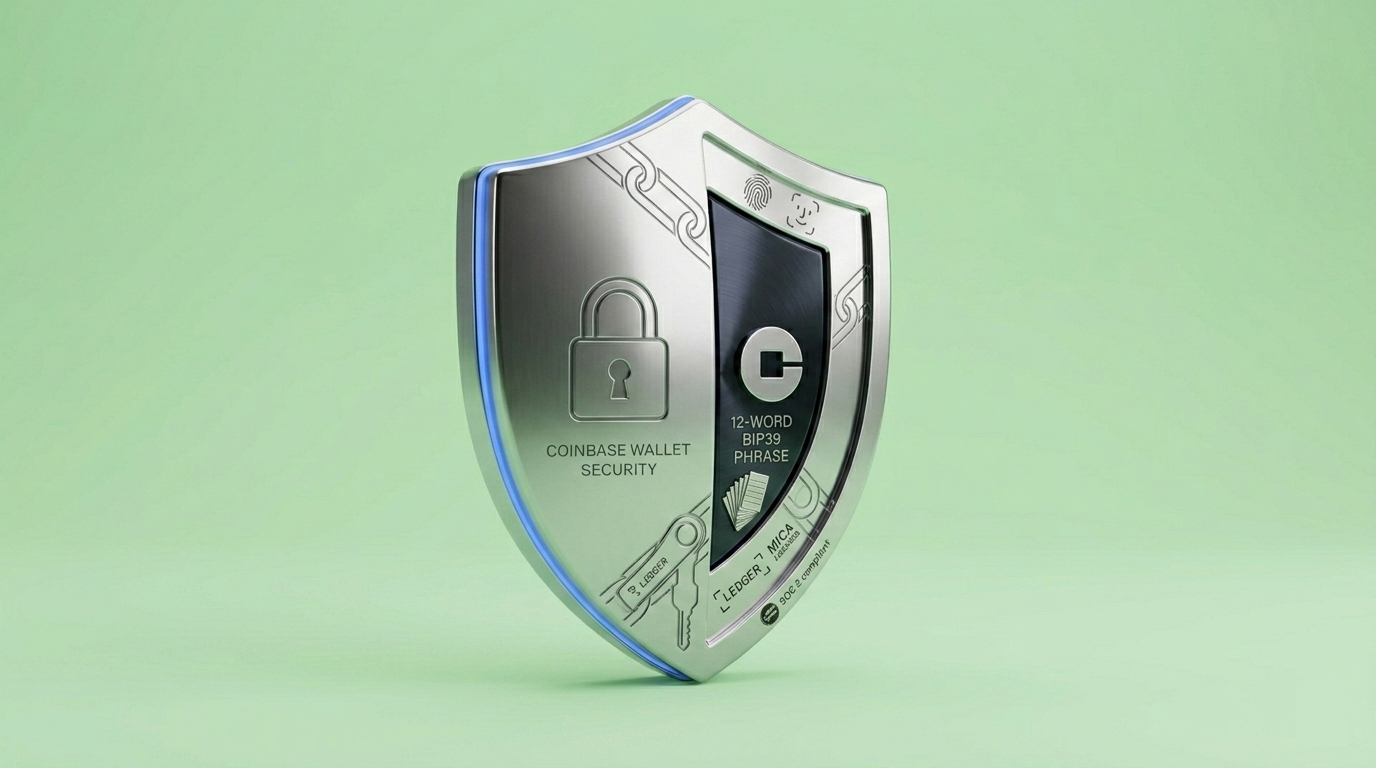
On the company side, Coinbase is publicly traded, SOC 2 Type II compliant, and MiCA licensed in the EU. However, in 2025, a data access incident exposed some customer information due to insider misuse. Private keys and funds were not compromised, but it is worth knowing that the company has faced both regulatory fines and security incidents, even if neither directly affected the self-custody wallet product.
Setting Up Coinbase Wallet
Setup takes about five minutes and is a pretty straightforward step.
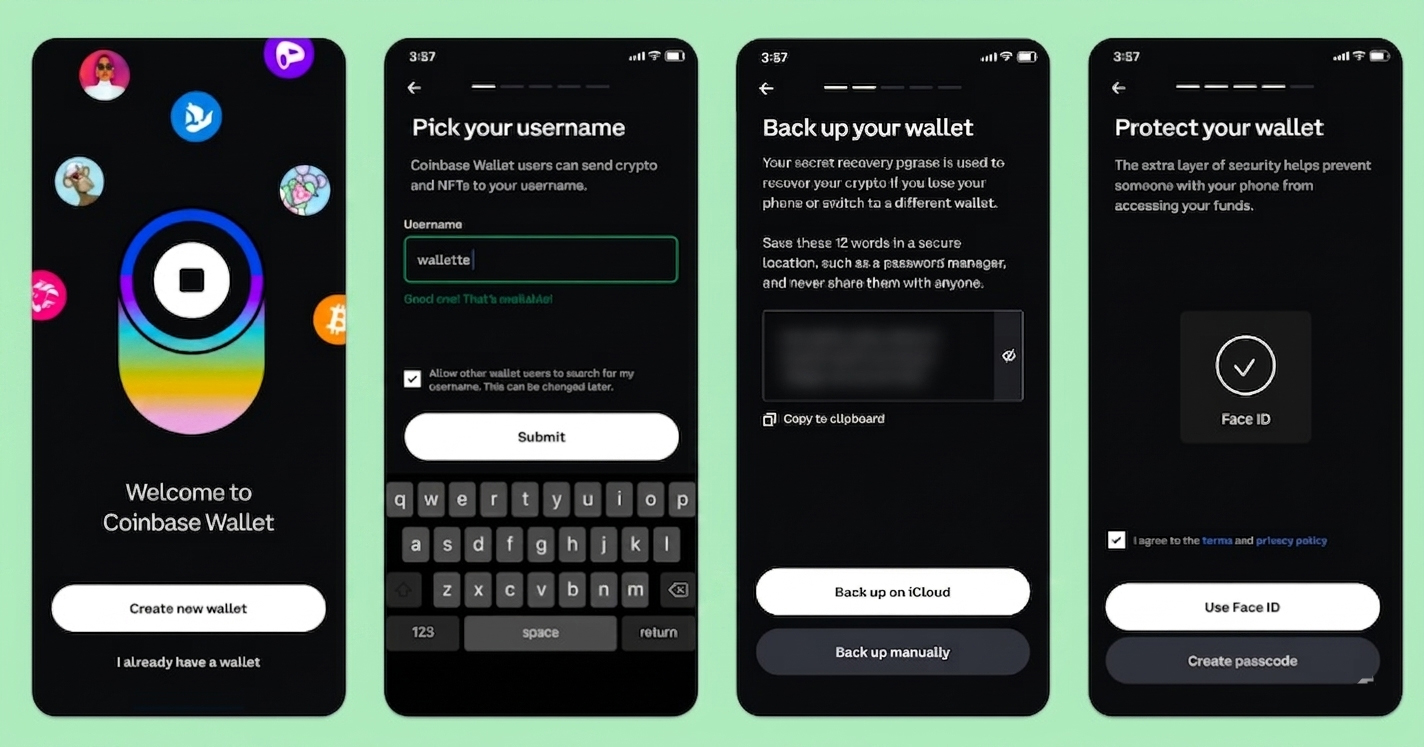
- Download the app or browser extension, create a new wallet, and the app generates your 12-word recovery phrase. You must write it down and confirm specific words before proceeding, which is standard but non-negotiable. There is no way to skip this step.
- Once done, enable biometric lock, set a password, and optionally claim a free ENS-compatible username (yourname.cb.id) that others can use to send you crypto instead of pasting a long address.
If you already have a Coinbase exchange account, you can link it during or after setup. The connection lets you transfer assets between the two, use Coinbase Pay to buy directly into the wallet, and see your exchange balances alongside your self-custody holdings. For anyone already in the Coinbase ecosystem, this integration makes the transition to self-custody feel almost seamless.
Coinbase Wallet vs Other Crypto Wallets
|
Feature |
Coinbase Wallet |
MetaMask |
Trust Wallet |
Tangem |
|
Wallet type |
Hot (self-custody) |
Hot (self-custody) |
Hot (self-custody) |
Cold (hardware) |
|
Supported networks |
Ethereum, Solana, BTC, all EVM |
Ethereum, all EVM, Solana (Snaps) |
100+ blockchains |
85+ blockchains |
|
Exchange integration |
Coinbase exchange |
None (swap only) |
Binance (limited) |
None |
|
dApp browser |
Yes (mobile + extension) |
Yes (extension-first) |
Yes (mobile) |
WalletConnect only |
|
Hardware wallet support |
Ledger (extension only) |
Ledger, Trezor, Lattice |
None |
N/A (is hardware) |
|
Swap fee |
Up to 1% |
0.875% |
Variable |
No wallet markup |
|
Recovery |
12-word phrase |
12-word phrase |
12-word phrase |
Multi-card backup (seedless) |
|
Desktop app |
Browser extension |
Browser extension |
Browser extension |
None (mobile only) |
Coinbase Wallet's main advantage over MetaMask and Trust Wallet is the Coinbase exchange integration. MetaMask is more flexible for advanced dApp use and supports more hardware wallets. Trust Wallet covers more networks. Tangem is the only cold storage option in this list, which puts it in a different security category entirely. If you are choosing between hot wallets and already use Coinbase, Coinbase Wallet wins on convenience. If security is your top priority, pair it with a hardware wallet or use one instead.
Who Should Use Coinbase Wallet?
Good fit for:
- Coinbase exchange users who want to start holding their own keys without leaving the ecosystem.
- Web3 beginners who want a familiar, branded interface for DeFi, NFTs, and dApp access.
- Users with diversified portfolios across multiple EVM chains who want everything in one wallet.
- Stablecoin users who can benefit from free USDC transfers on five networks and 4.1% APY.
Not ideal for:
- Users who need cold storage. This is a hot wallet with keys on your device.
- XRP, XLM, BCH, or ETC holders. These assets are not supported.
- Privacy-focused users. The wallet is built by Coinbase, a company that has faced data incidents. Linking to a Coinbase account is optional, but the product still sits within that ecosystem.
- Solana traders who need in-app swaps. The Solana DEX is temporarily disabled.
Common Mistakes With Coinbase Wallet
1. Confusing Coinbase Wallet with the Coinbase exchange
These are two entirely different products. Your exchange account is custodial, meaning Coinbase holds your keys. The wallet is self-custody, meaning you hold your keys. If you lose your recovery phrase, Coinbase cannot help. This distinction trips up more beginners than any other single issue.
2. Sending tokens on the wrong network
USDC exists on Ethereum, Polygon, Base, Arbitrum, and more. Sending USDC on the Ethereum network when the recipient expects Polygon means the funds arrive on the wrong chain, where the recipient may not have access or would need to bridge them back. At best it costs extra fees and time. At worst, if the recipient does not realize what happened, the funds sit unreachable. Always confirm the network before approving a transfer.
3. Not revoking dApp approvals
When you connect to a dApp and approve token access, that approval stays active even after you close the dApp. If the dApp is compromised later, the attacker can drain the approved tokens. Use the built-in token approval management or services like revoke.cash to clean up old approvals regularly.
4. Storing the recovery phrase on your phone
If your phone is compromised, your recovery phrase and your wallet are both exposed at the same time. Write the phrase on paper or metal and store it offline, separate from the device the wallet runs on.
Closing Thoughts
Coinbase Wallet is among the very few crypto wallets out there that makes the transition from exchange custody to holding your own keys feel like a natural next step rather than a technical tussle. The Coinbase exchange integration is genuinely smooth, the multi-chain support is broad enough for most portfolios, and the dApp browser plus built-in DEX cover the basics of Web3 without requiring you to become a power user. The free USDC transfers on five networks and 4.1% APY are nice bonuses that add real practical value.
The trade-offs are the same as any hot wallet. Your keys live on a device connected to the internet, and if that device or your recovery phrase is compromised, your funds are at risk. The dropped support for XRP and XLM frustrates some users, and the temporarily disabled Solana DEX means you can hold SOL but not swap it in-app right now. The up to 1% swap fee is also higher than MetaMask's 0.875%. But for anyone who already uses Coinbase and wants to dip their toes into self-custody, this is the natural next step.
Frequently Asked Questions
Is Coinbase Wallet safe?
It is as safe as a hot wallet can be. Private keys are stored locally on your device, not on Coinbase's servers. The app includes biometric authentication, transaction previews, token approval alerts, and dApp warnings. For higher security, you can pair it with a Ledger hardware wallet through the browser extension. But fundamentally, it is still a hot wallet with keys on an internet-connected device, which carries more risk than cold storage.
Is Coinbase Wallet the same as the Coinbase exchange?
No. The Coinbase exchange is a custodial platform where Coinbase holds your crypto. Coinbase Wallet is a self-custody app where you hold your own keys. They can be linked for easy transfers, but they are separate products with completely different security models.
What tokens does Coinbase Wallet support?
Over 10,000 tokens across Ethereum, Solana, Bitcoin, Dogecoin, Litecoin, and all EVM-compatible chains. Most ERC-20 tokens are detected automatically. Notable exclusions are XRP, XLM, BCH, and ETC, which were discontinued in 2023.
Does Coinbase Wallet charge fees?
No platform fees for holding, receiving, or sending. You pay blockchain network fees on transactions, up to 1% on in-app swaps, and 0.5% to 4.5% if buying through Coinbase Pay depending on the method. USDC transfers on Base, Polygon, Optimism, Arbitrum, and Avalanche C-chain are completely free.
Can I use Coinbase Wallet without a Coinbase account?
Yes. The wallet is a standalone product and does not require a Coinbase account to download, set up, or use. Linking a Coinbase account is optional and adds features like easy transfers and Coinbase Pay funding, but it is not required.
What happens if I lose my recovery phrase?
Your crypto is permanently lost. Coinbase cannot recover it. There is no reset, no backdoor, and no customer support workaround. This is the fundamental trade-off of self-custody. Write the phrase down, store it offline, and never share it.
Disclaimer: All content on The Moon Show is for informational and educational purposes only. The opinions expressed do not constitute financial advice or recommendations to buy, sell, or trade cryptocurrencies. Trading involves significant risk and may result in substantial losses. Always seek independent financial advice before making investment decisions. The Moon Show is not responsible for any financial losses or decisions made based on the information provided.
Please view the full disclaimer at: https://themoonshow.com/disclaimer
Ledger Wallet Review - Features, Models, and Security Explained
A cryptocurrency wallet is a software application or a physical device that enables users to st...
Exodus Wallet Review – Security, Fees, and Usability
Exodus is a non-custodial cryptocurrency wallet that lets you send, receive, store, and swap ov...
Trust Wallet Review - Features, Security, and Performance Explored
A cryptocurrency wallet is a tool that allows users to manage, store, send, and receive cryptoc...