WEEX Exchange Tutorial 2026: A Complete Step-by-Step Guide
WEEX is a derivatives-first crypto exchange with 1,000+ cryptocurrencies, up to 400x futures leverage, and competitive maker fees at 0.02% on futures. The platform is designed for active traders who want fast execution and a straightforward interface without the clutter of DeFi integrations or banking features.
This is a step-by-step guide for getting started on WEEX. It walks you through account creation, depositing crypto, placing spot and futures trades, and withdrawing your funds, with screenshot references throughout.
If you are looking for a full breakdown of the platform before diving in, we have a detailed WEEX exchange review that covers fees, security, and competitor comparisons.
How to Create Your WEEX Account
1. WEEX lets you register with an email or phone number. The process takes under two minutes and does not require KYC to start trading.
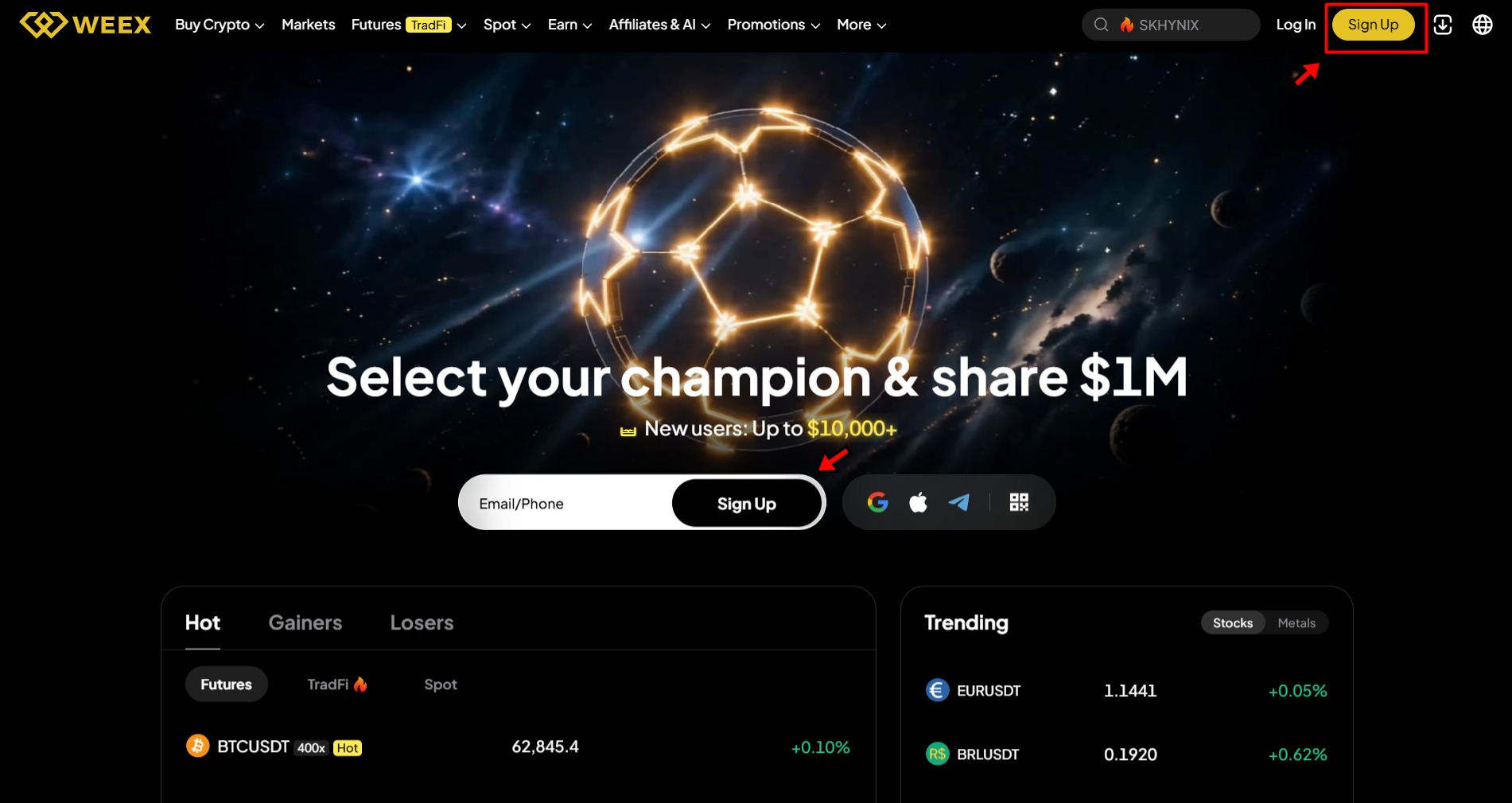
Go to weex.com and click the Sign Up button in the top right corner or add your email in the empty field in the middle of the page and click Sign up. You can also download the WEEX app from the App Store or Google Play if you prefer trading on mobile.
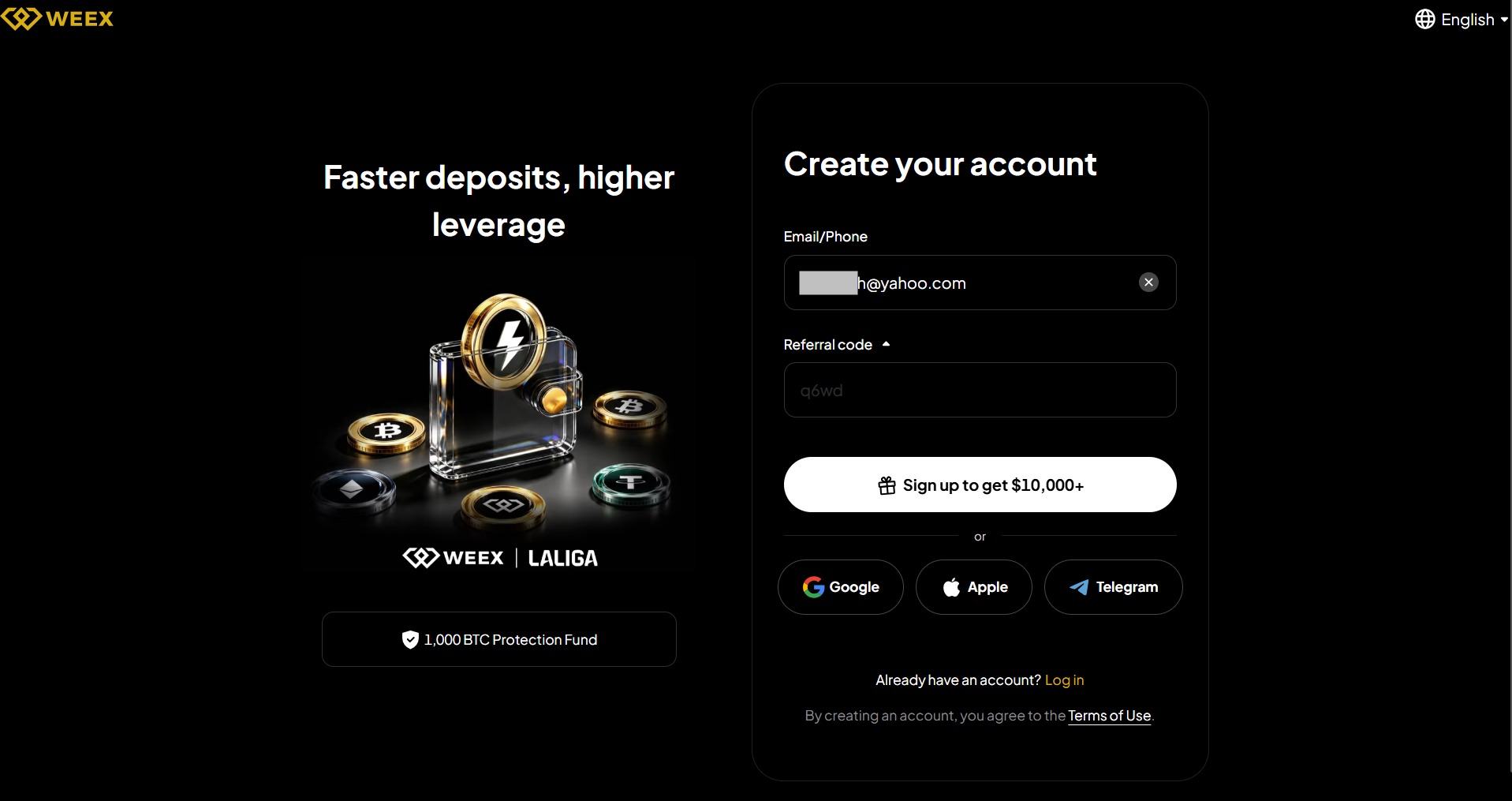
2. Enter your email address (or phone number) and click on the Sign-up button. You can also add our referral code “q6w4d” to get a bonus on sign up. Alternatively, you can also use your Google, Apple or Telegram account to create your account.
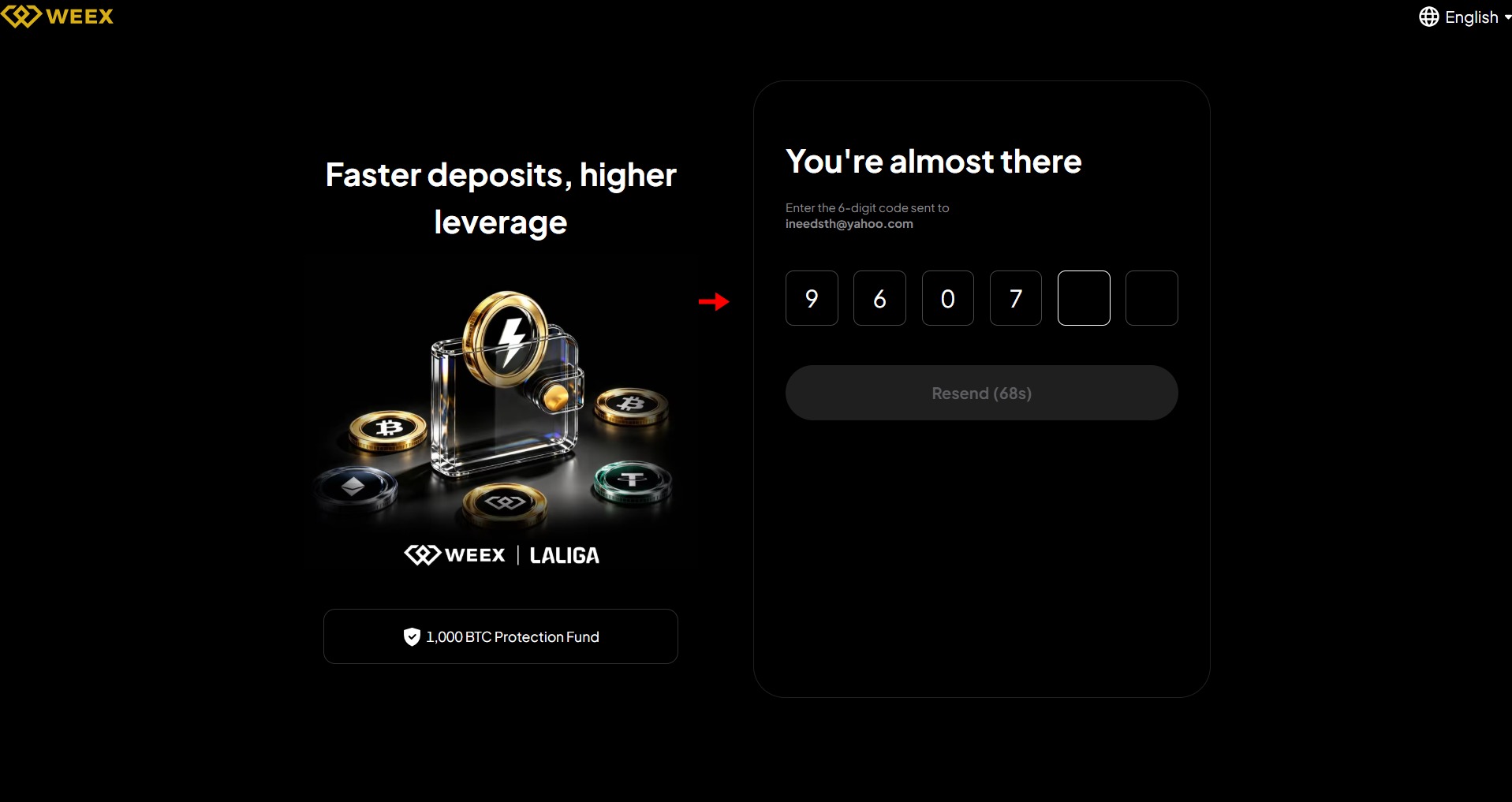
3. WEEX sends a verification code to your email or phone. Enter the code and click Confirm.
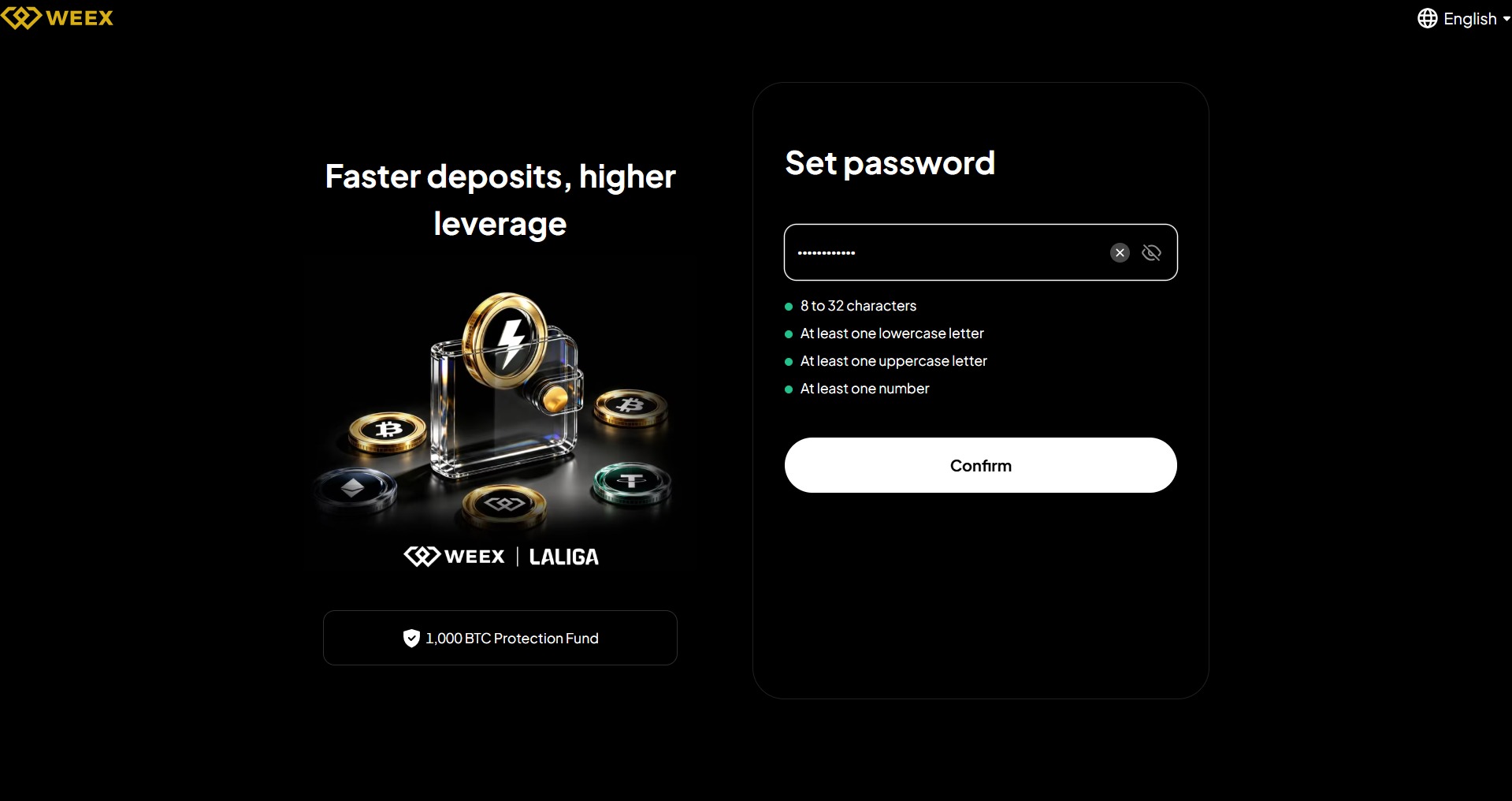
4. Now, create a strong password combining letters, numbers, and symbols. Agree to the Terms of Service and click Sign Up.
5. Once logged in, enable Two-Factor Authentication before doing anything else. Go to your account settings, download Google Authenticator or Authy if you do not have it, scan the QR code WEEX displays, and enter the 6-digit code from the app. This step is not technically required, but skipping it leaves your account vulnerable.
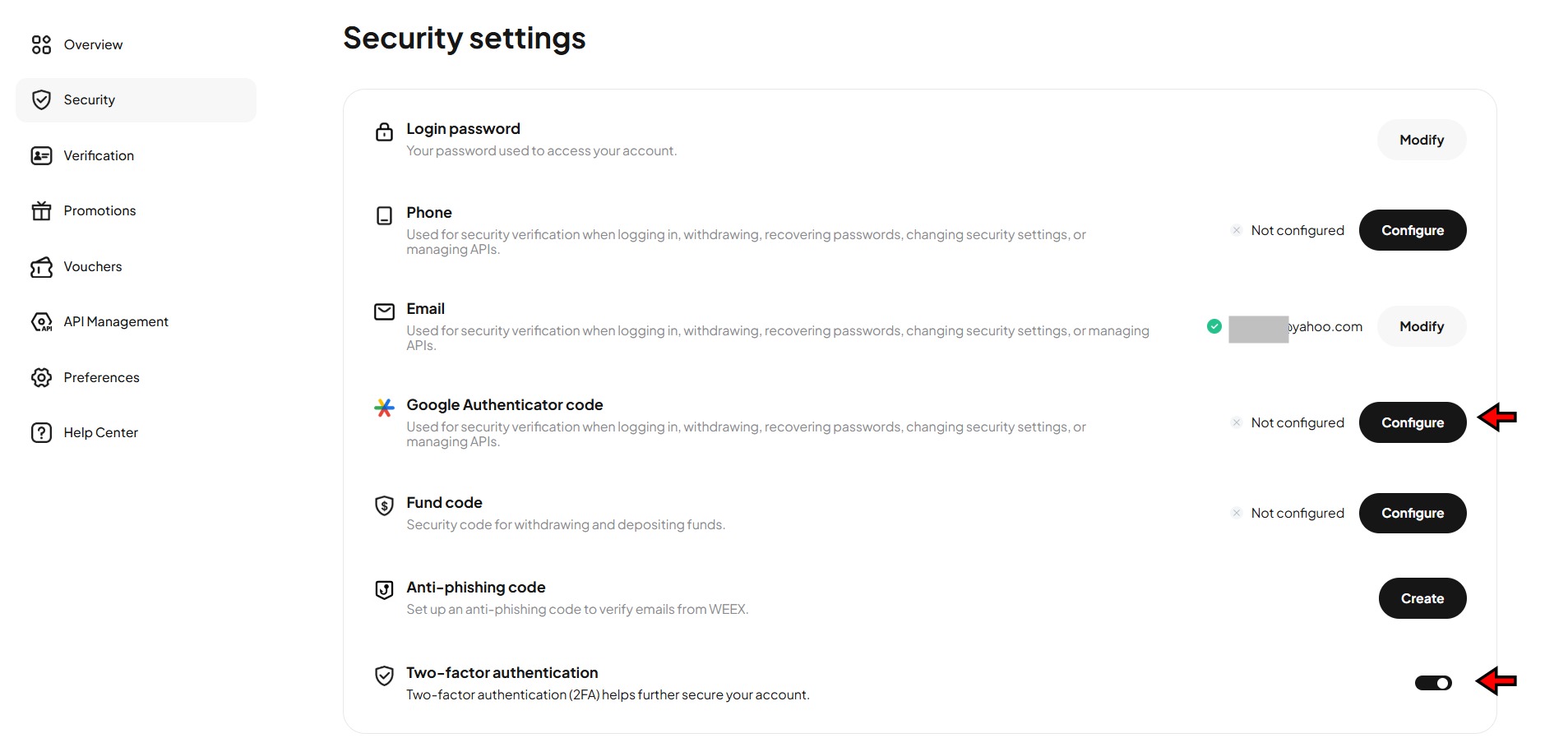
Your account is ready. WEEX does not require KYC for basic trading, so you can deposit and start immediately. Without KYC, your daily withdrawal limit is 10,000 USDT. Completing KYC raises that limit significantly.
How to Complete KYC on WEEX
KYC is optional on WEEX, but completing it unlocks higher withdrawal limits, fiat purchase options, and access to certain promotional features. If you plan to trade with significant capital, it is worth doing upfront.
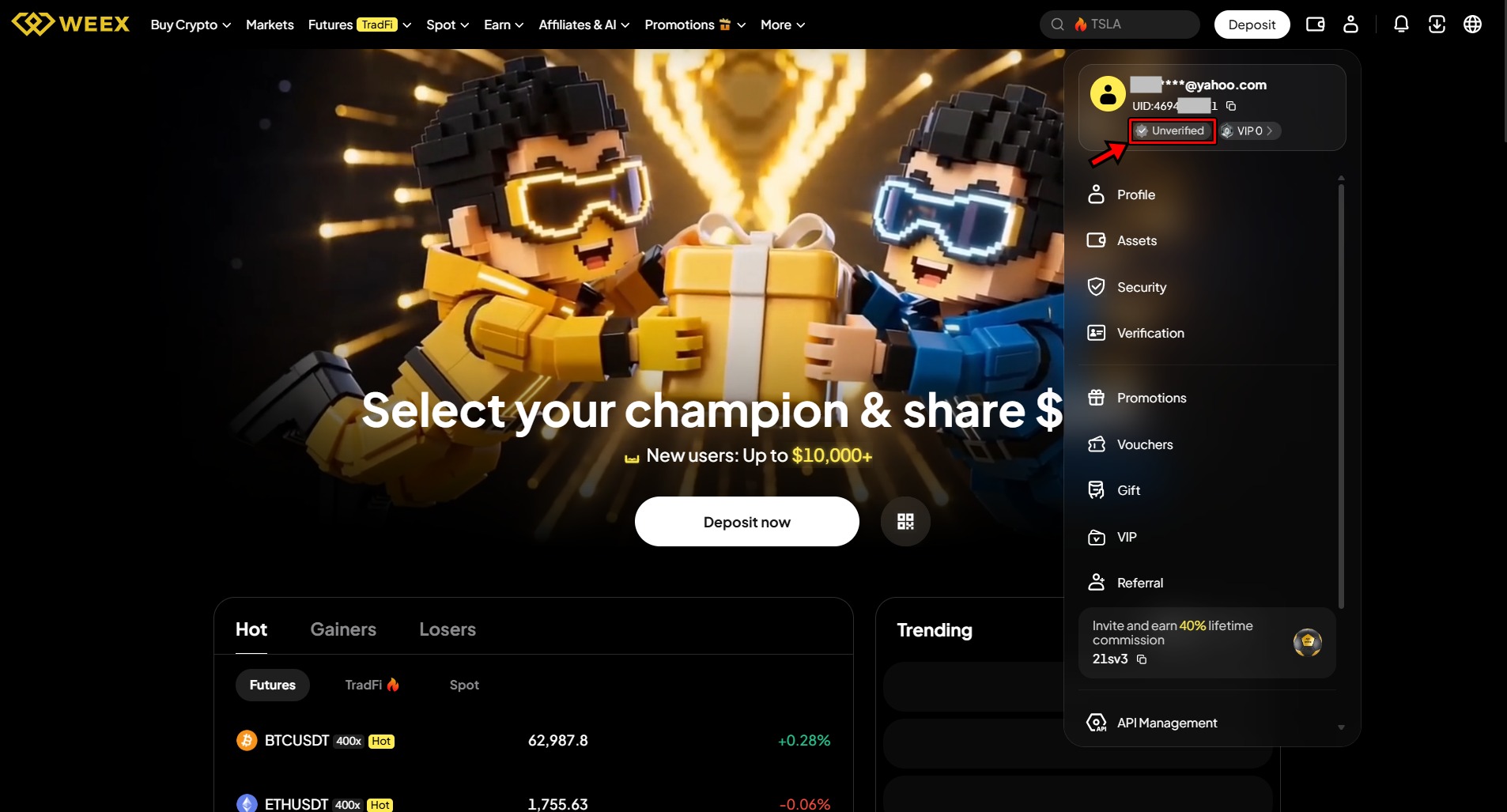
1. Click the user icon in the top right corner and select the Unverified label under your email. This takes you to the verification page.
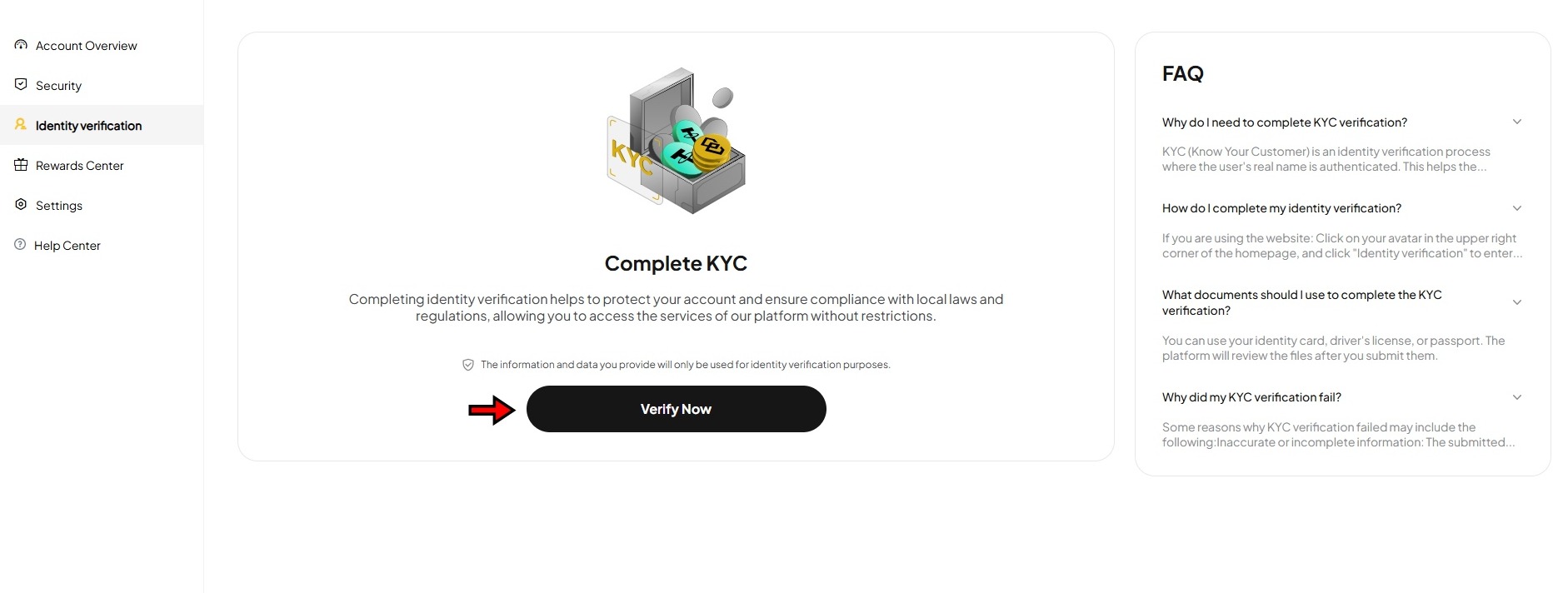
2. Click Verify Now on the identification page and start the process.
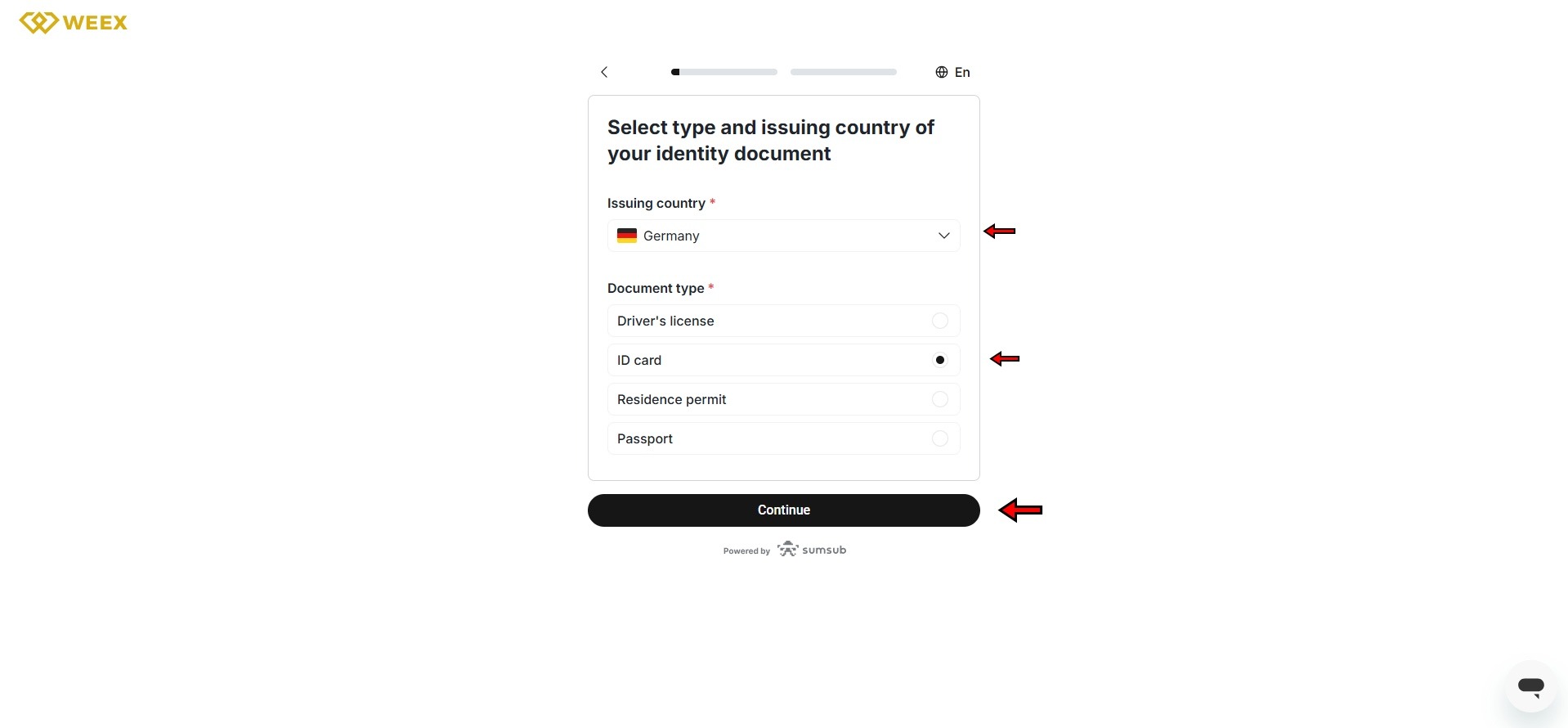
3. First select your country of residence. Then choose your document type (passport, national ID, or driver's license) and upload clear photos of the front and back. Make sure all corners are visible and the text is readable.!
4. Complete facial verification. Position yourself in a well-lit area, remove glasses, and follow the on-screen prompts. Submit and wait for review.
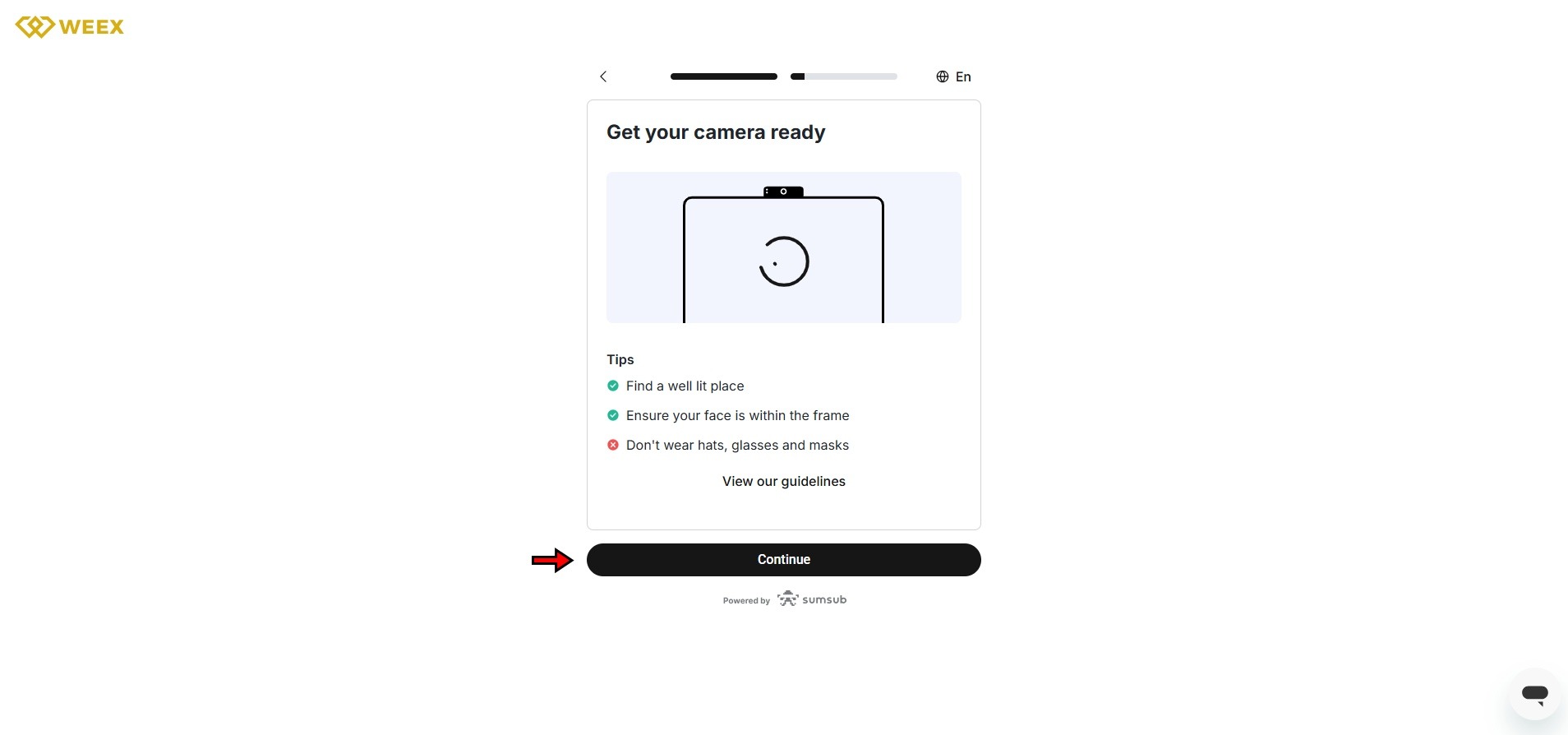
WEEX typically processes KYC within 24 to 48 hours. You will receive a notification once verification is complete.
How to Deposit on WEEX
WEEX does not support direct fiat deposits through bank transfers. You fund your account by transferring crypto from an external wallet or exchange. If you need to buy crypto first, WEEX offers a card purchase option through a third-party provider.
Crypto Deposit
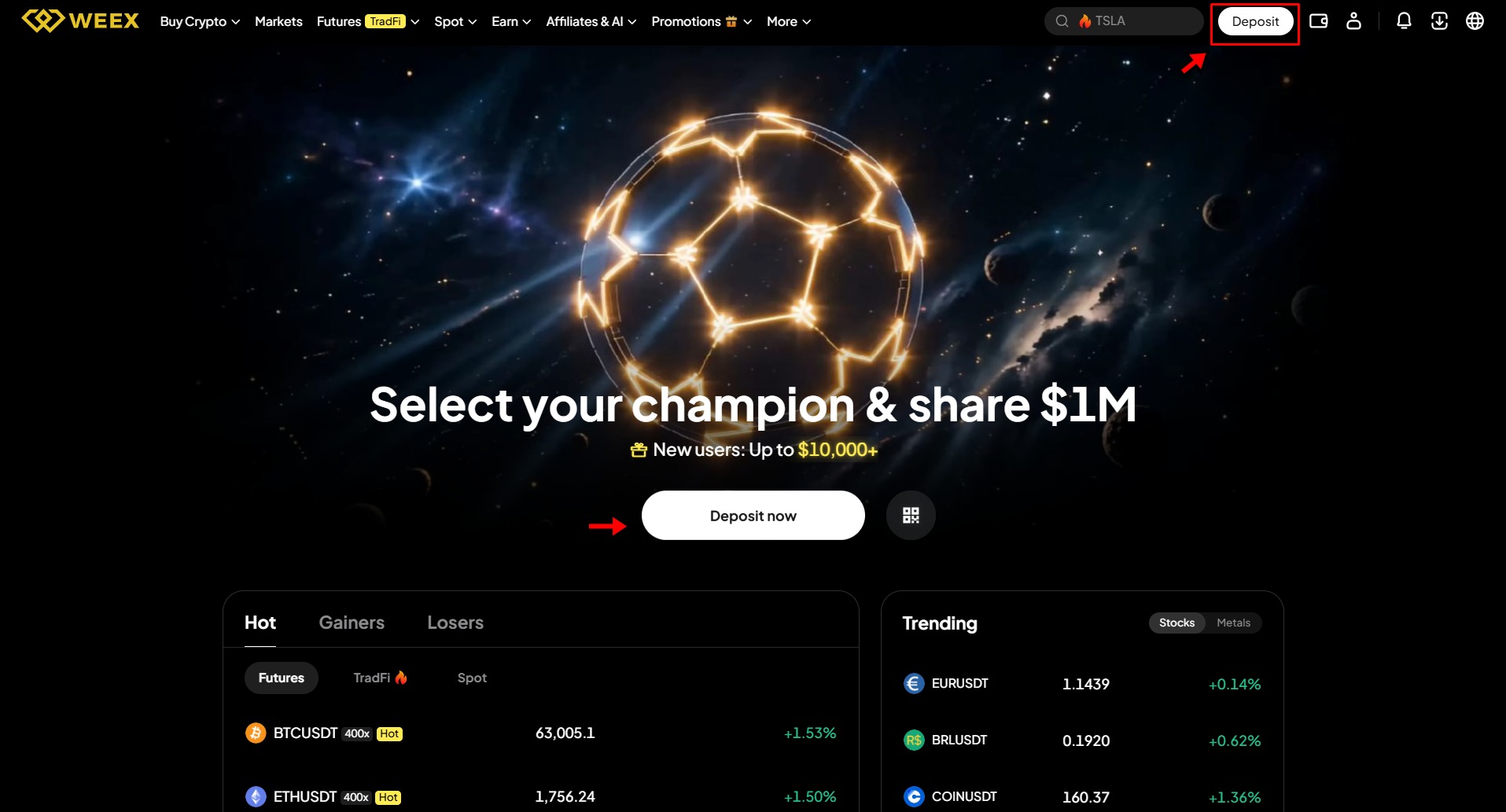
1. Click Deposit in the top right corner of the homepage. This opens the deposit page.
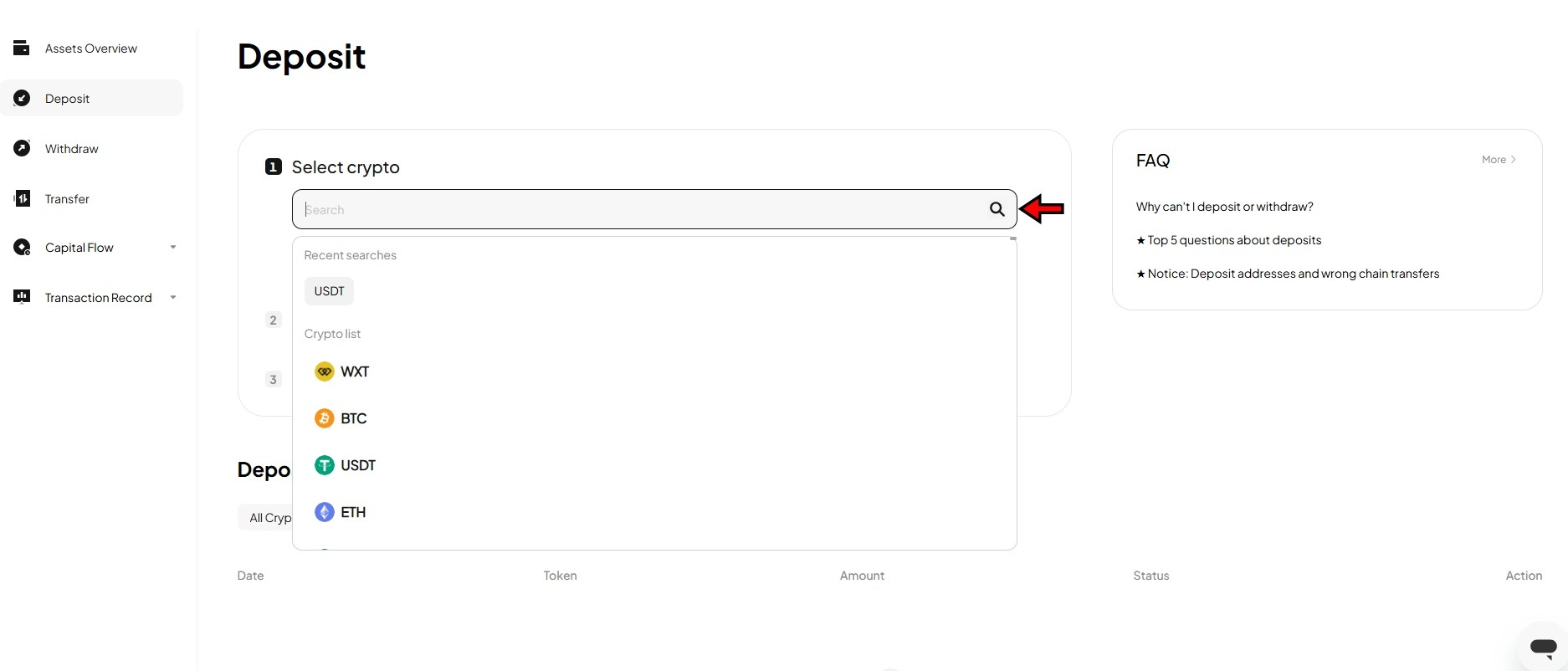
2. Select the cryptocurrency you want to deposit. If you are depositing USDT, make sure you select the right version (USDT, not a different stablecoin).!
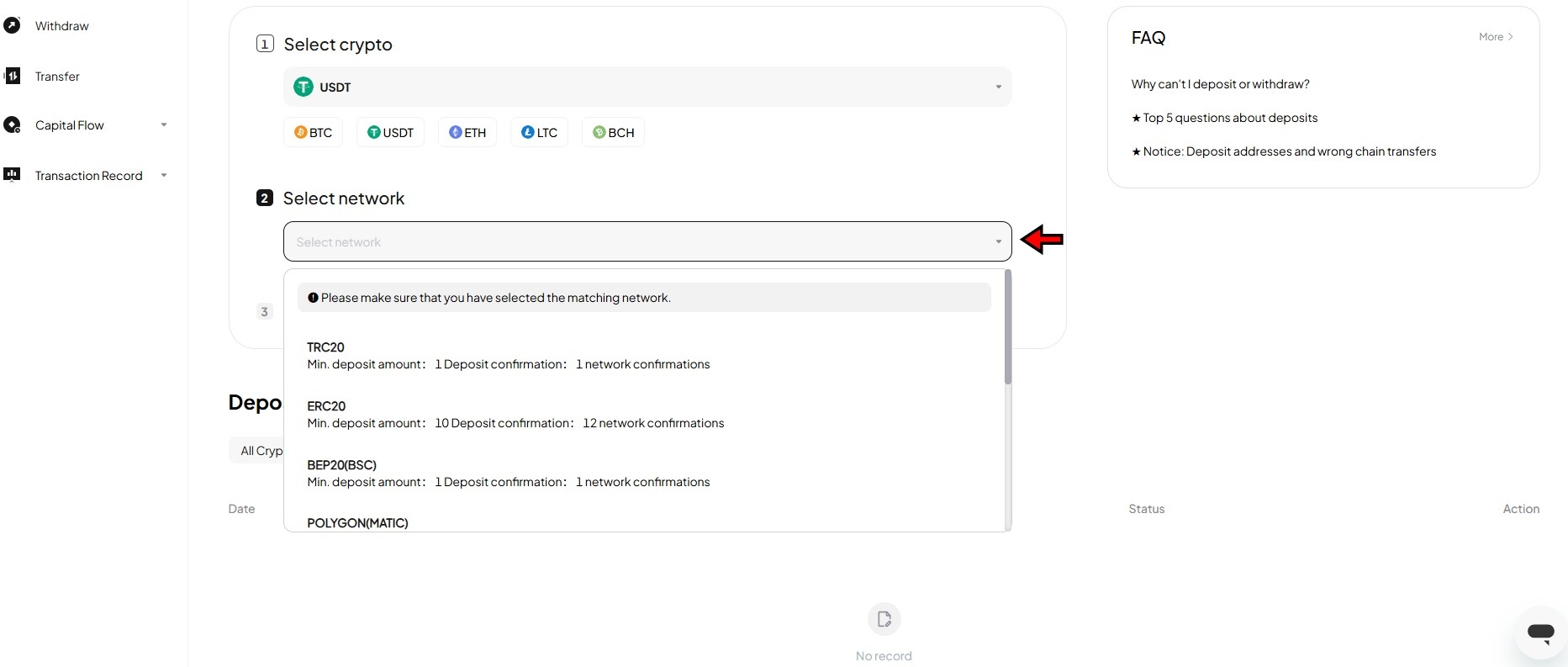
3. Choose the blockchain network. This is where most deposit mistakes happen. If you are sending USDT, you will see options like TRC-20 (Tron), ERC-20 (Ethereum), and BEP-20 (BNB Chain). The network you pick on WEEX must match the network you send from. Sending on the wrong network means permanent loss. TRC-20 is usually the cheapest and fastest for USDT.
4. Copy the wallet address WEEX generates or scan the QR code. Go to your external wallet or exchange, paste the address, double-check the network, and send.
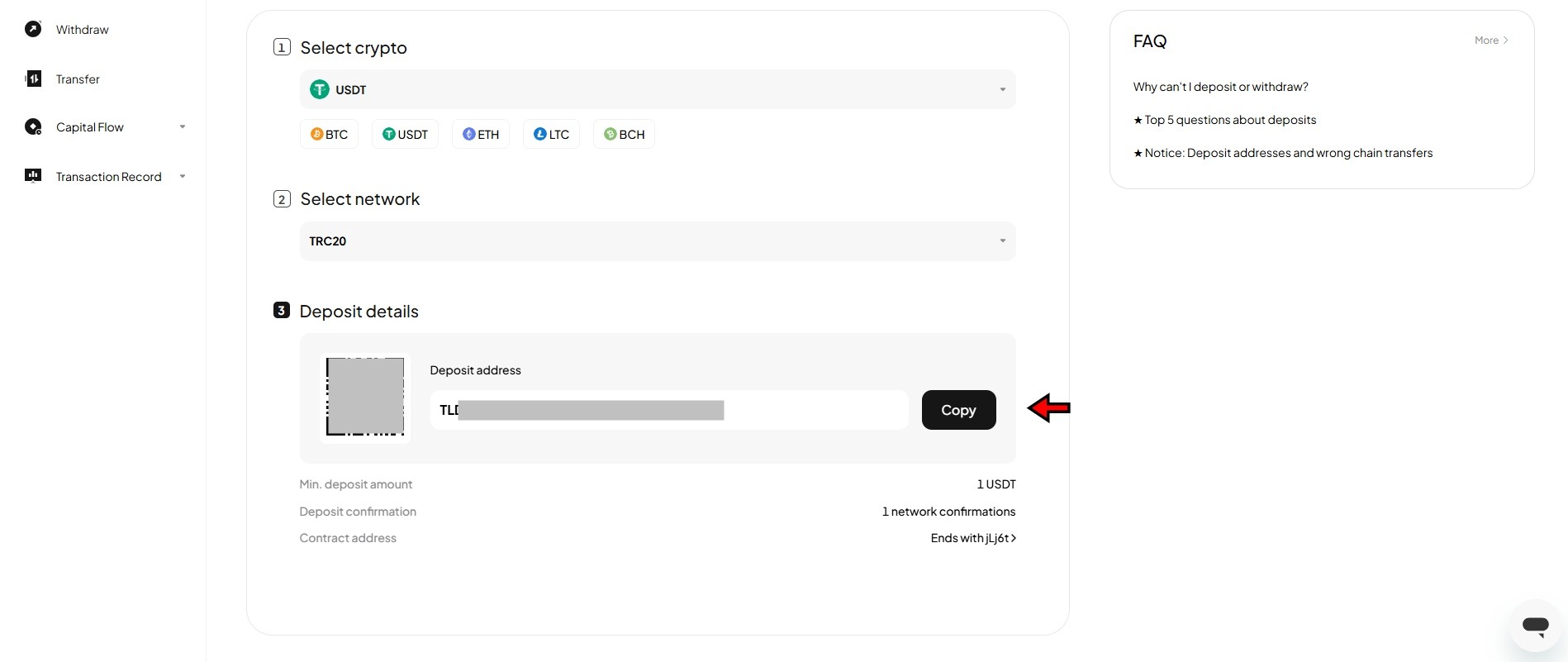
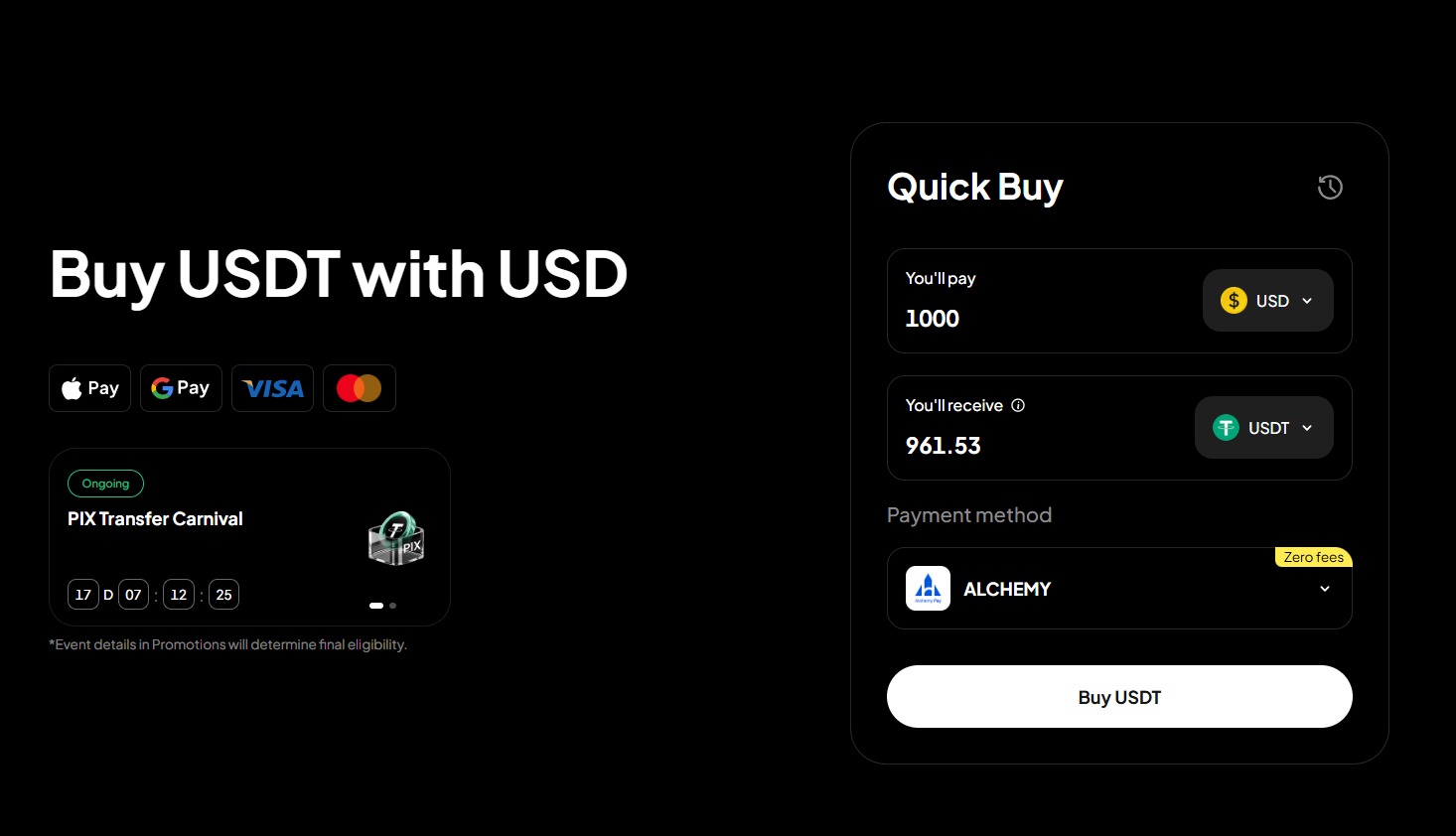
Deposit times vary by network. TRC-20 typically confirms within a minute. ERC-20 can take a few minutes depending on Ethereum congestion. Buying Crypto With a Card If you do not have crypto yet, click Buy Crypto in the top navigation. WEEX routes card purchases through a third-party provider. Enter the amount, select the cryptocurrency, and follow the payment flow. Card purchases carry a spread of roughly 3%, so bank transfers to another exchange followed by a crypto transfer to WEEX is the cheaper path if you have time.
How to Spot Trade on WEEX Spot trading on WEEX is a straightforward buy-and-sell experience. You trade actual crypto assets at market prices with no leverage and no contracts. What you buy goes into your spot wallet and you own it outright.
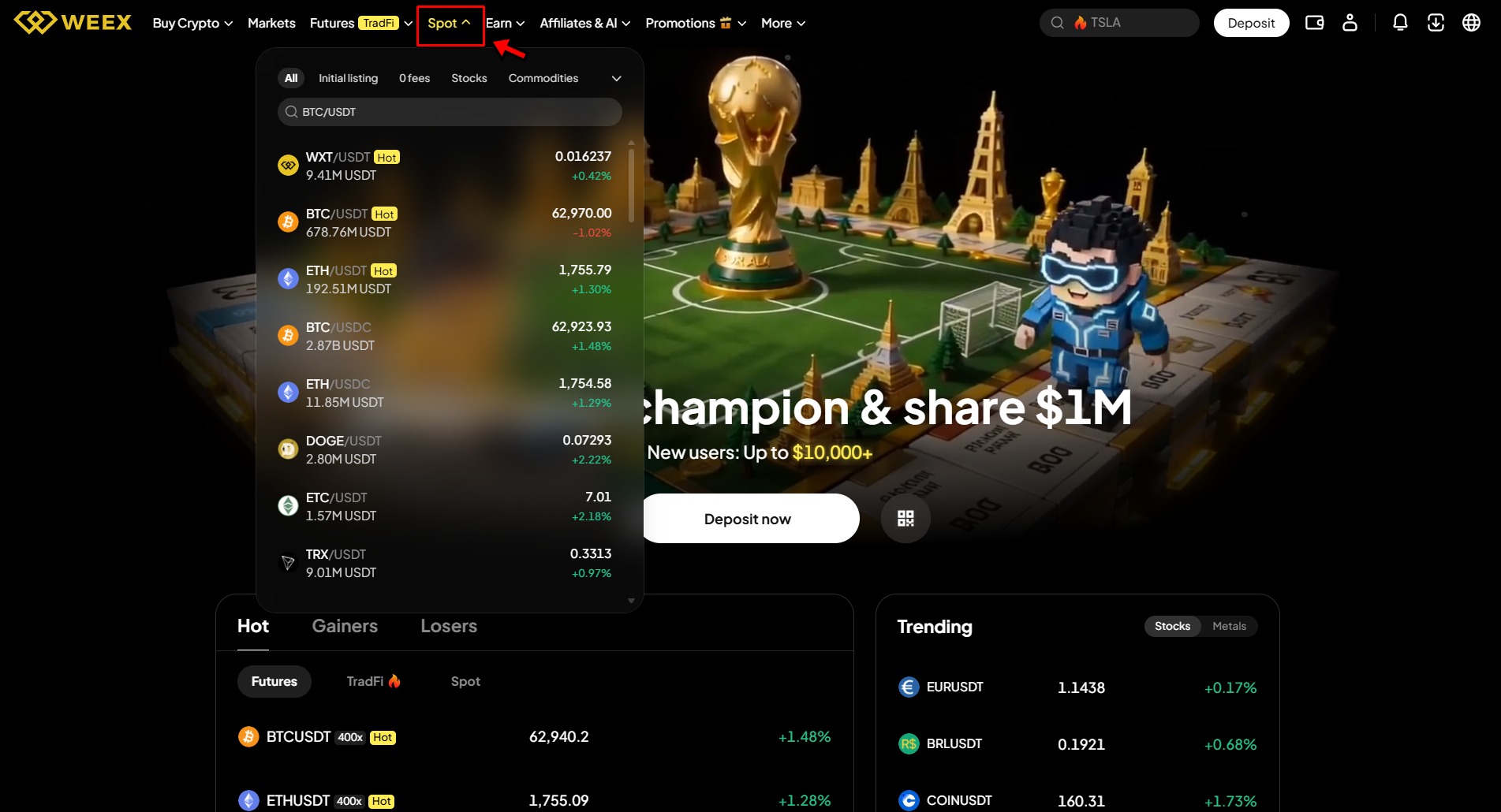
1. From the homepage, click the Spot tab in the top navigation. This opens the spot trading interface.
The interface splits into four sections.
- The left panel lets you search and select trading pairs from the 1,000+ available assets. Most pairs trade against USDT.
- The center chart shows real-time price action with TradingView integration. Switch timeframes and add indicators as needed.
- The right panel displays the order book with active buy (green) and sell (red) orders and their depth.
The bottom panel is the order panel where you configure and submit your trades.
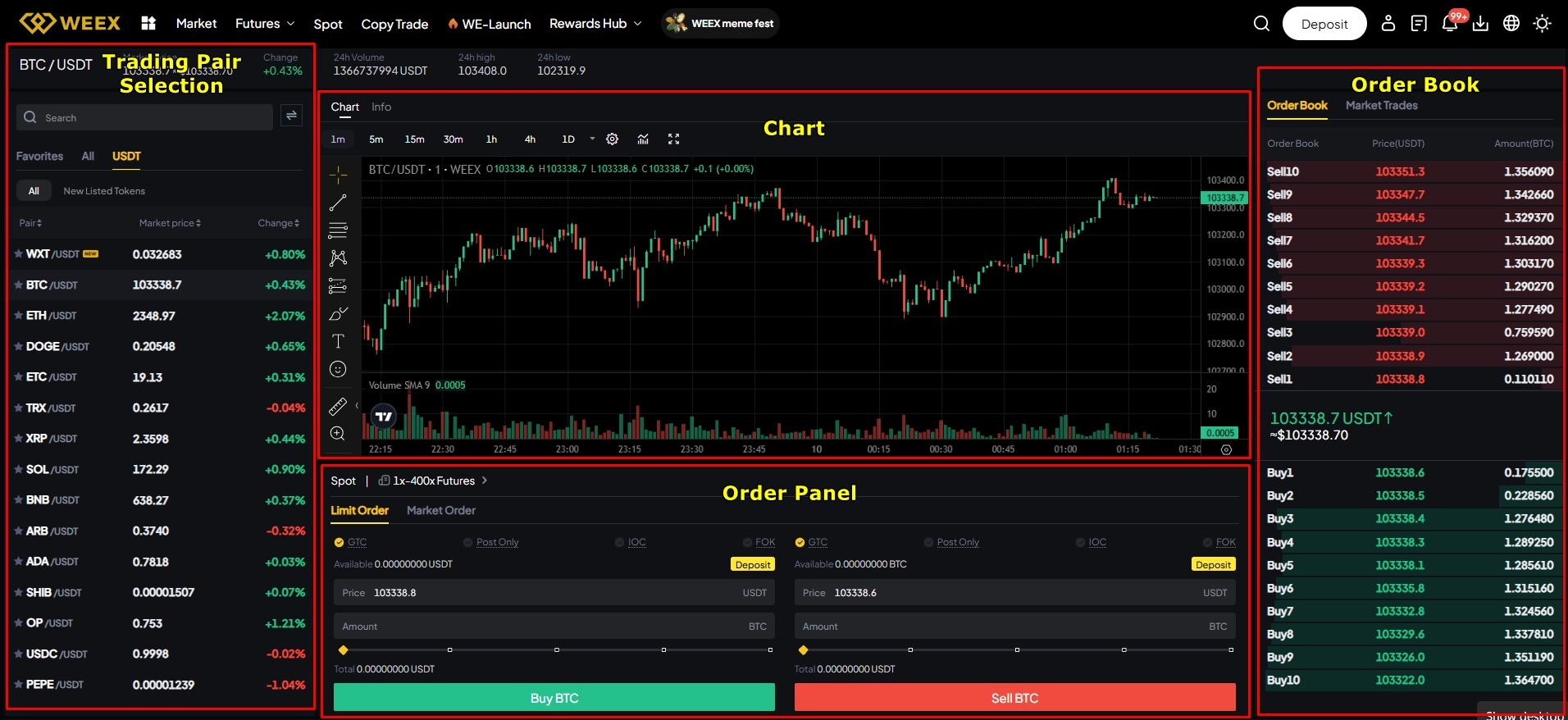
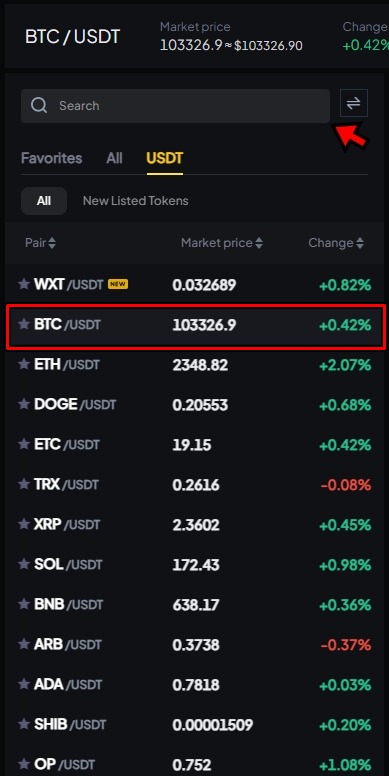
2. Search for a trading pair in the left panel. For this example, we are going with BTC/USDT. Click it to load the chart and order book.
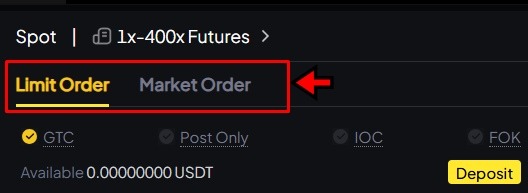
3. In the order panel, select your order type. Limit lets you set the exact price you want to buy at, and the trade only fills when the market reaches that level. Market buys instantly at whatever the current price is. For your first trade, use Limit so you control your entry price.
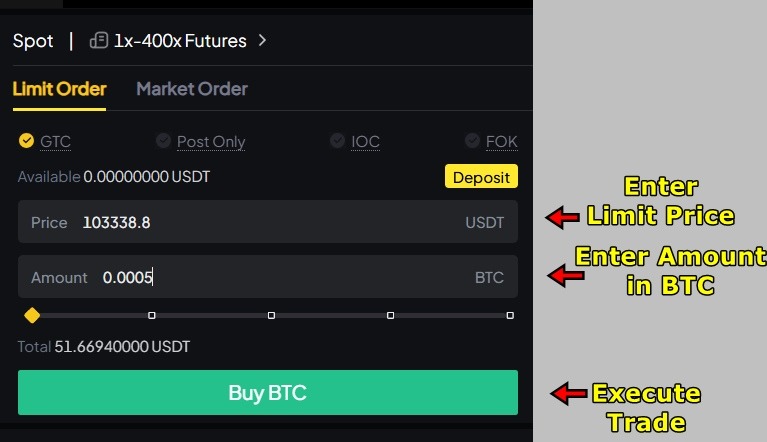
4. Enter your limit price for BTC and the amount of USDT you want to spend. Check both numbers, then click Buy BTC.
5. Your order appears in the Open Orders section below the panel. It sits there until the market hits your price. Once filled, BTC moves to your spot wallet. To cancel before it fills, click the X next to the order.

How to Futures Trade on WEEX
Futures trading is where WEEX specializes. You speculate on price direction using leverage without owning the underlying asset. Long positions profit when the price rises. Short positions profit when it drops. The leverage amplifies everything, gains and losses alike.
WEEX offers up to 400x leverage on select pairs, which is among the highest available on any exchange. At 400x, a 0.25% adverse move liquidates your entire position. Unless you have a proven risk management system, start at 5x or 10x and work up gradually.
If you have never traded futures, WEEX has a demo trading mode with virtual funds that simulates real market conditions. Practice there first.
Transferring Funds to Your Futures Wallet
Deposits land in your spot wallet by default. You need to transfer funds to your futures wallet before you can trade futures.
- Click the Wallet icon on the top right corner on the homepage and select Transfer.
- Set the transfer from Spot Account to Futures Account. Choose USDT, enter the amount, and click Confirm.
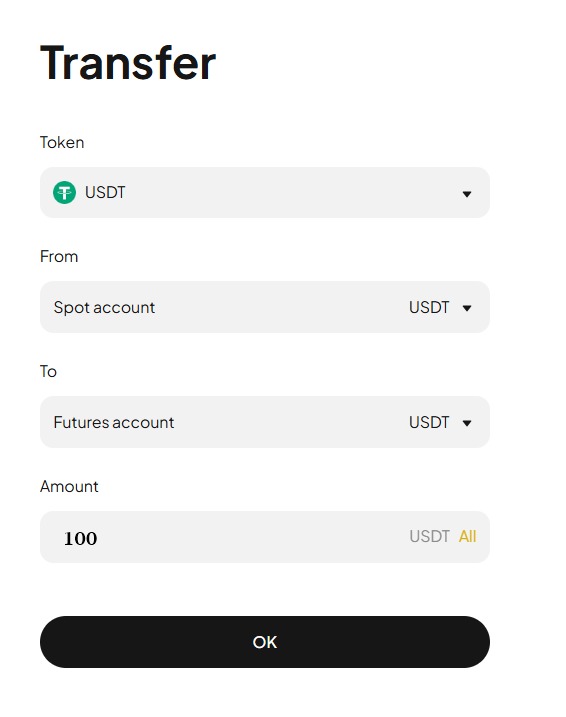
This is instant and free. You can transfer back and forth anytime.
Placing a Futures Trade
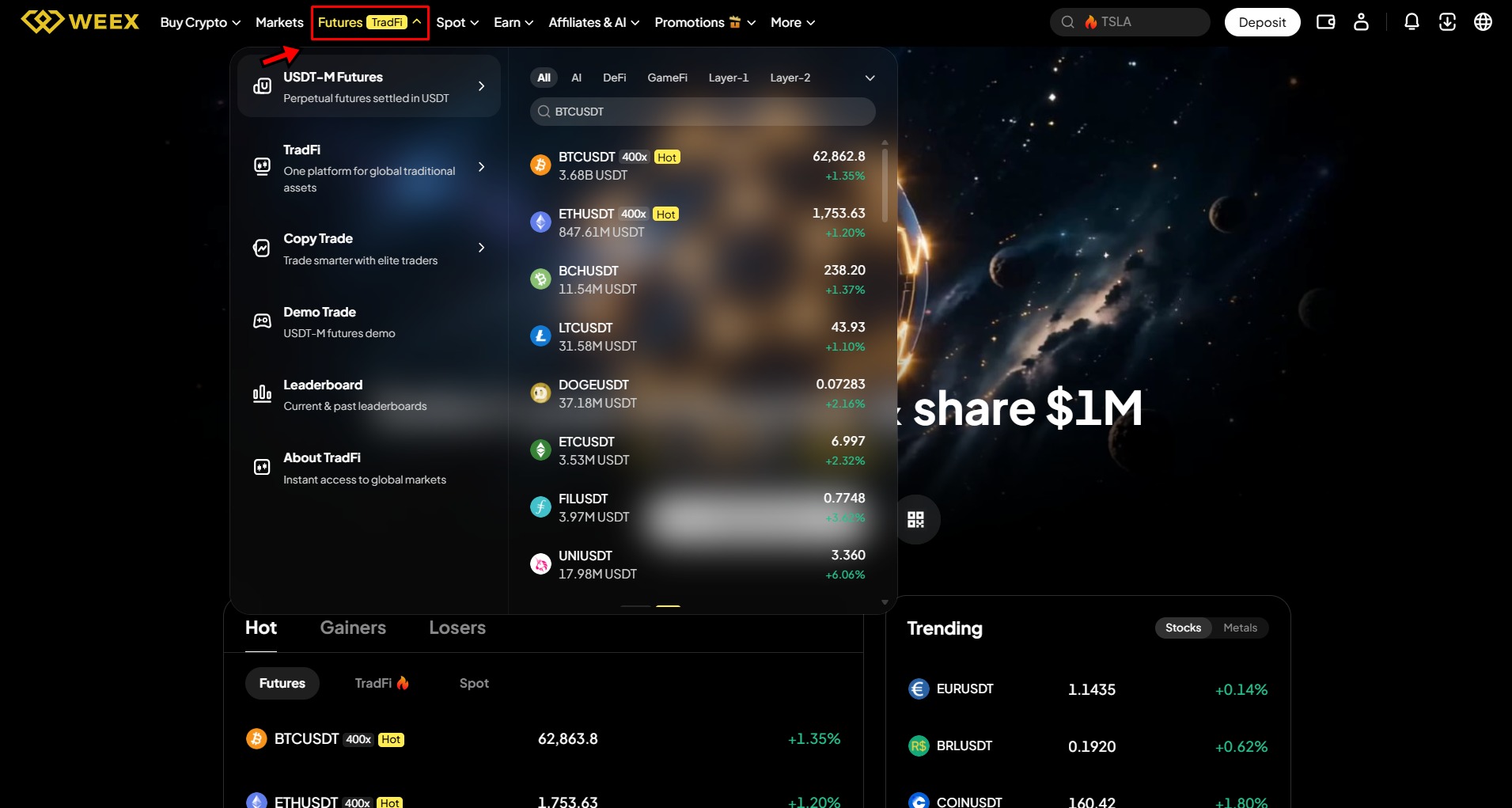
Hover over Futures in the top navigation and select USDT-M Futures. This opens the futures trading interface.
The layout mirrors the spot interface but adds margin mode and leverage controls in the order panel, plus a Positions tab at the bottom showing your open trades with live PnL and liquidation price.
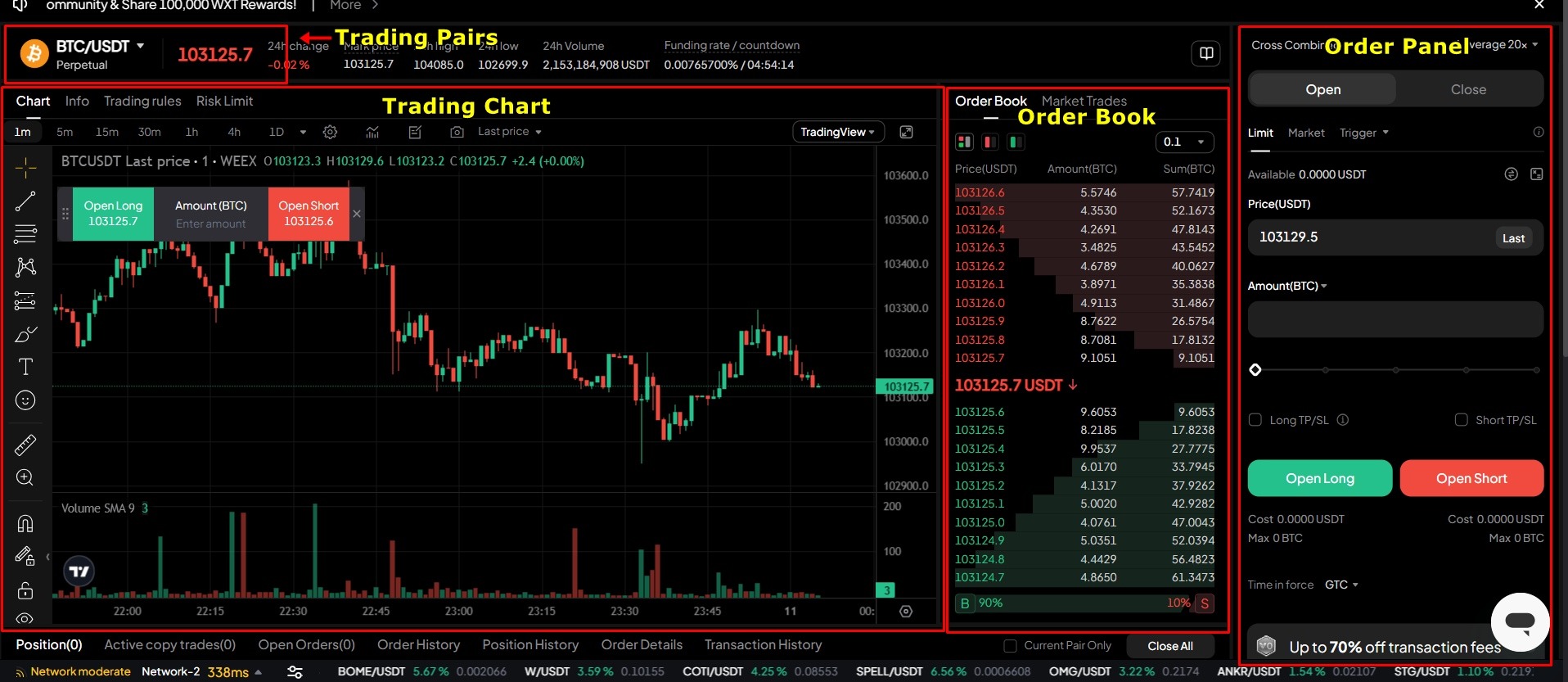
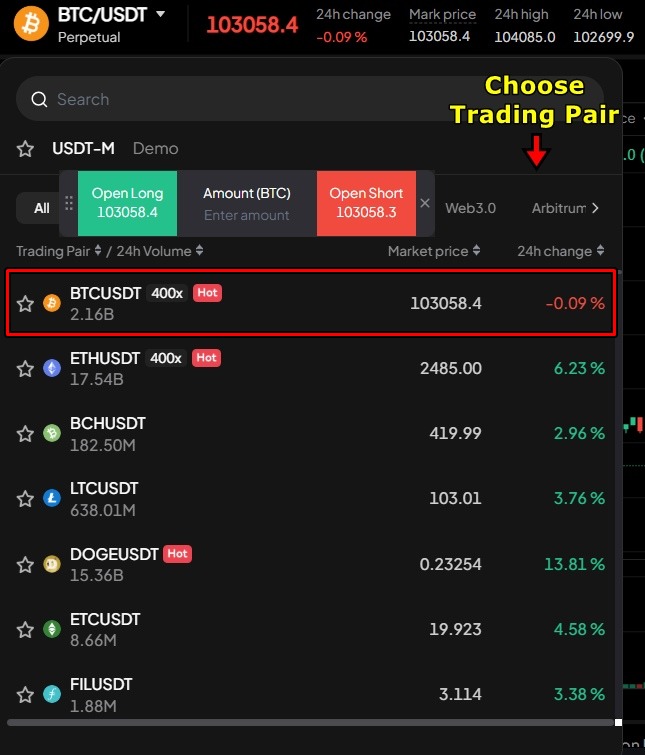
2. Click the pair displayed in the upper left corner. Search for BTC/USDT and select it.
3. Set your margin mode to Isolated. This limits your risk to the margin you assign to this specific trade. Your remaining balance stays untouched even if the position gets liquidated. Cross mode pools your entire balance, which gives more buffer but puts everything at risk.
4. Set your leverage. Click the leverage button and use the slider. For this example, we are using 10x. A $100 margin gives you a $1,000 position. Do not jump to 400x unless you fully understand what a 0.25% adverse move means for your position.
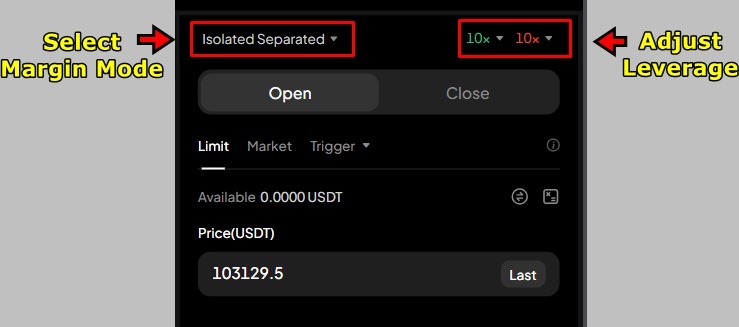
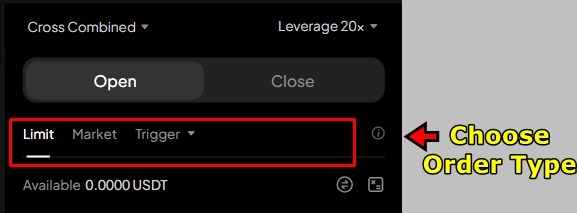
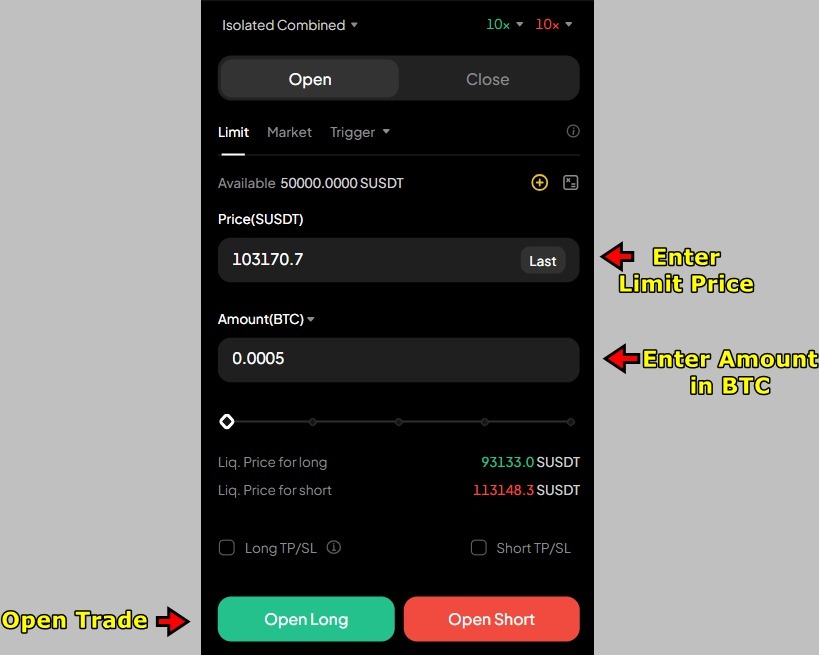
5. Select Limit as your order type. Enter your limit price for BTC and the amount of USDT to allocate as margin.
6. Choose your direction. Click Open Long if you expect the price to rise, or Open Short if you expect it to drop. The order goes into the Orders section and fills when the market reaches your price.
Setting Take Profit and Stop Loss
Once your order fills, it moves to the Open Positions tab at the bottom. Set your Take Profit and Stop Loss immediately. Do not trade futures without these.
1. In the Open Positions tab, find the TP/SL option next to your position and click it.
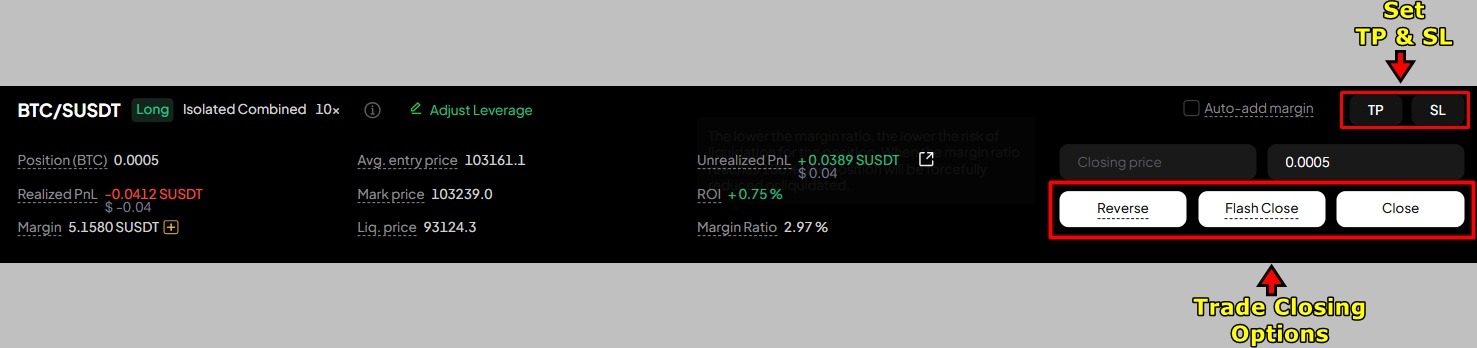
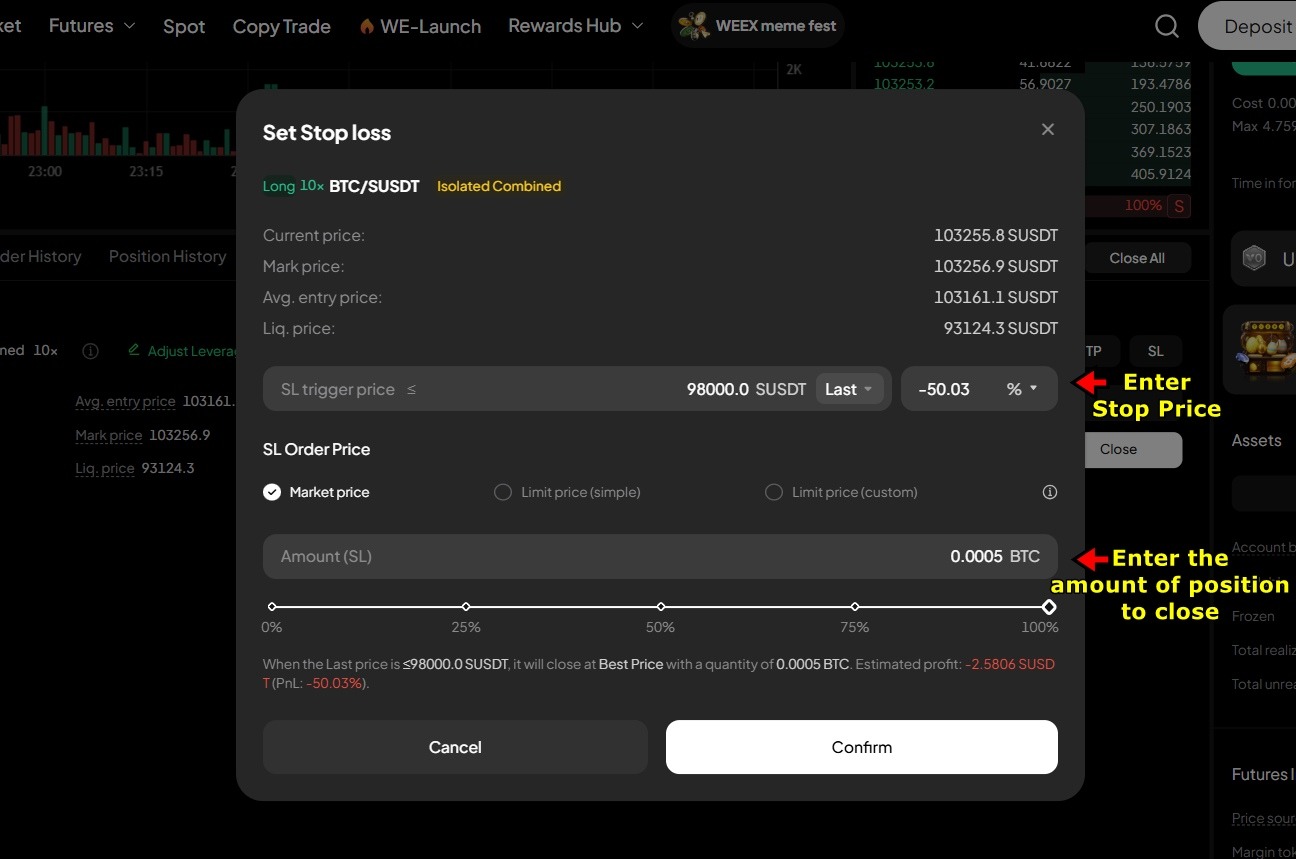
2. Set your Take Profit price (where the trade auto-closes in profit) and Stop Loss price (where it auto-closes to cap your downside). Click Confirm.
To close manually, use Flash Close for instant closure at market price, or click Close Position and enter a specific price and quantity for more control. WEEX also offers a Reverse option that closes your current position and immediately opens one in the opposite direction.
How to Withdraw From WEEX
WEEX supports crypto withdrawals only. There is no fiat withdrawal option. You send your crypto to an external wallet or another exchange.
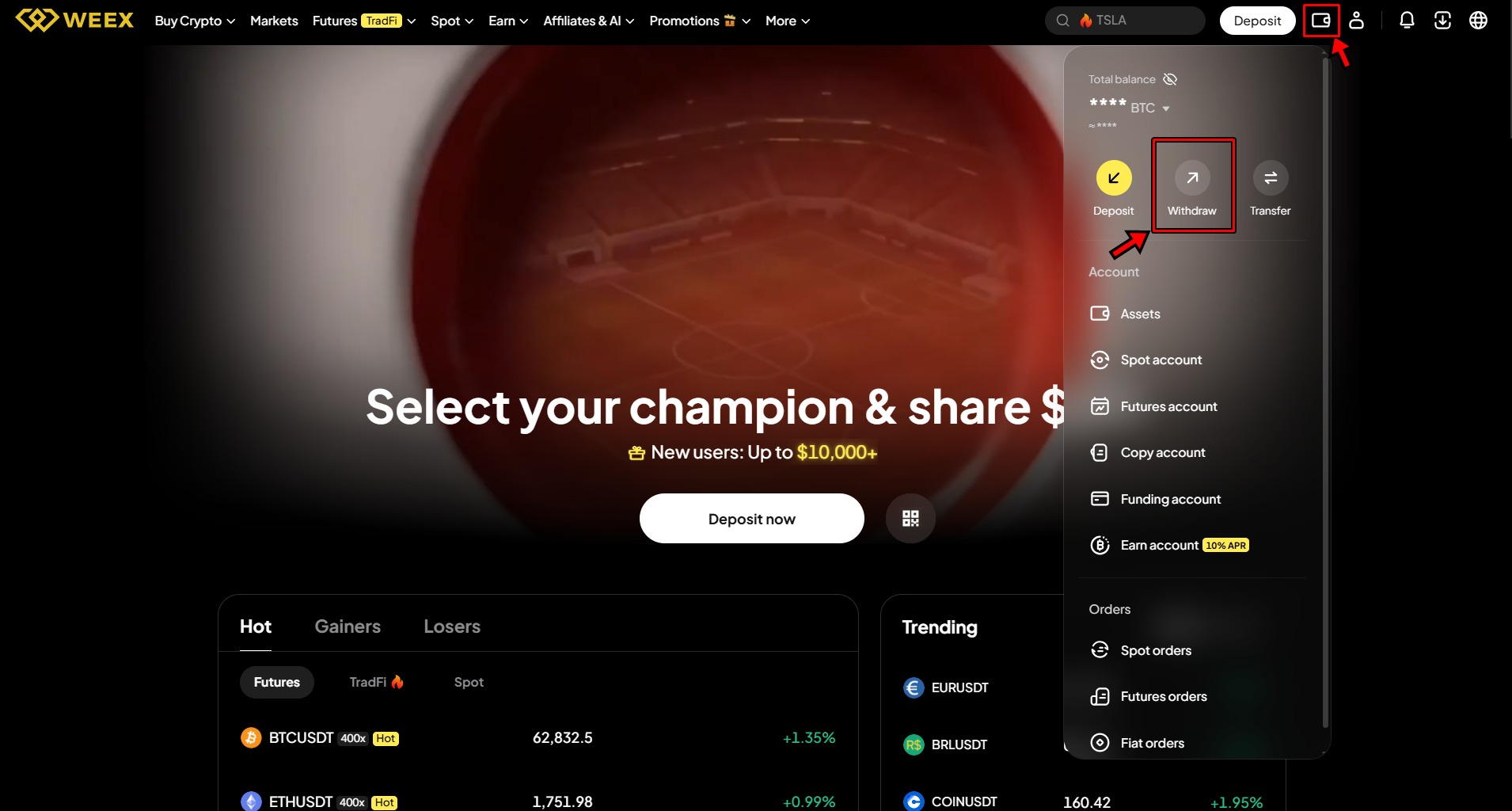
1. Click the user icon in the top right corner. Select Withdraw from the dropdown menu.
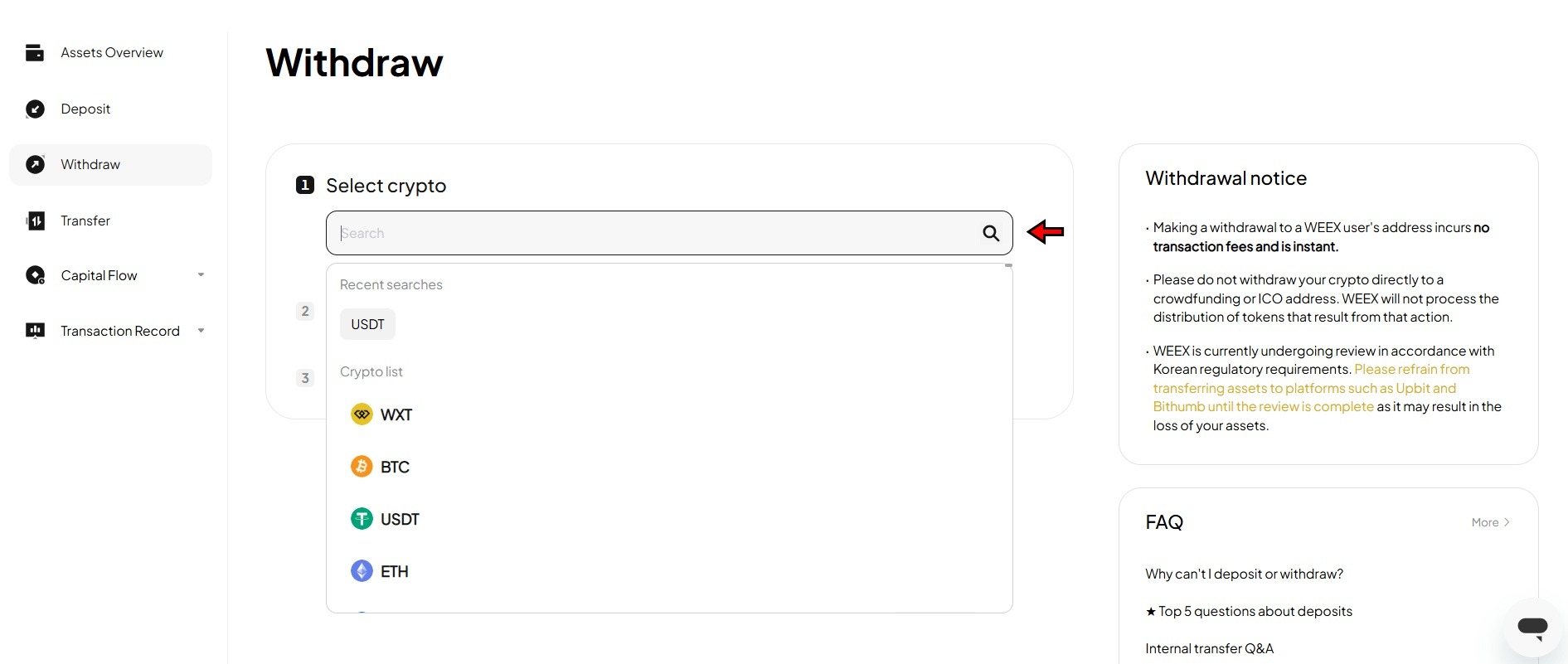
2. Select the cryptocurrency you want to withdraw.
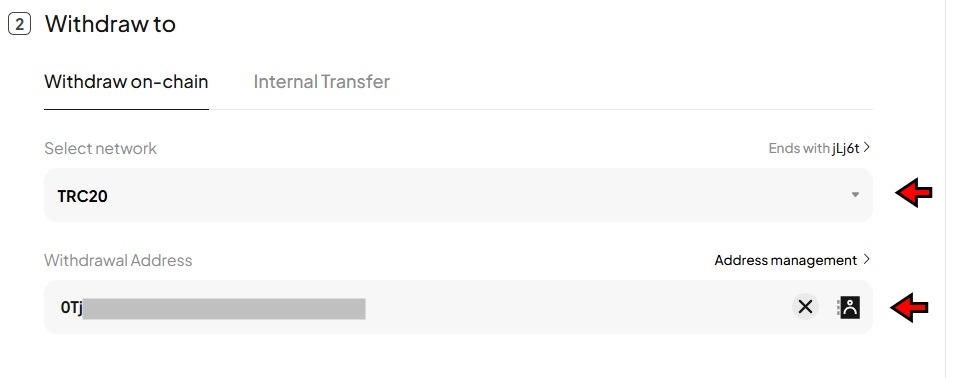
3. Choose the blockchain network. Same rule as deposits. The network must match the receiving wallet. If you are sending to another exchange, confirm that exchange supports the same network before sending.
4. Enter the recipient wallet address and the amount. Triple-check the address. Crypto transactions are irreversible.
5. Click Withdraw and complete 2FA verification. Confirmation times depend on the network.
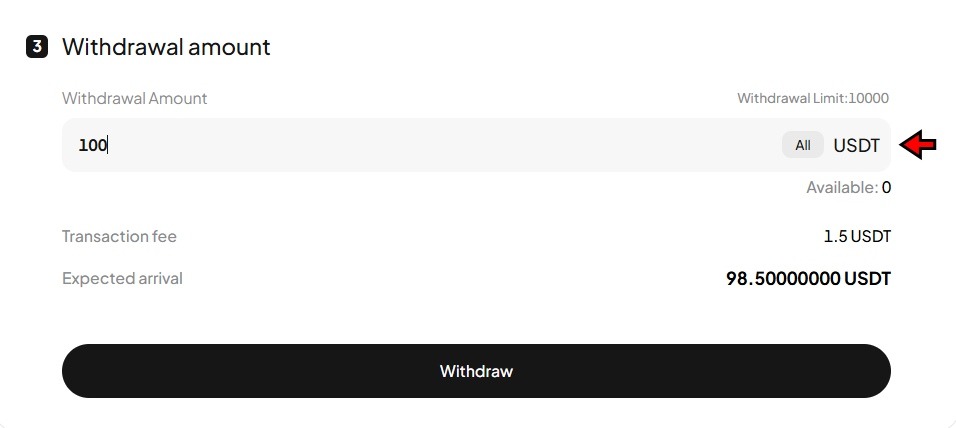
Without KYC, your daily withdrawal limit is 10,000 USDT. If you need to move more than that, complete KYC verification first.
How Does WEEX Stack Up
How does WEEX compare? The 0.02% futures maker fee matches Binance and Bitget, while the 400x leverage ceiling is the highest among major centralized exchanges. The spot side is more limited, with 0.10% maker fees matching the industry standard. WEEX is primarily a derivatives platform, so if you are focused on spot or need fiat withdrawals, exchanges like Binance or KuCoin are better suited.
Before You Place Your First Trade
Start with spot trading. Get comfortable reading the chart, understanding the order book, and placing limit orders before you touch futures. When you do move to futures, start with low leverage and isolated margin. Set your stop loss before you do anything else. The 400x option exists, but 5x or 10x is where most experienced traders operate because it gives you room to survive the normal volatility that liquidates overleveraged positions.
For a detailed breakdown of fees, security, and how WEEX compares against other exchanges, read the full WEEX exchange review.
Disclaimer: All content on The Moon Show is for informational and educational purposes only. The opinions expressed do not constitute financial advice or recommendations to buy, sell, or trade cryptocurrencies. Trading involves significant risk and may result in substantial losses. Always seek independent financial advice before making investment decisions. The Moon Show is not responsible for any financial losses or decisions made based on the information provided.
Please view the full disclaimer at: https://themoonshow.com/disclaimer

How to Use Bybit in 2026 - Step-by-Step Beginner Guide
Cryptocurrency trading continues to evolve with time. Today, crypto users can access several ex...

MEXC Exchange Tutorial 2026: A Complete Step-by-Step Guide
MEXC lists over 3,000 tokens, charges zero maker fees on both spot and futures, and offers leve...

The Ultimate LeveX Exchange Tutorial: Step-by-Step Guide for Beginners
LeveX is a newer cryptocurrency exchange built to deliver a fast and focused trading experience...