How to Use Bybit in 2026 - Step-by-Step Beginner Guide
Quick Verdict: To use Bybit, create a free account with your email or phone number, complete identity verification (KYC), enable two-factor authentication (2FA), deposit crypto or fiat, and place your first spot, futures, or TradFi trade. The whole process takes about 10-15 minutes for a basic account, though full KYC verification can take longer depending on review times. Withdrawals are simple, and fees vary by selected method.
How to Use Bybit? 5-Step Summary
- Visit Bybit.com, click the sign-up tab, and create an account with your email, phone number, or a Google/Apple/Telegram ID.
- Complete KYC verification and set up Google 2FA for account security.
- Deposit funds via crypto transfer, fiat deposit, or third-party payment methods.
- Select a market from spot, futures, options, or TradFi, and place your first trade.
- Monitor your position, set take-profit/stop-loss levels, and withdraw funds when ready.
What You Will Learn
- How to create and verify your Bybit account from scratch.
- How to fund your account with crypto, fiat, or card payments.
- How to place trades on spot, futures, or options markets.
- How to trade traditional financial assets (TradFi).
- How to withdraw funds safely and avoid common beginner mistakes.
- What security measures and regulatory licenses Bybit holds.
Useful Tips for Beginners
Before creating an account, make sure you have the following ready:
- A valid email address or mobile number.
- A government-issued ID (passport or national ID card) for KYC verification.
- Google 2FA authenticator app access.
- A clear understanding of how much you are willing to risk: never deposit more than you can easily afford to lose.
Note: Bybit is restricted to residents of several jurisdictions: the United States, mainland China, and a handful of other restricted countries. Check the full regulations here.
What is Bybit?
Bybit is one of the world's largest cryptocurrency exchanges by trading volume, serving over 84 million users worldwide. It is a derivatives-focused platform that offers deep liquidity, supports over 750 futures pairs, and trading markets spanning spot, futures, margin, options, and TradFi, including up to 200x leverage. Beyond trading, the platform covers copy trading, automated trading bots, an AI-powered assistant called TradeGPT, all backed by cold-wallet storage, Proof-of-Reserves audits, and two-factor authentication.
This guide walks beginners through the entire process: creating and verifying an account, setting up security, funding your wallet with crypto or fiat, placing your first trade, and safely withdrawing funds. It also covers fees, leverage risks, and common mistakes to avoid.
Bybit at a Glance
| Attribute | Detail |
| Founded | 2018, by Ben Zhou |
| Headquarters | UAE |
| Users | 84 million + |
| Daily Trading Volume | 19 billion + |
| Cryptocurrencies listed | 2900+ |
| Trading Tools | 20+ |
| Spot Trading Pairs | 300+ |
| Futures Trading Pairs | 750+ |
| Max Leverage | Up to 100x (up to 200x on selected pairs) |
| TradFi Trading | Forex, Stocks, Indices, Gold, Commodities, CFDs |
| Fiat Currencies (Deposit) | 20+ supported |
| Fiat Currencies (Withdrawal) | 15+ supported |
How to Create an Account on Bybit?
For a video walkthrough of the sign-up process, see this Bybit tutorial on The Moon Show YouTube channel.
(Please insert Carl’s Bybit Tutorial Video here)
Step 1: Open Your Bybit Account
Go to Bybit.com and click Sign Up.
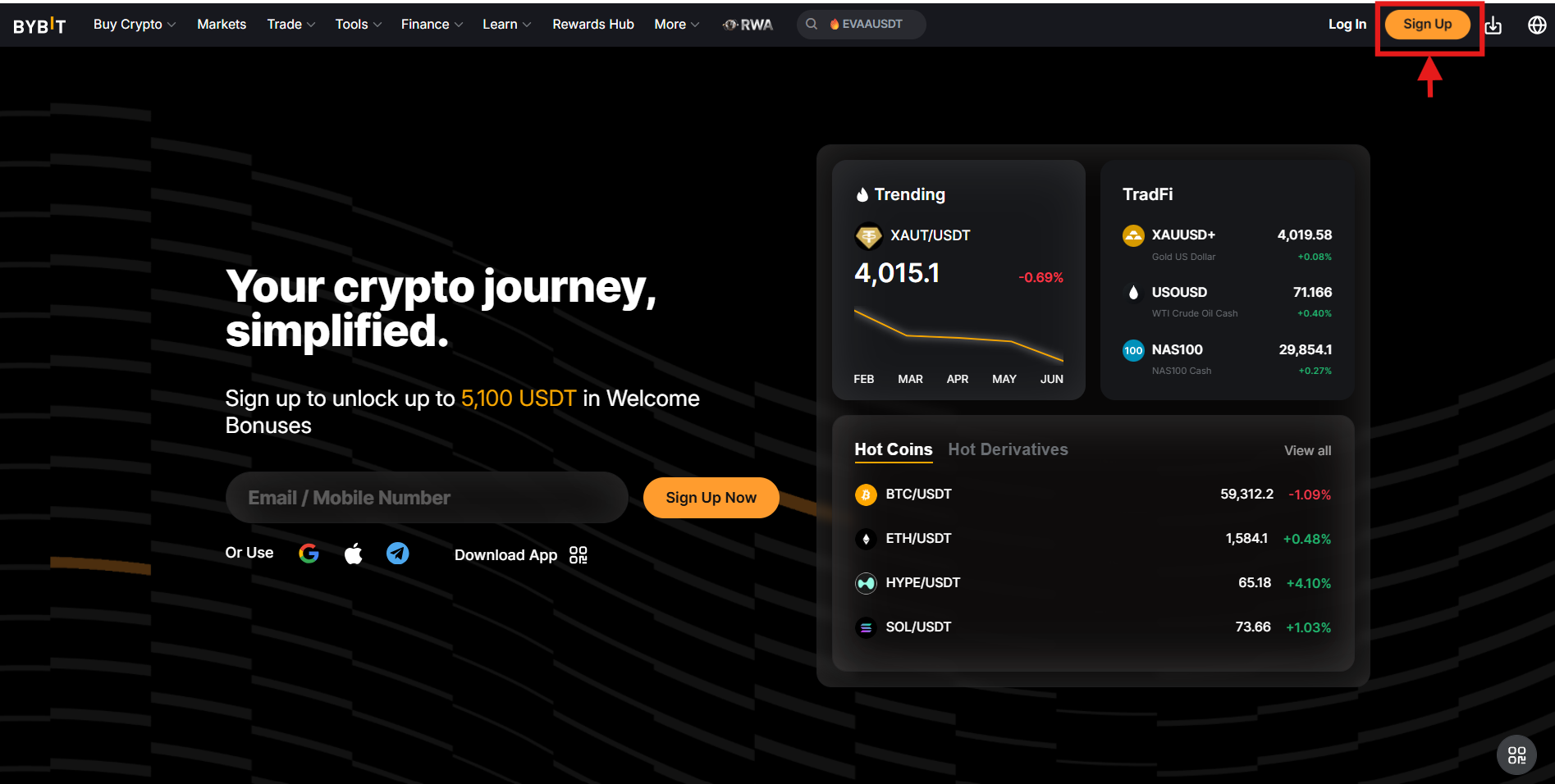
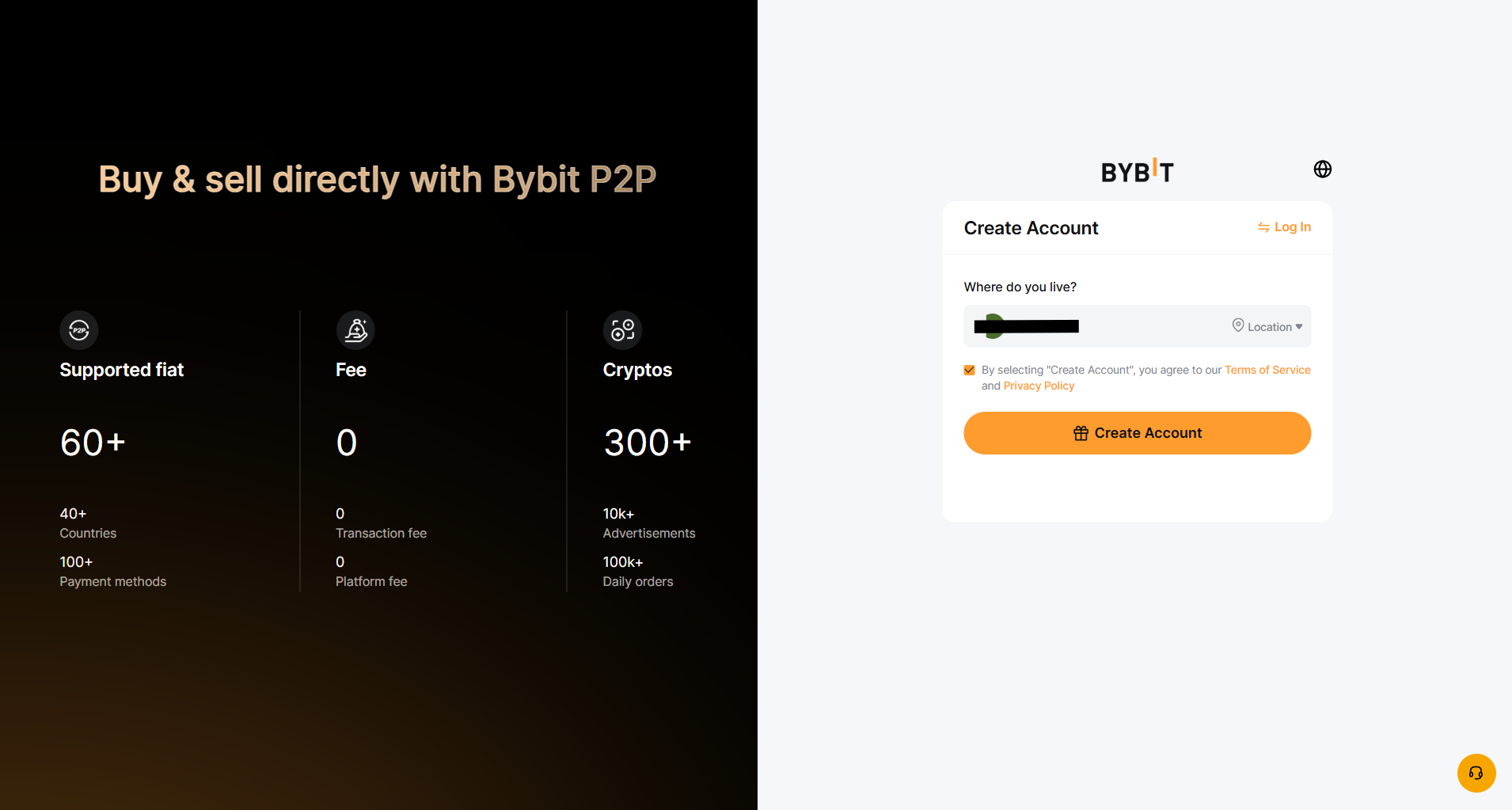
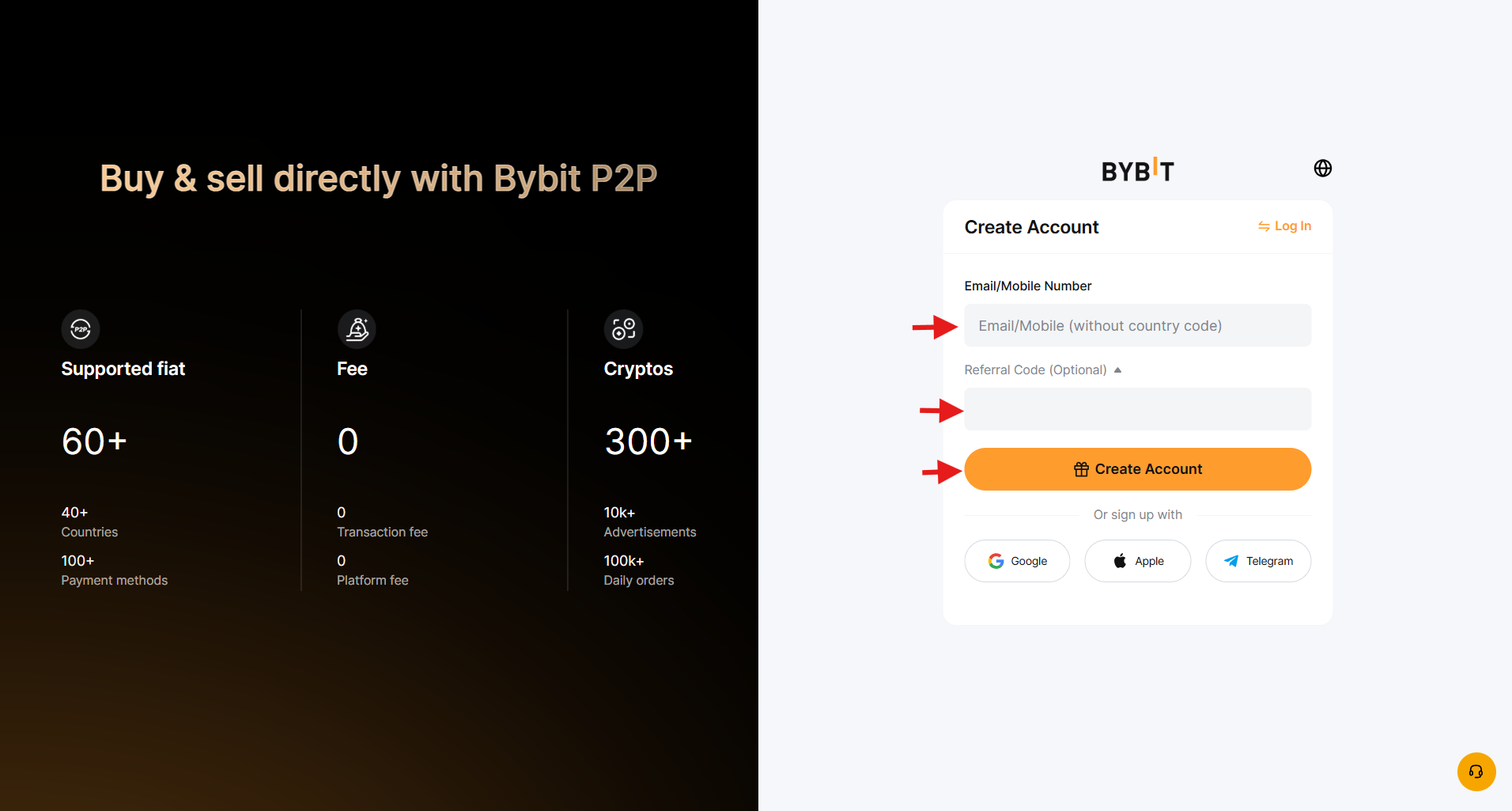
Choose to sign up with your email or mobile number, or with your Google, Apple, or Telegram ID. Enter your details, agree to the terms of service and privacy policy, and click Create Account. If you have a referral code, you can add it.
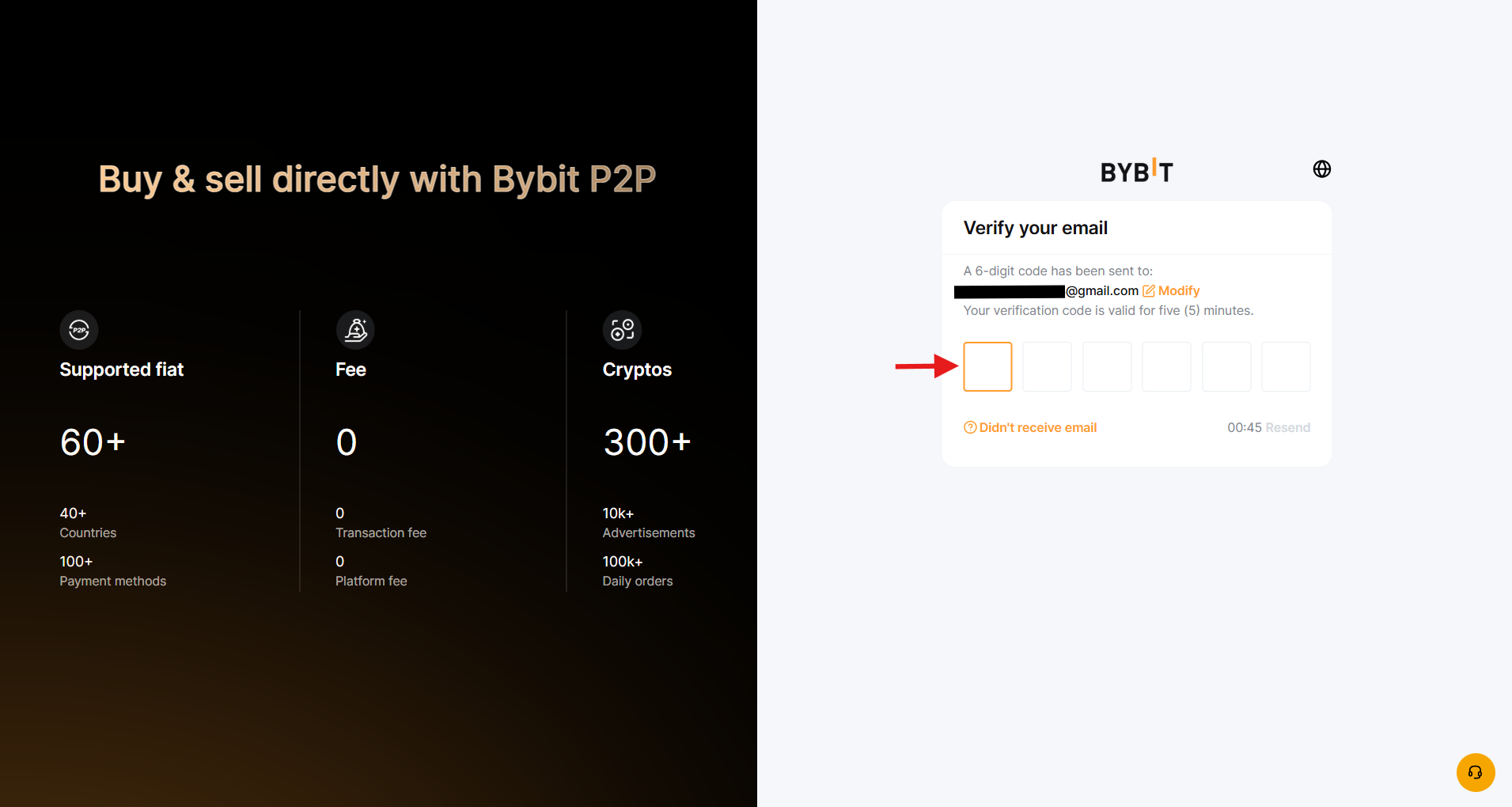
Enter the six-digit verification code sent to your email address. !
Create a strong password between 8 and 30 characters, combining uppercase and lowercase letters, numbers, and symbols.
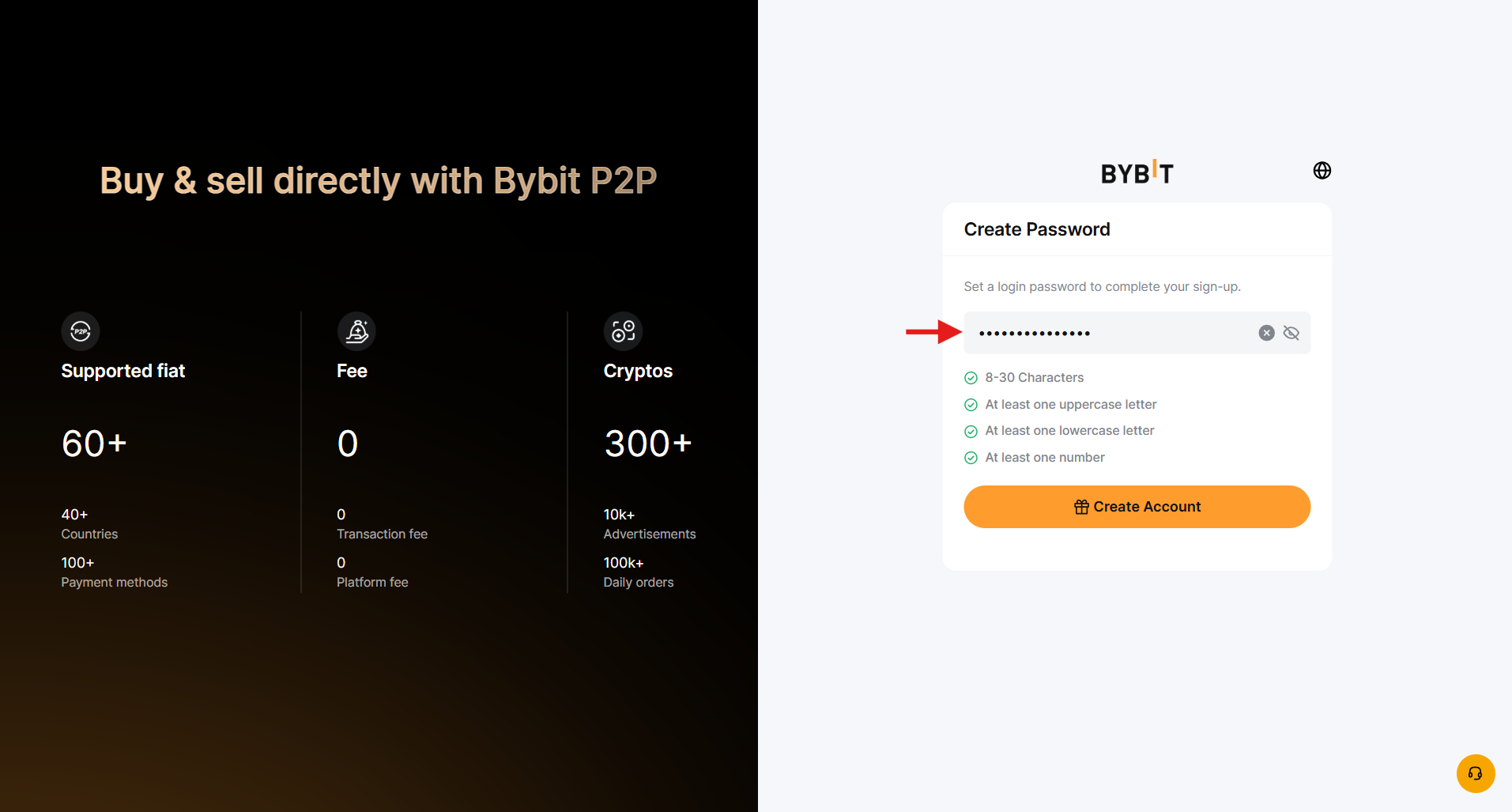
Click “Create Account” to finish.
Step 2: Complete KYC (Know Your Customer) Verification
KYC is the identity verification process used by Bybit to comply with anti-money laundering regulations. It increases the withdrawal limits and protects your account against unauthorized recovery attempts.
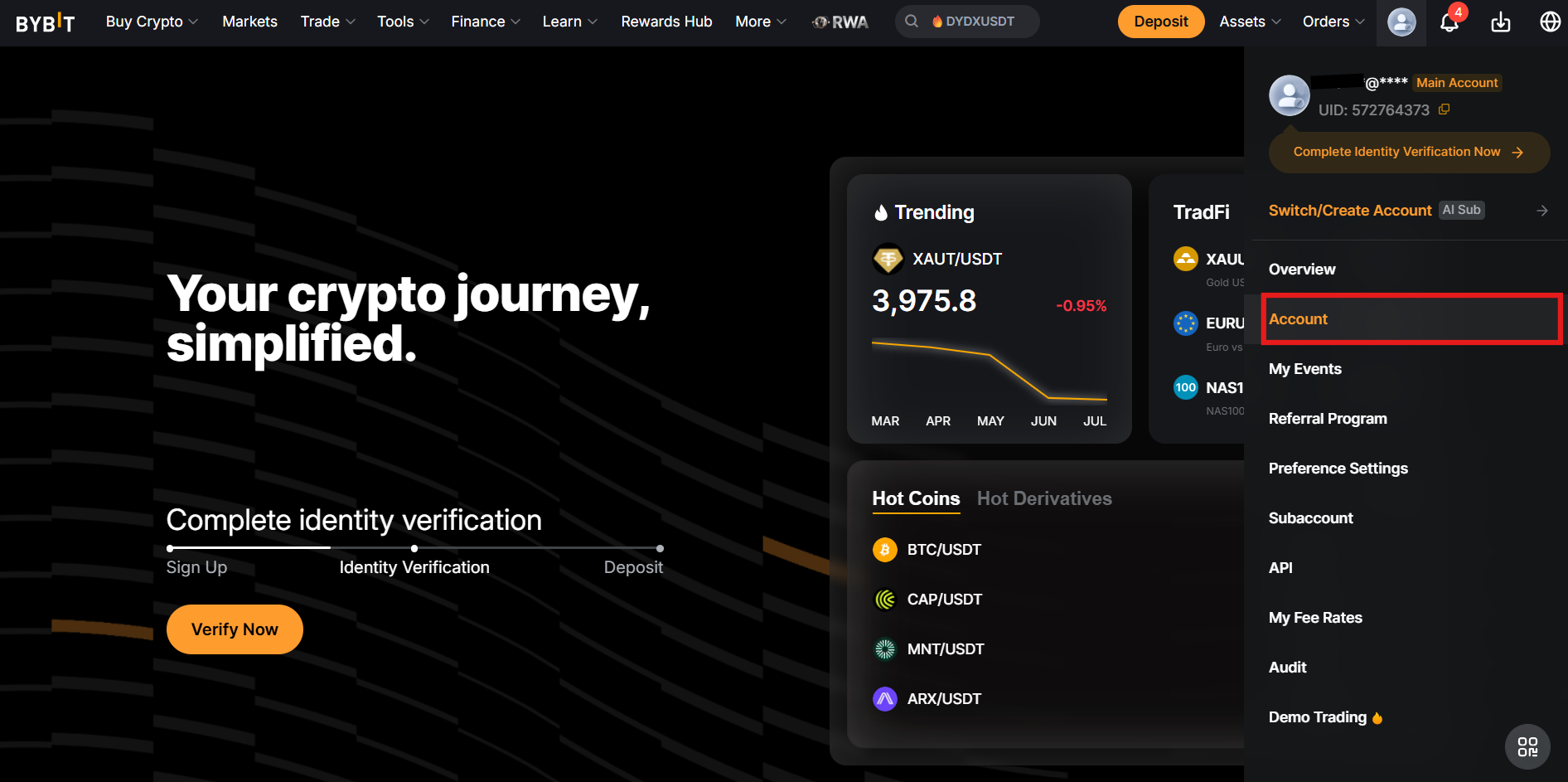
On the homepage, click the account icon, then select Account.
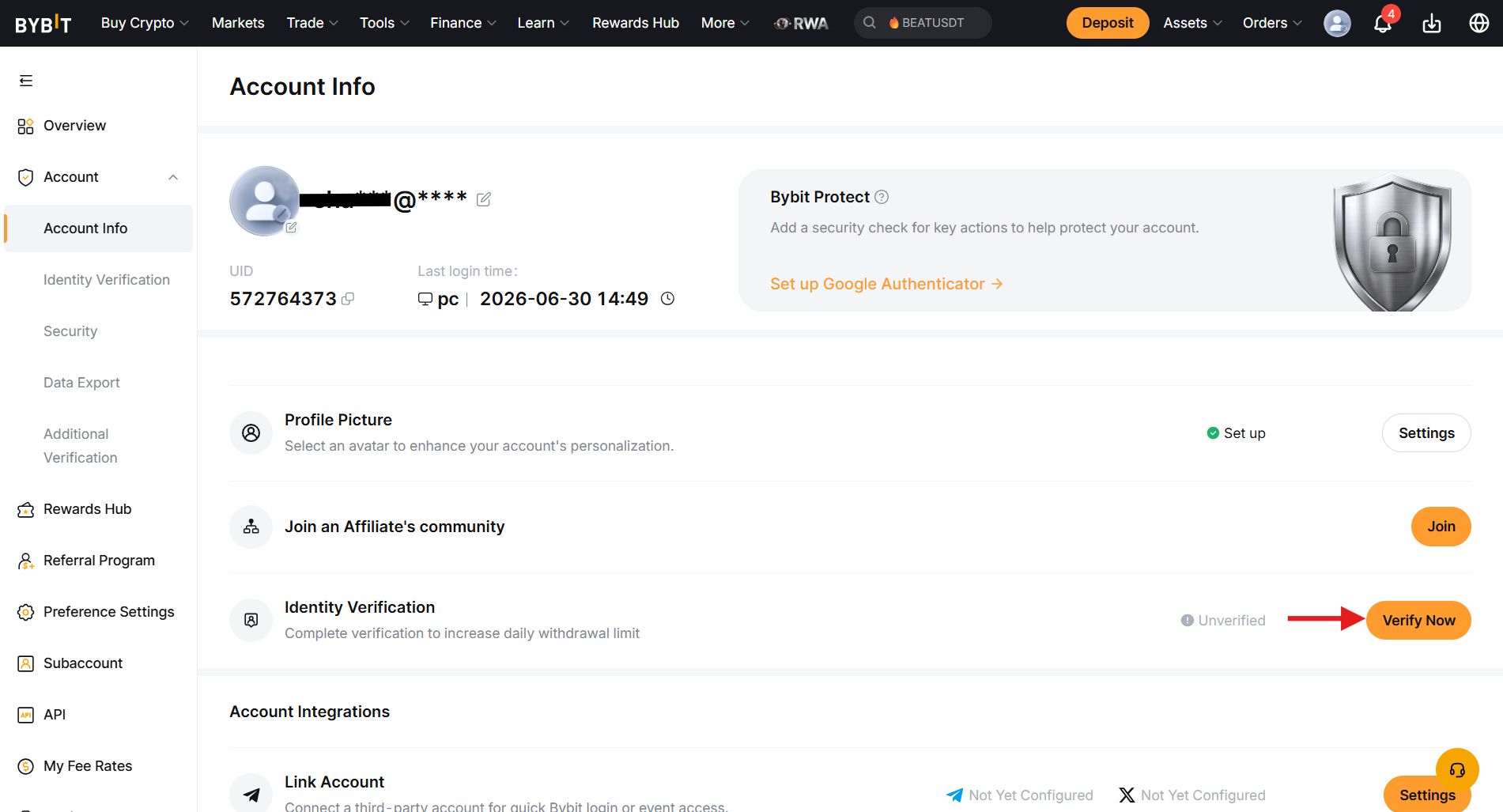
On the account information page, tap Verify Now next to Identity Verification.
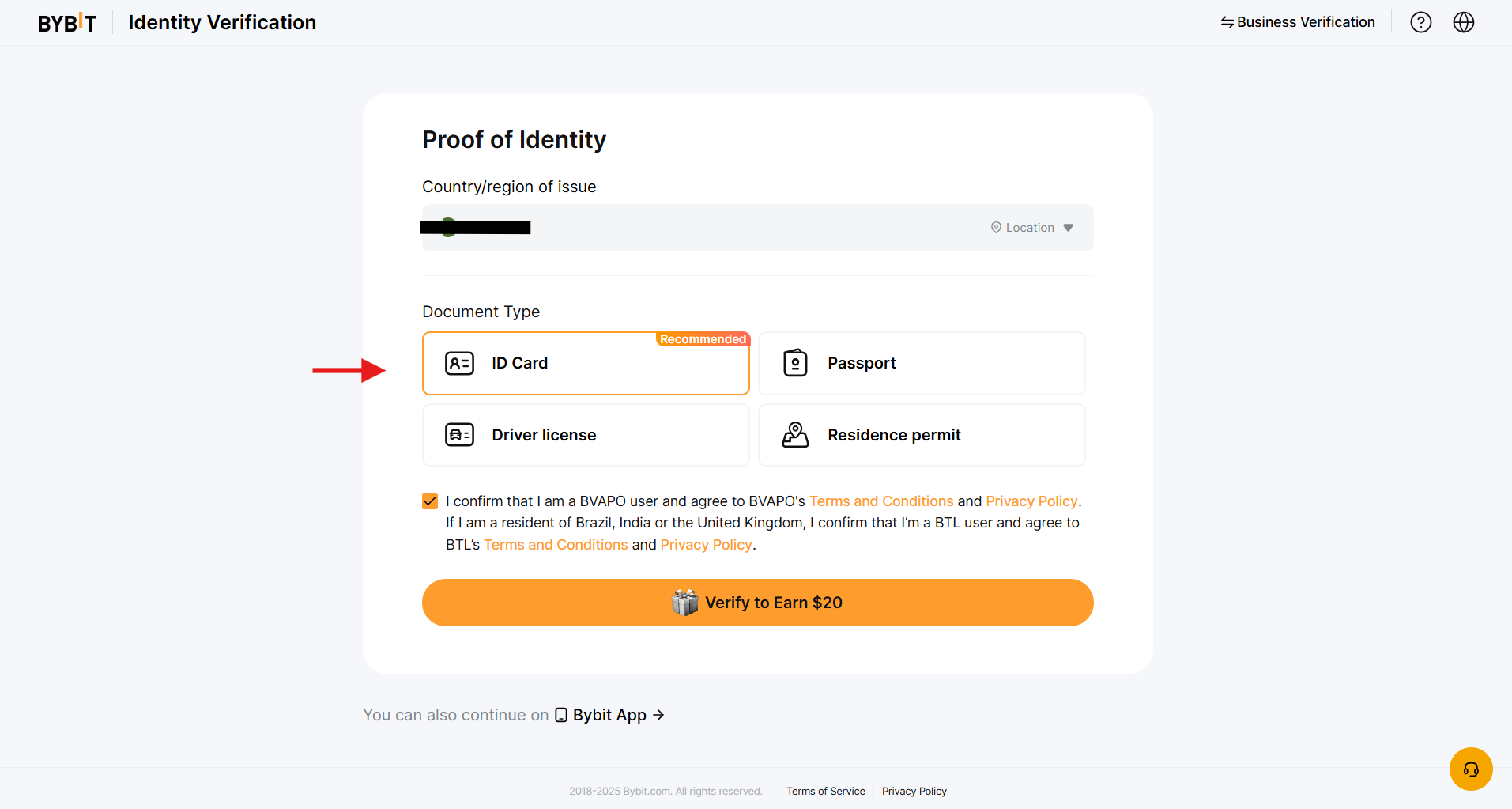
Select your country of residence and the document type, such as ID Card or Driving License, to proceed.
Upload your document and take a live selfie. Once approved, a Verified badge appears on your Level 1 status.
Step 3: Enable Google 2FA
The Google Two-Factor Authentication (2FA) on Bybit adds an extra layer of security to your account. In addition, it is crucial to set up 2FA to withdraw funds from the exchange.
To do this, click Set Up Google Authenticator on the Account Information page. Download the Two-Factor Authentication app on your mobile phone and link it with your account.
Funding Your Bybit Account
Bybit supports three funding methods: crypto deposits, fiat deposits via credit or debit cards, and third-party payment methods.
Crypto Deposits
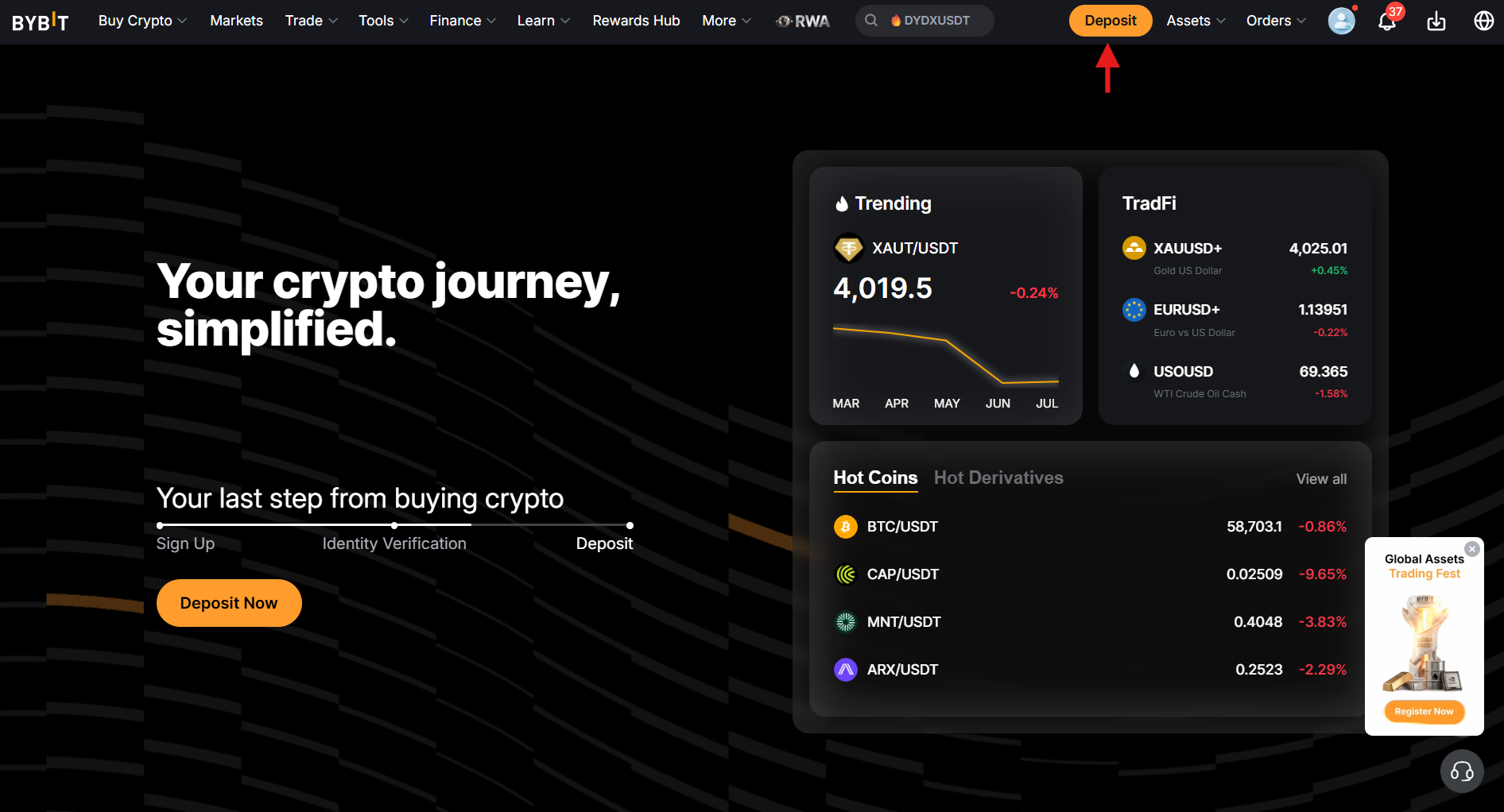
Click Deposit at the top of the menu bar, or go to Assets, then Deposit.
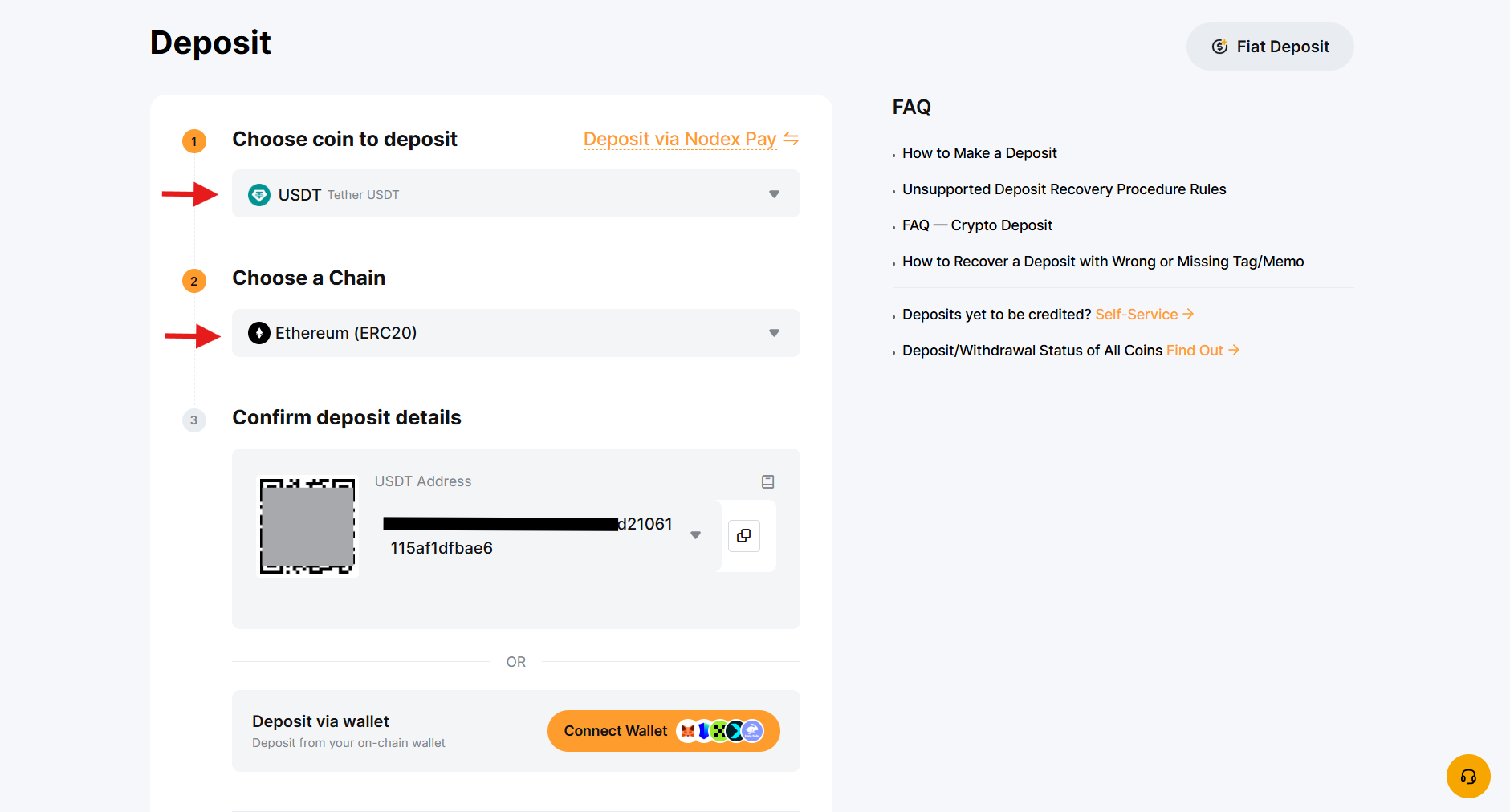
Select Deposit Crypto, choose the cryptocurrency you want to deposit, and the correct chain/network type. Copy the deposit address or scan the QR code, then send your funds from the source wallet.
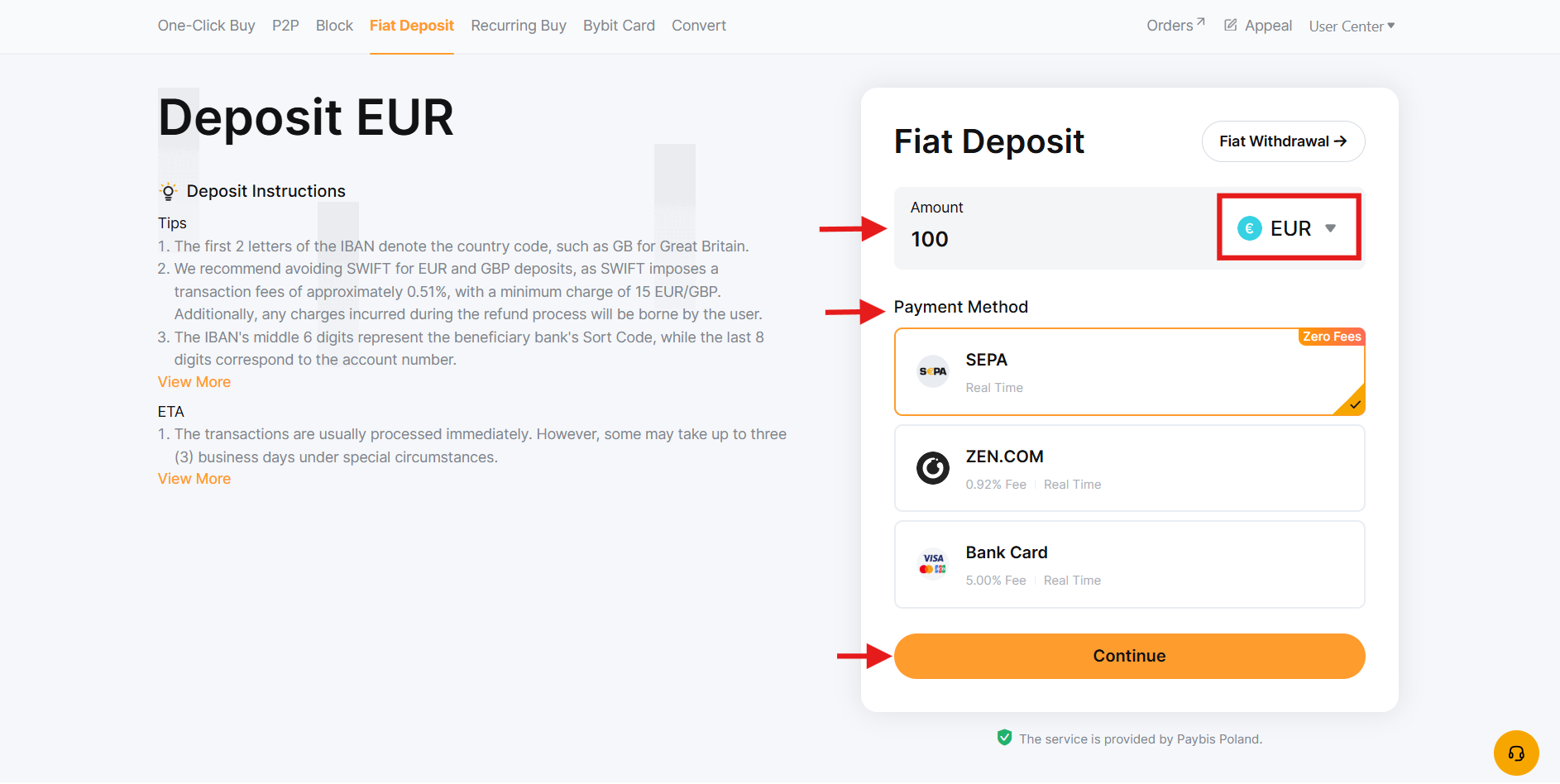
Fiat Deposit
Navigate to the Buy Crypto section in the menu bar, and select Fiat Deposit. Select the fiat currency and enter the deposit amount. Choose a supported payment method, confirm the order details, and click Continue.
P2P Trading
Bybit P2P (peer-to-peer) trading is a straightforward way to buy and sell cryptocurrencies with zero fees. A wide range of ads is available on the platform, and you can select your favorite one for P2P trading.
To buy crypto with P2P, click on P2P, select the fiat currency you want to use, and choose any ad with the desired price and payment method.
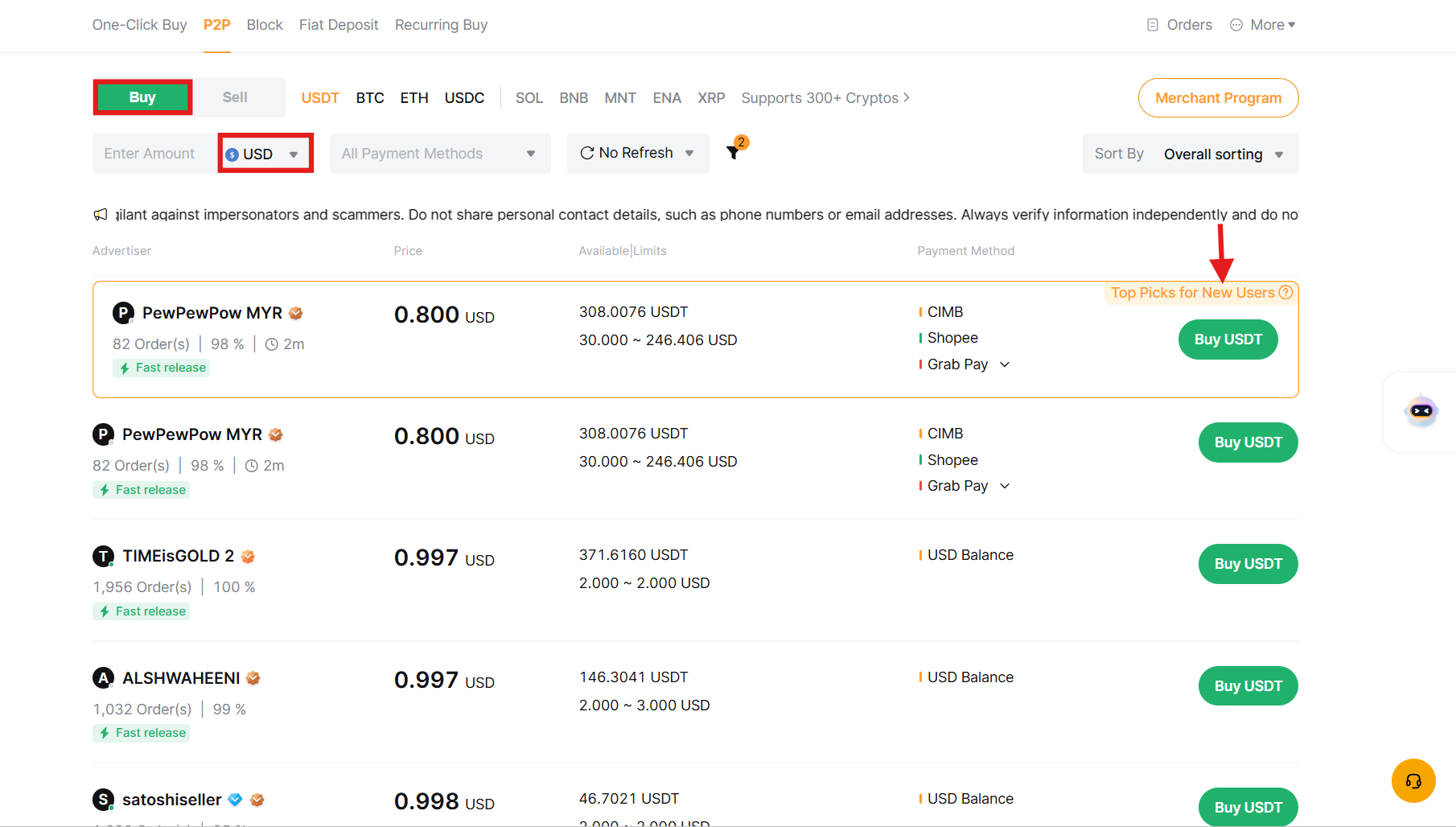
Enter the transaction amount to complete the order. Confirm the order details, then click Buy.
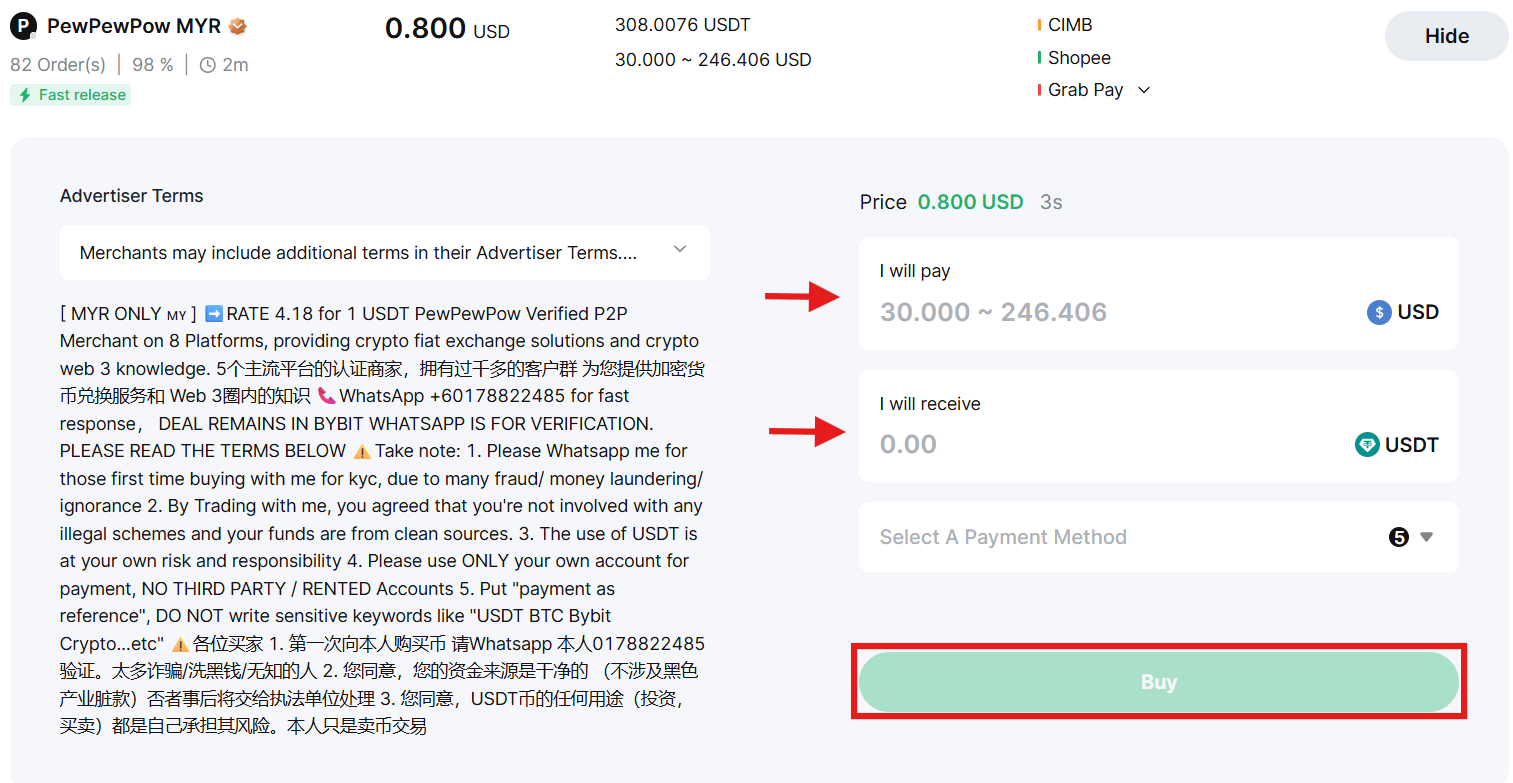
Placing Your First Trade on Bybit
Bybit offers four main trading markets: spot, futures, options, and TradFi.
Spot Trading
Spot trading lets you buy and sell crypto instantly for immediate ownership: no leverage involved.
Go to Trade in the menu bar, then click Spot.
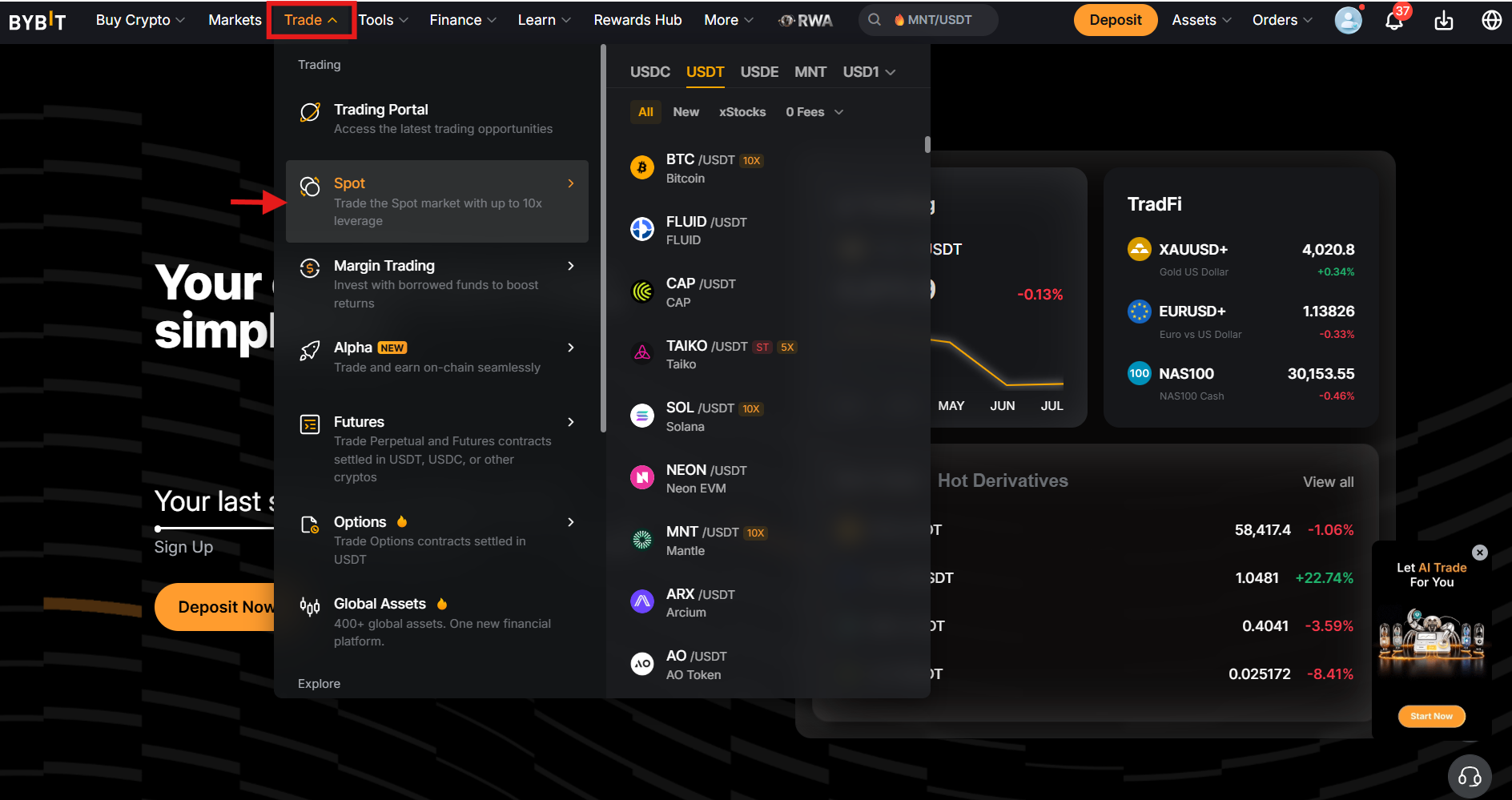
Pick a trading pair, such as BTC/USDT, from the list or search bar.
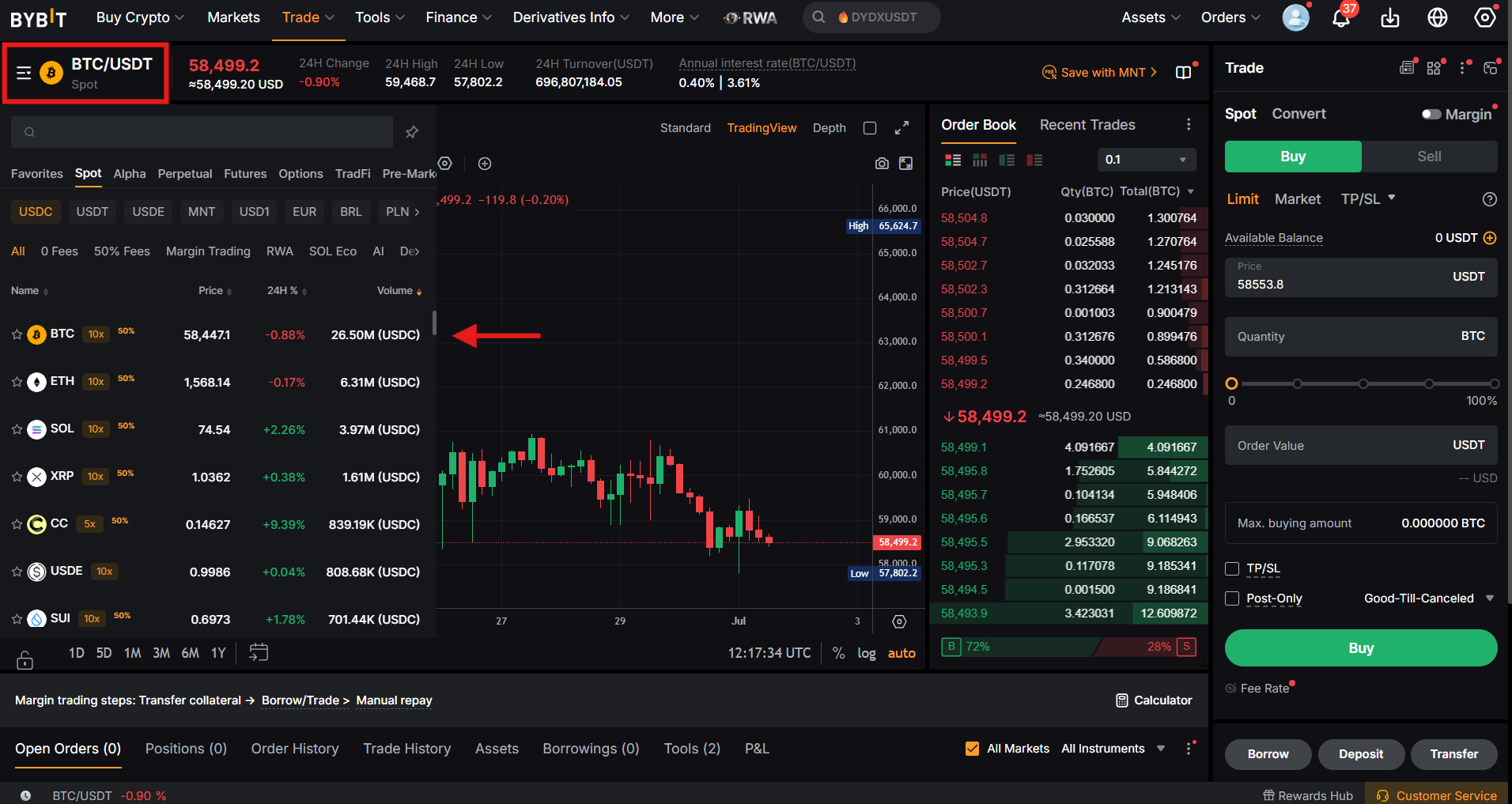
Review the TradingView-powered chart, order book, and price data.
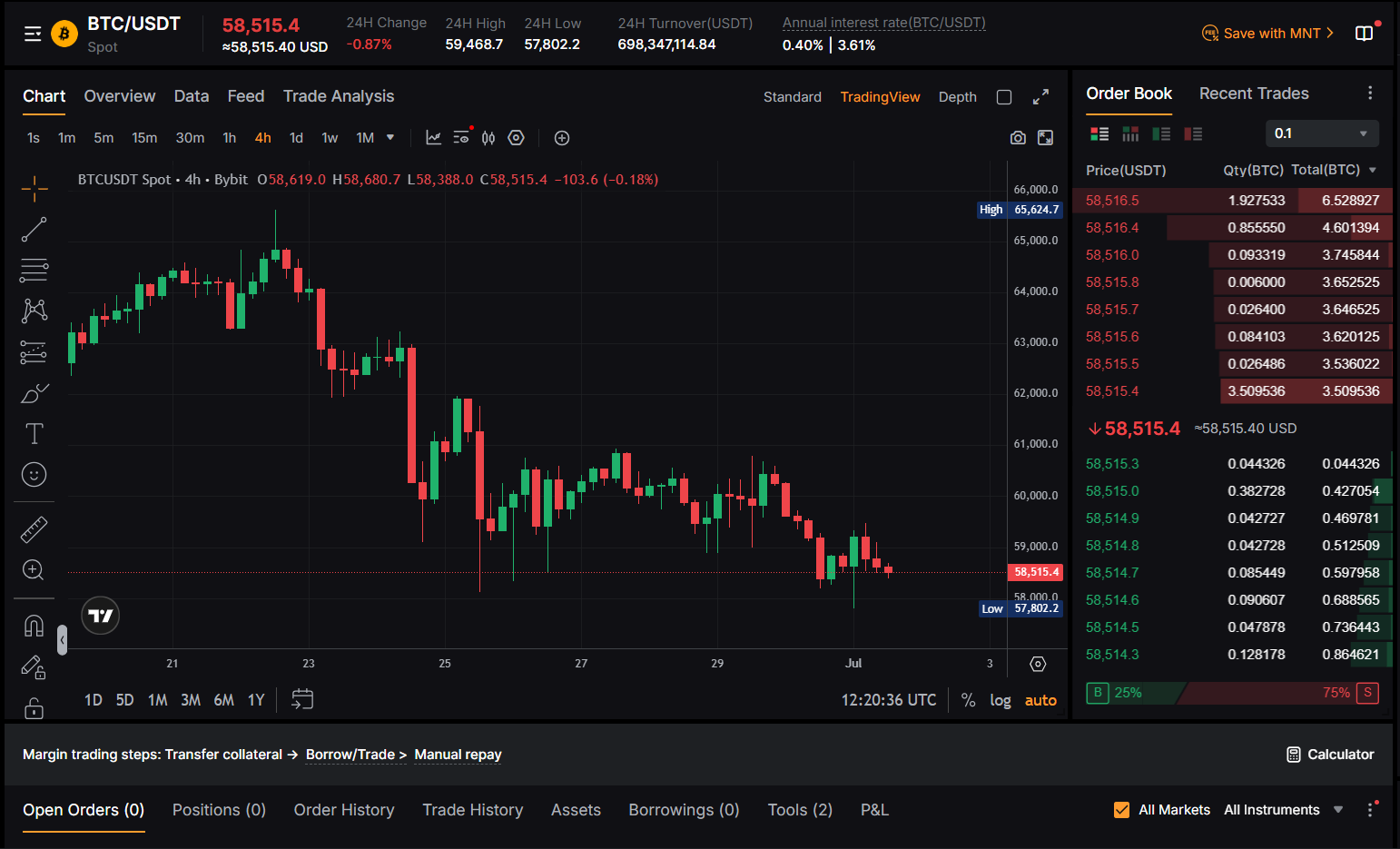
In the order panel, choose Buy or Sell, select an order type (e.g., Limit), enter the quantity, optionally add TP/SL, and click either Buy or Sell.
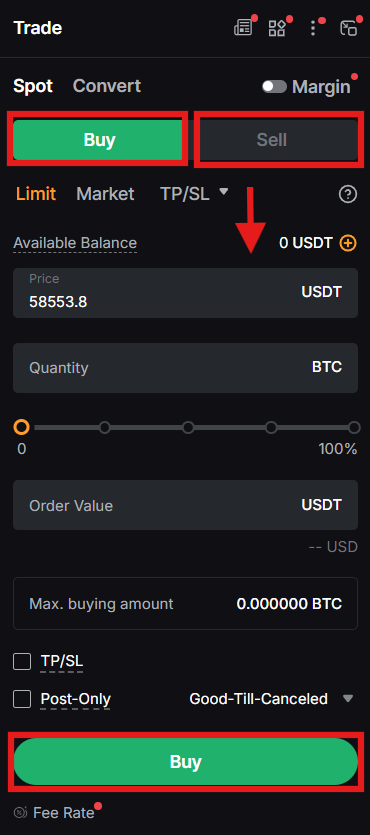
View your order details under the Positions tab.
Futures Trading
Bybit futures trading lets you speculate on price movements with leverage up to 100x (up to 200x on select pairs), across USDT Perpetual, USDC, and Inverse contracts. Remember, to trade perpetuals, you should transfer funds into your futures or unified trading account.
Risk Warning: When using leverage, users should be careful as it magnifies both gains and losses. A small adverse price move can liquidate a highly leveraged position entirely. Never use leverage if you do not fully understand it or consider starting with Bybit’s demo account before risking real funds.
Go to Trade, select Futures, and choose USDT, USDC, or Inverse contracts.
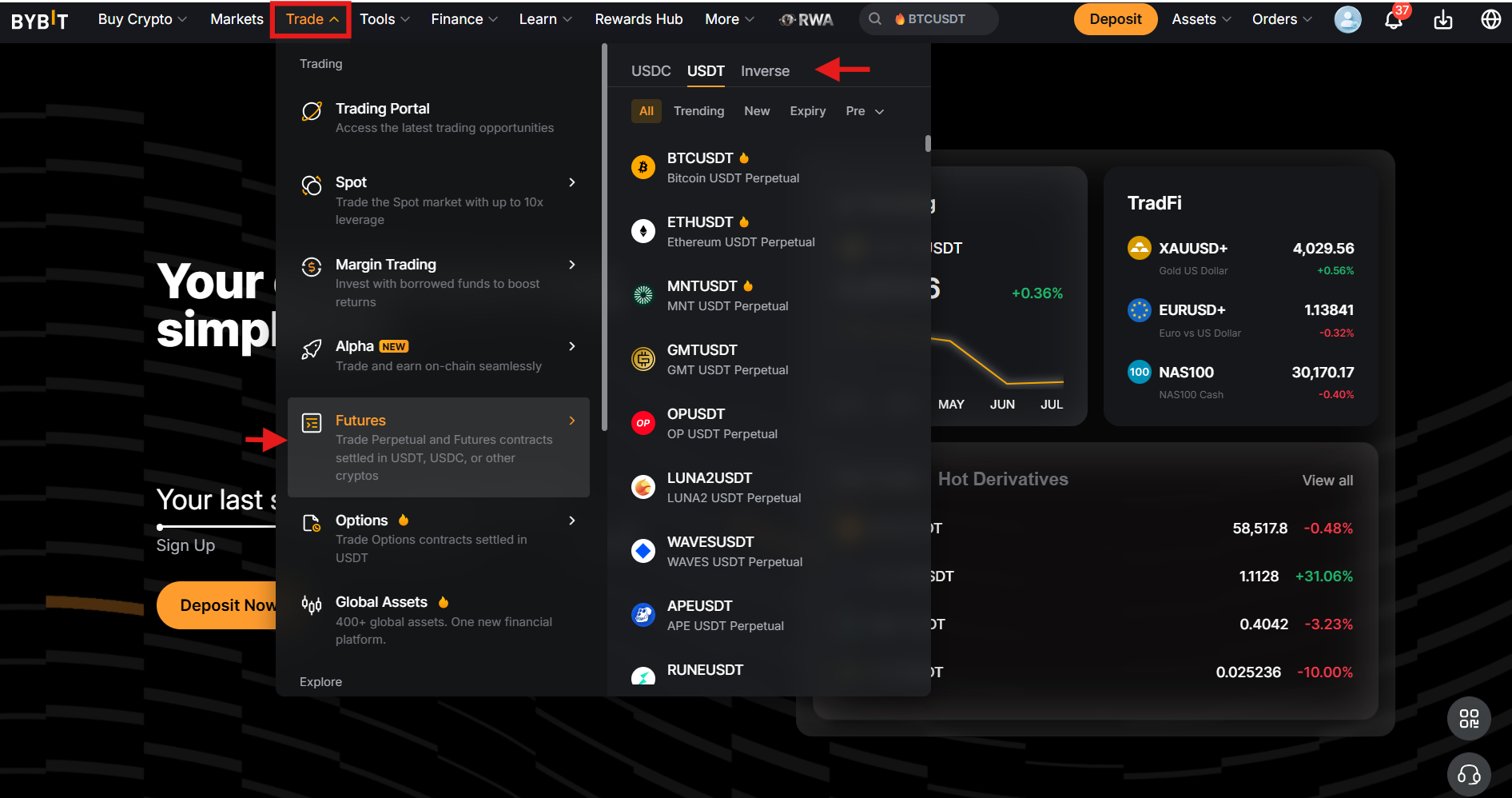
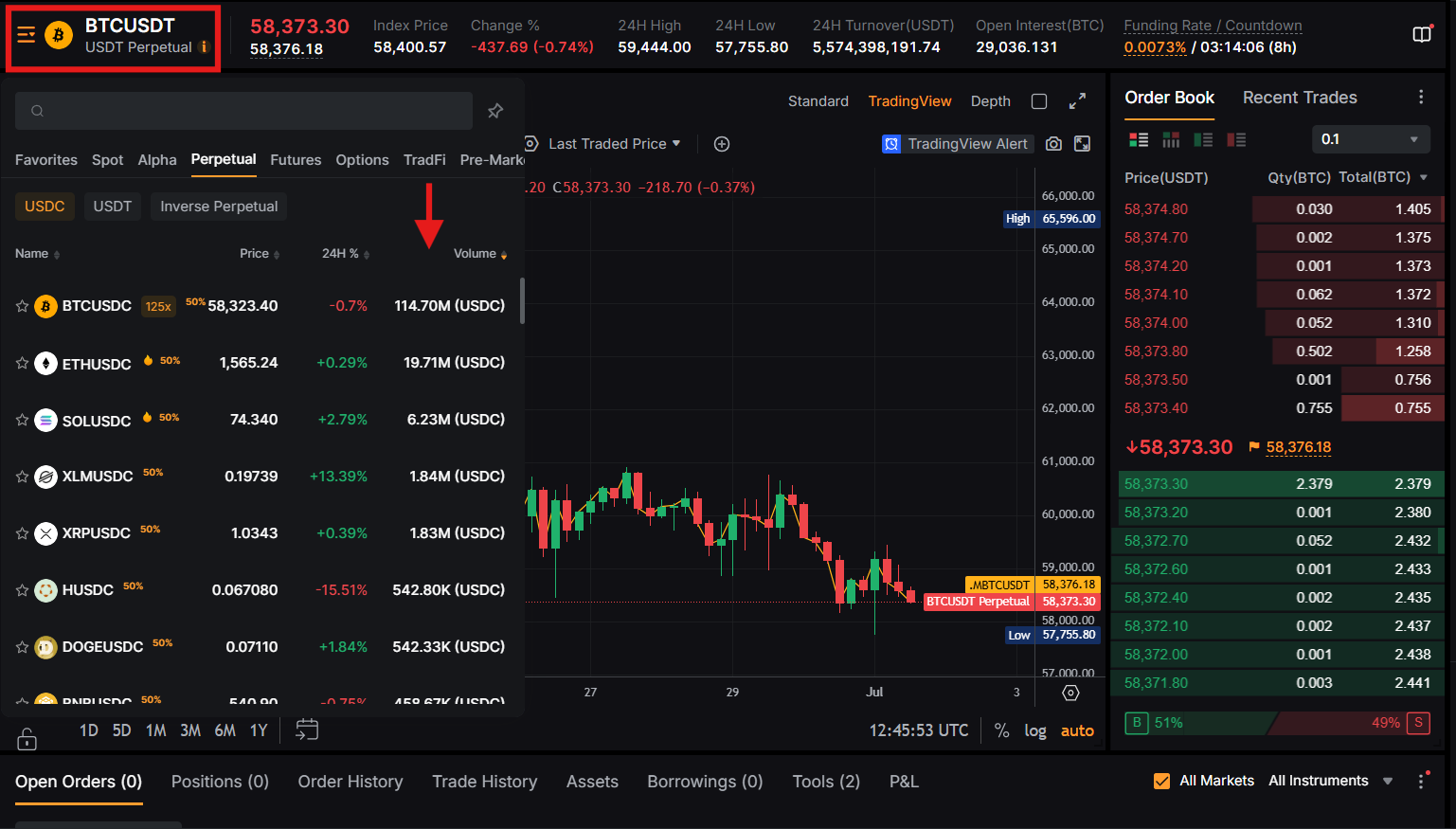
Select a trading pair, such as BTC/USDT.
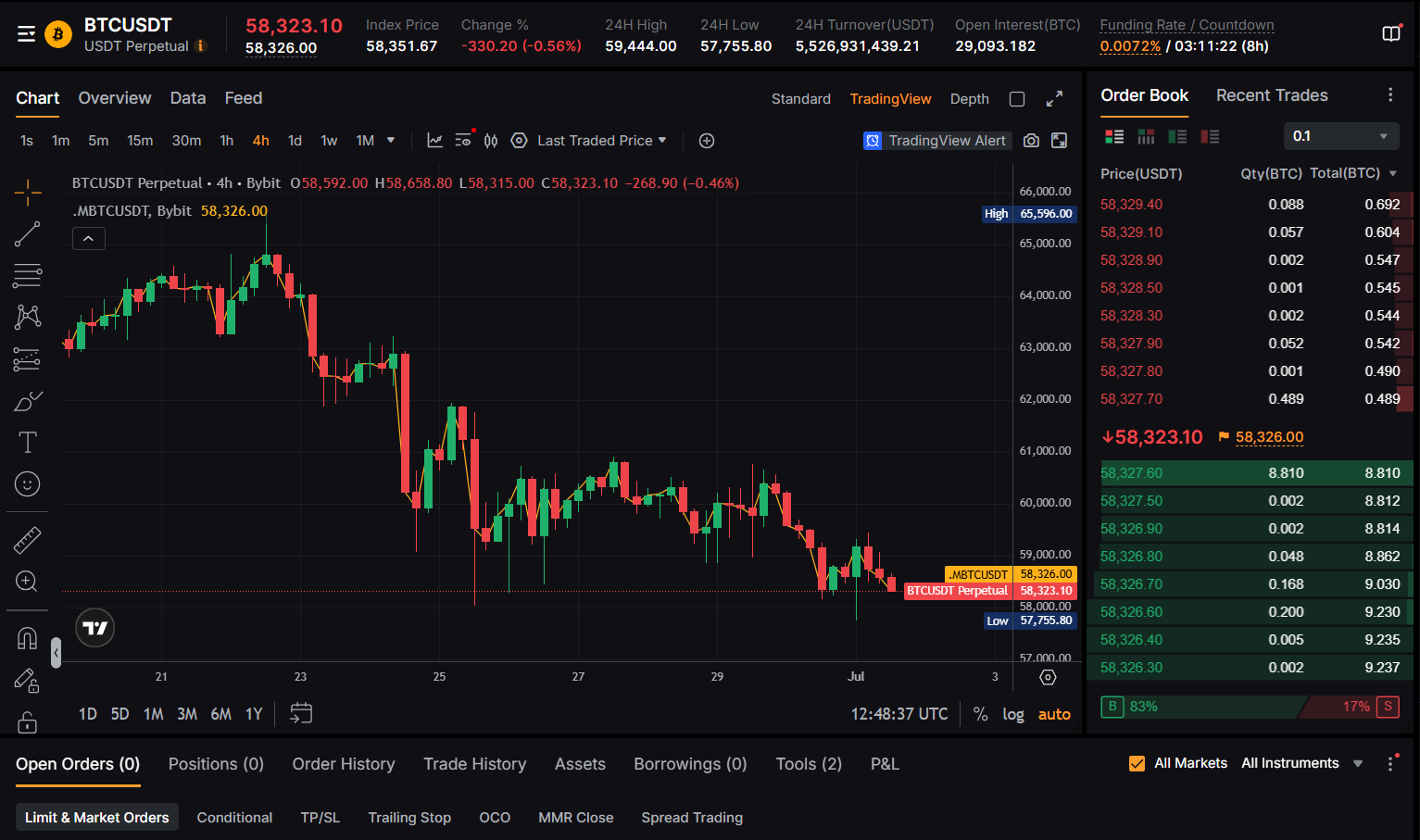
Review the chart showing price change, open interest, and funding rate.!
In the order panel, select a margin mode (Isolated, Cross, or Portfolio) and your leverage.
- Isolated margin: limits risk to the margin allocated for that position only.
- Cross margin: uses your full account balance as margin for the position.
- Portfolio margin: calculates required margin based on overall portfolio risk.
Enter your order details, optionally add TP/SL, and click Buy/Long or Sell/Short.
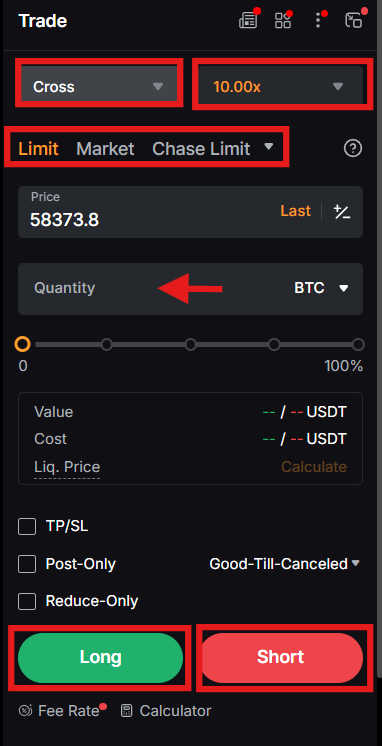
To close your position, there are two methods you can follow:
- First, click on Close By Limit or Market options in the Positions tab. Enter the closing price and quantity, or select a proportion of the closing quantity, then click Confirm.
- Alternatively, you can place a new order opposite to your current one. Once the order is gone through, the position will be closed.
Options Trading
Bybit offers Options trading on USDT contracts. Options are a type of derivative contract that gives you the right to buy or sell an asset at a predetermined price on a specific date. You need to pay a premium to get a Call or Put Option.
To access Options trading, go to Trade and then click Options.
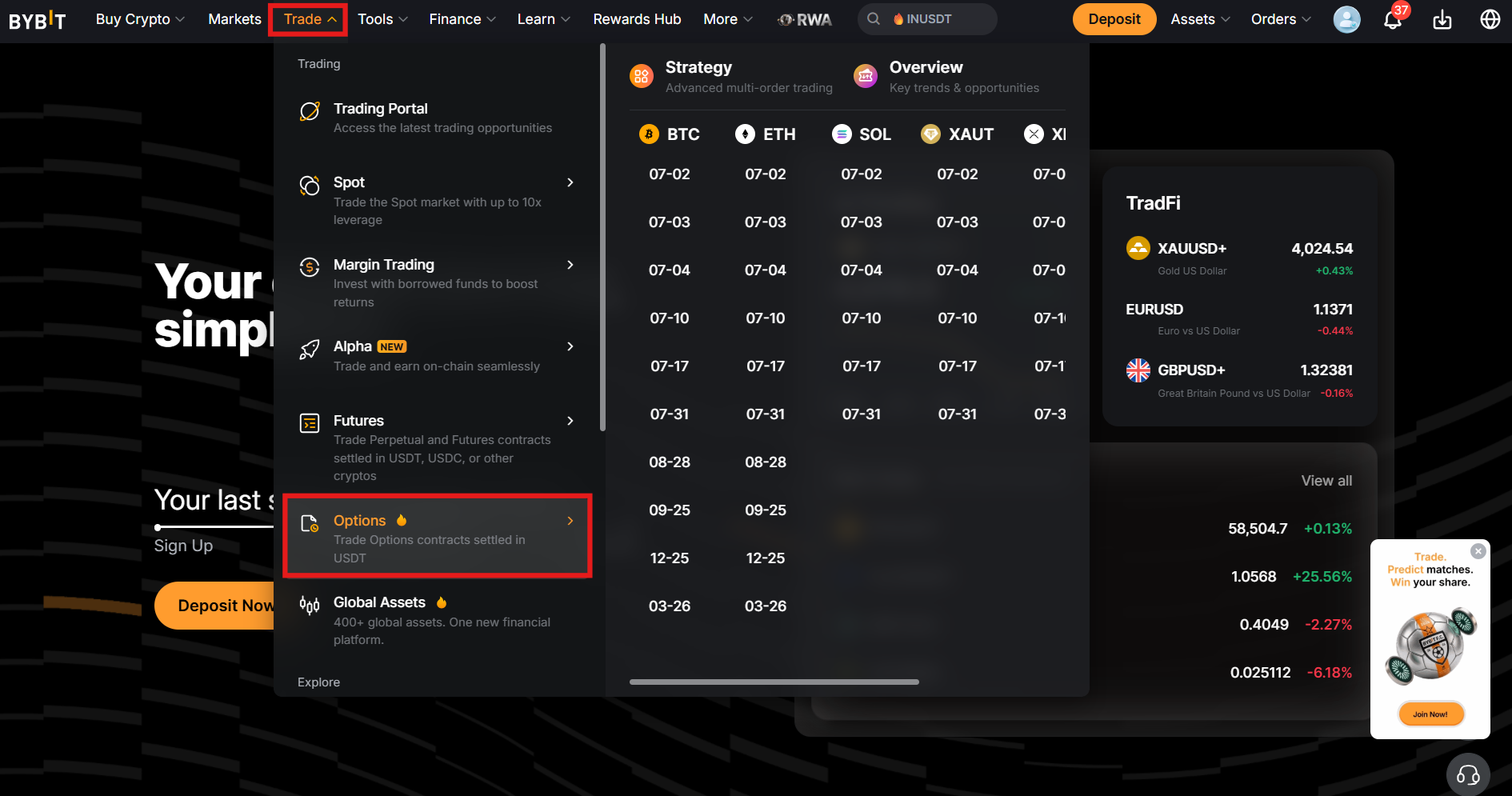
- Select the contract, and the order window will appear on the right side.
- Choose the order direction between Buy and Sell.
- Select the order type, such as Limit or Market.
- Fill in the order details, such as the price and quantity.
- Confirm the order details, then click Place Order.
What is Bybit TradFi?
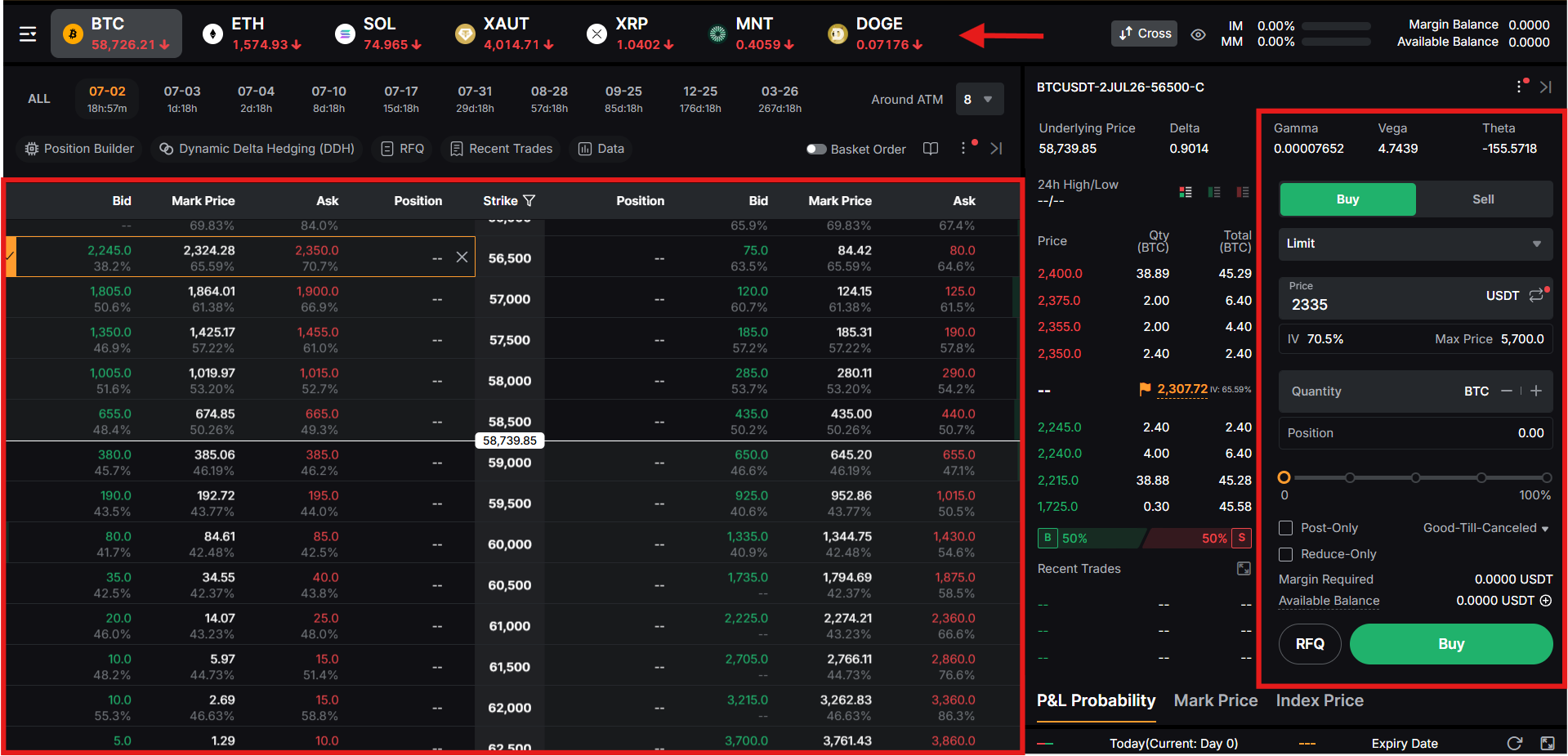
Bybit TradFi trading is an MT5-powered traditional product market that lets users trade CFDs (Contracts for Difference) directly on the website, in the app, or via MetaTrader 5. Instead of relying on fiat as collateral, traders fund their positions with USDT, which is converted to USDx at a 1:1 ratio.
There are over 100 trading pairs across several asset classes, including stock CFDs, indices, forex, metals, oil, and commodities. Traders can use up to 500x leverage on supported markets, though leverage varies by product and symbol. It follows a tiered margin system in which liquidation is triggered when the margin falls below 50%.
To start TradFi trading on Bybit:
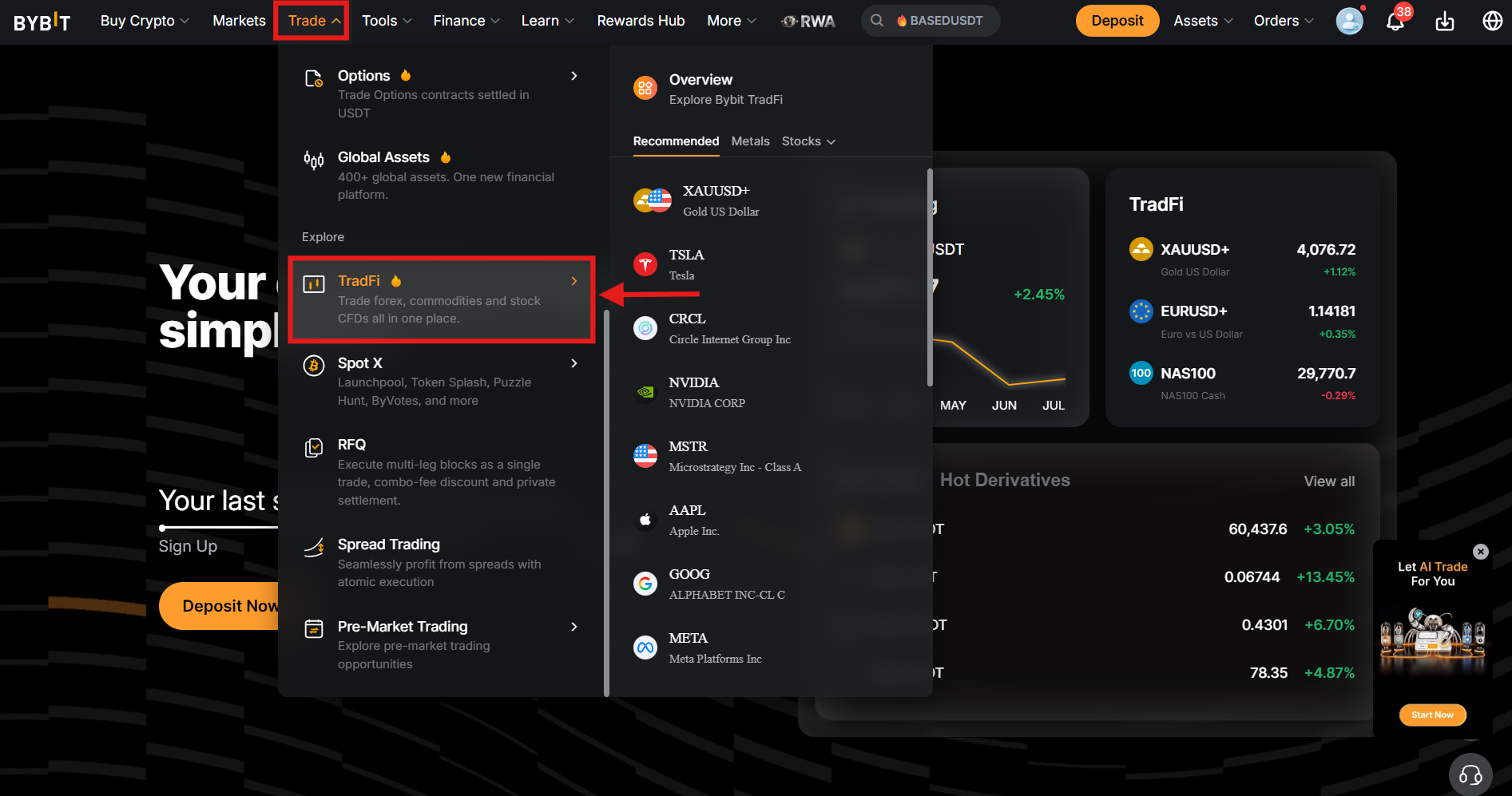
- Navigate to the Trade tab in the menu bar and select TradFi.
- Apply for TradFi if the account is inactive.
- Complete required identity and eligibility checks.
Next:
- Move funds to your funding account, then open the TradFi asset page.
- Click Transfer to fund your TradFi account.
- USDT converts into USDx at 1:1.
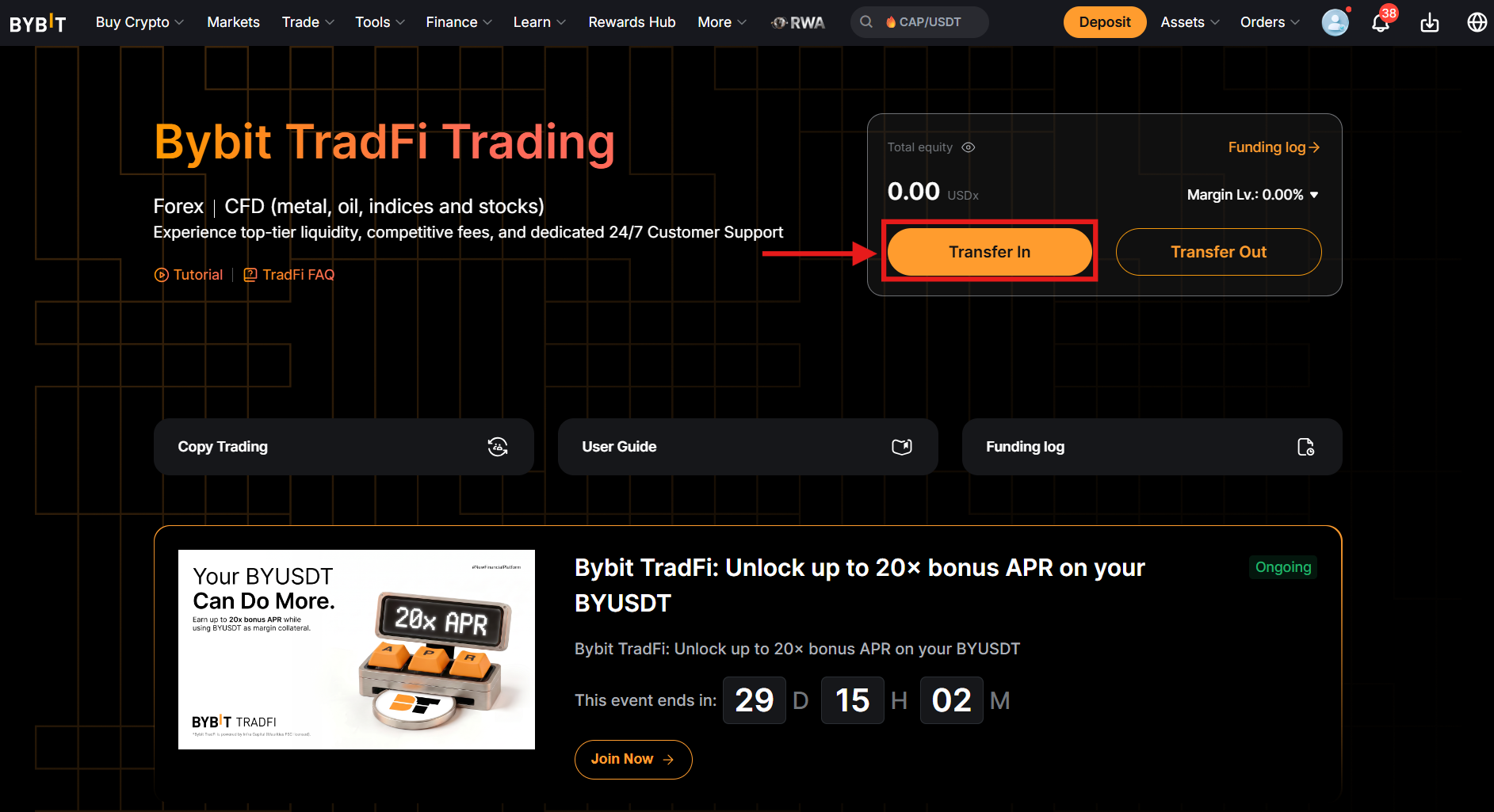
Once you have funds in your account, pick the asset class and symbol.
- Select the instrument you want to trade, such as forex, stocks, or commodities.
- Review spread, chart, and contract details.
- Check for trading hours before opening a position.
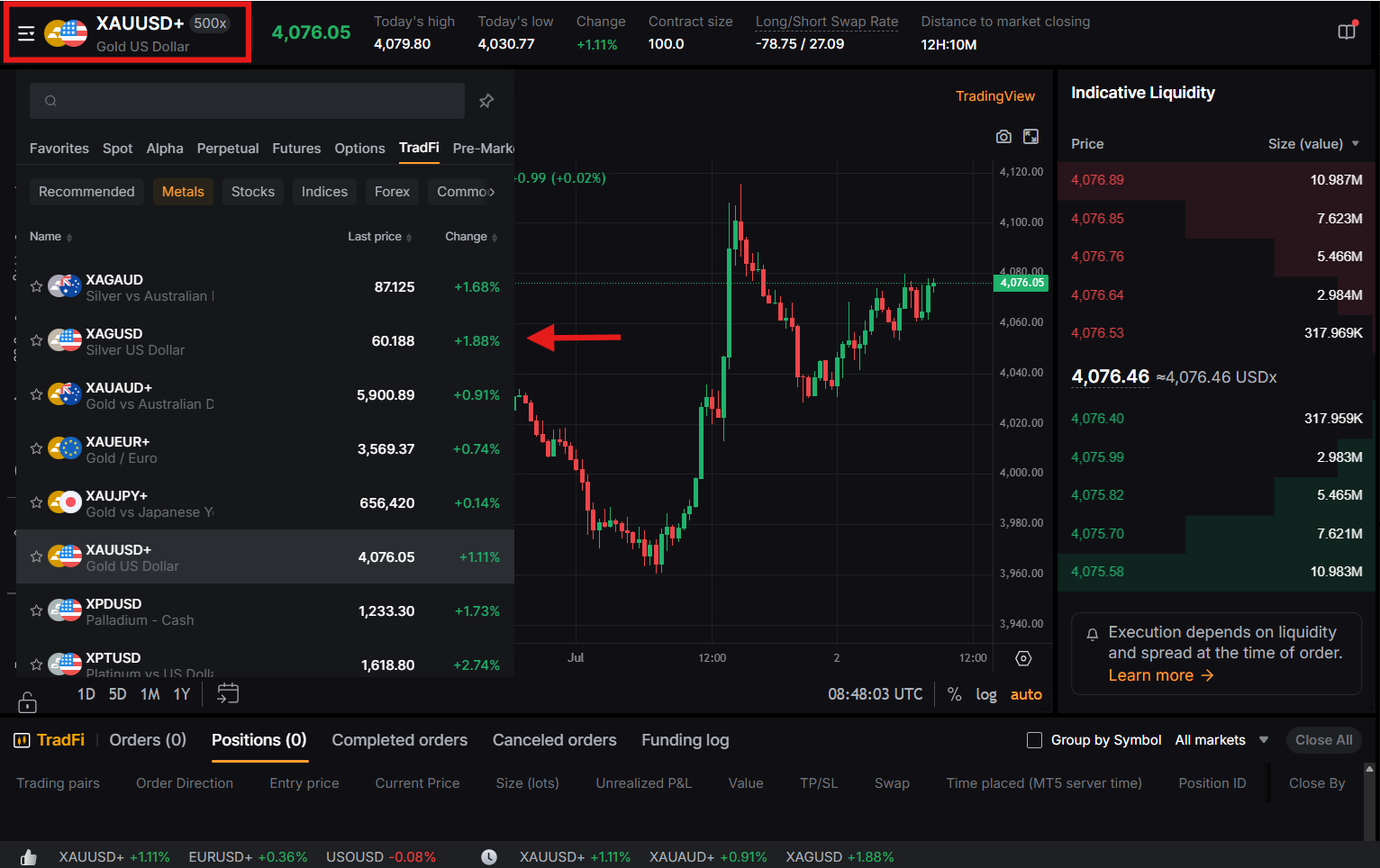
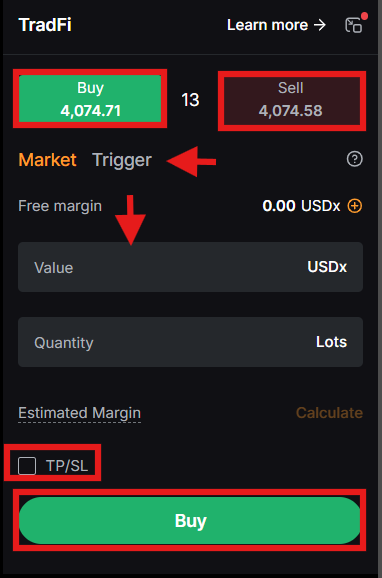
In the order panel, set up your trade direction and execution type.
- Select between Buy for long exposure or Sell for short exposure.
- Choose the order type, such as a Trigger Order.
- Enter value or quantity in lots.
- Adjust the leverage where the symbol allows.
- To manage risk, set a stop-loss level and a take-profit target.
- Review used margin and exposure carefully.
- Confirm order details and place the trade.
To monitor your open position, go to the Positions tab. Monitor equity and unrealized PnL, and keep your margin level above the liquidation threshold to avoid liquidation. Remember, liquidation occurs at or below a 50% margin.
How to Start Copy Trading on Bybit?
Copy trading on Bybit is a unique feature that allows users to replicate the trades of seasoned traders known as Master Traders. It removes the burden of searching for coins and learning trading strategies and helps you earn interest on your investments.
Navigate to Tools in the menu bar and click Copy Trading.
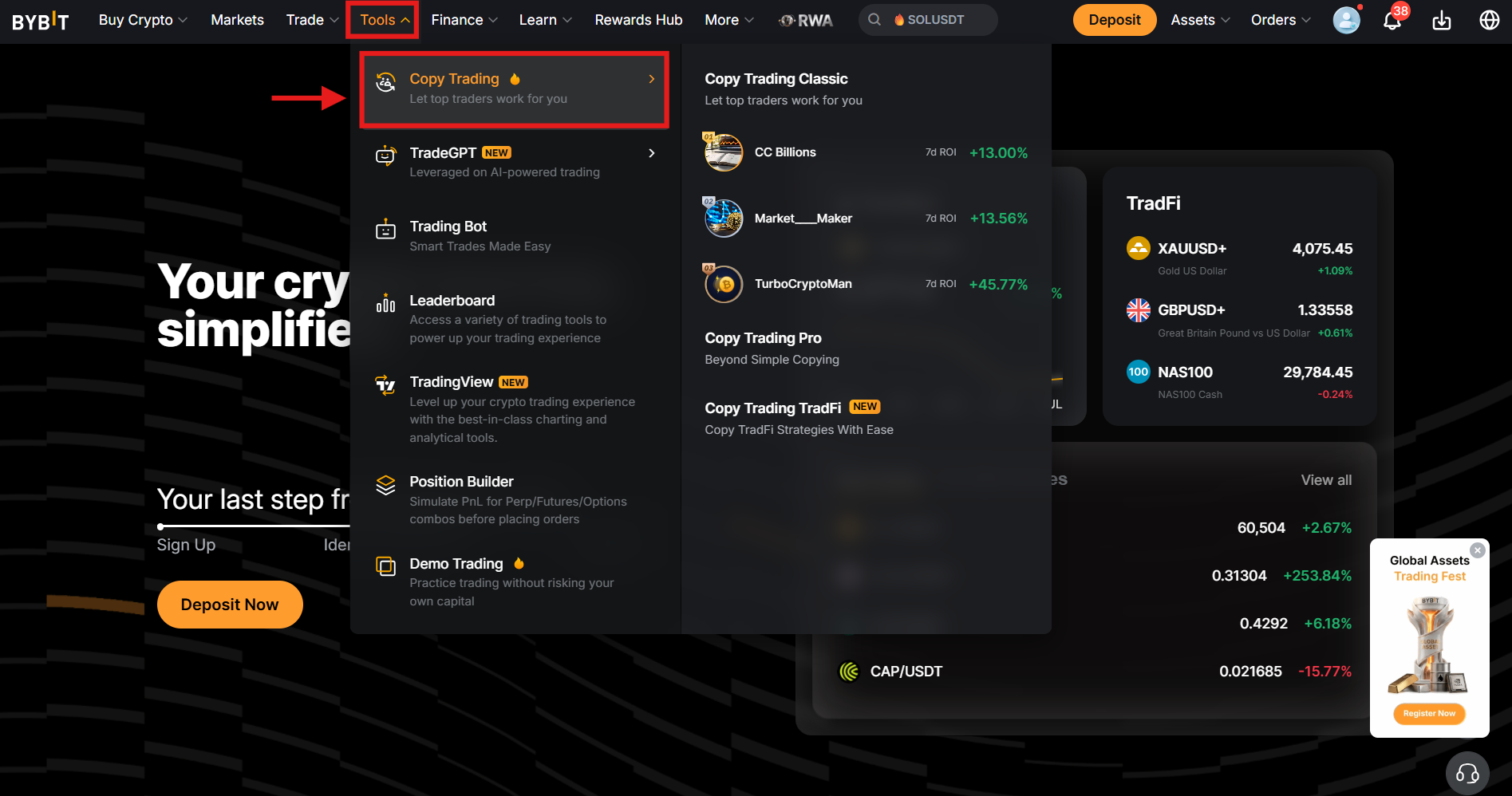
On the Copy Trading page, you can see several copy traders categorized as Top Balanced Traders, Top ROI (Return On Investment), Top Intra-Day Traders, and more.
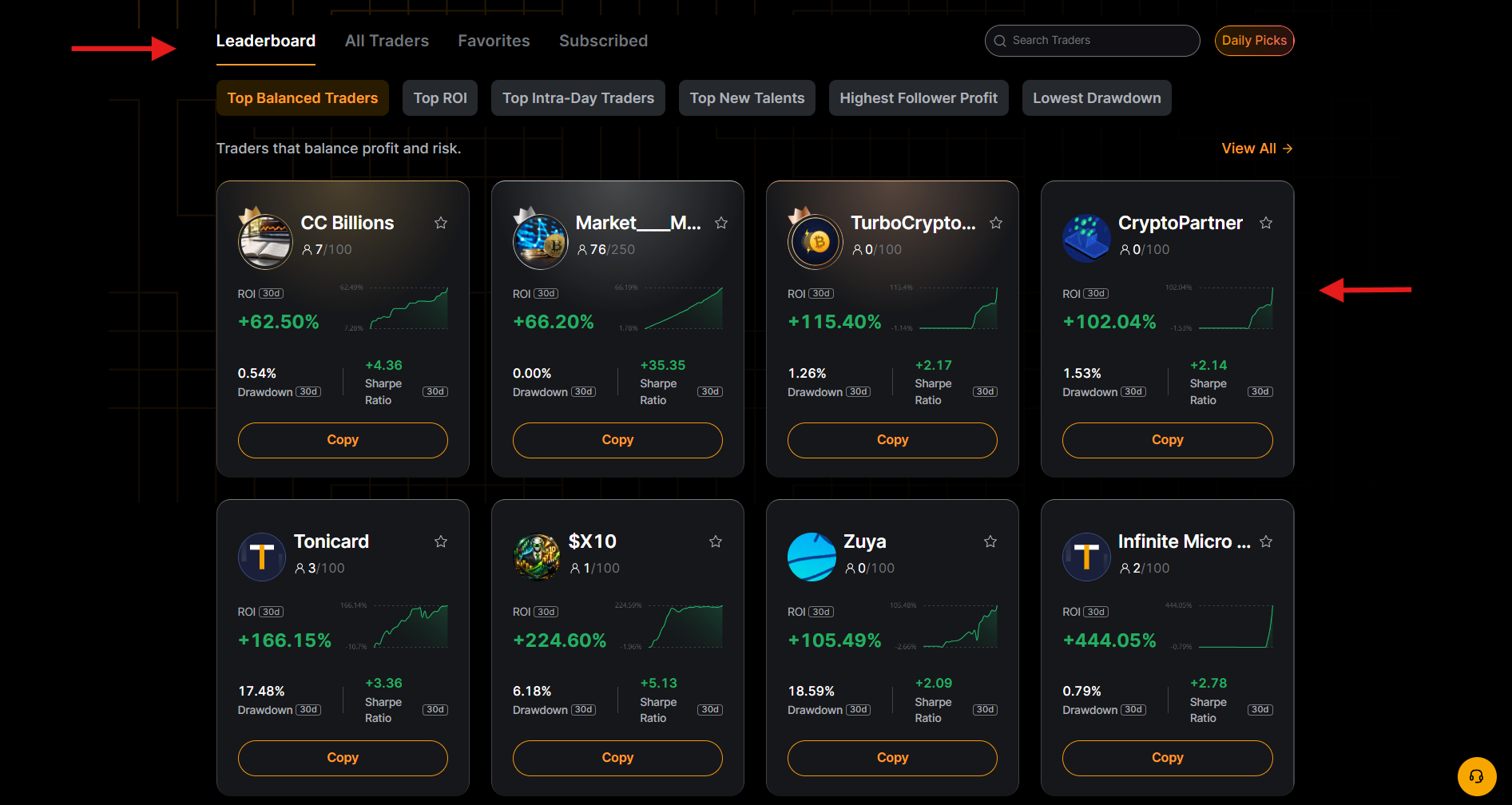
To start copy trading:
- Select a professional trader and click Copy.
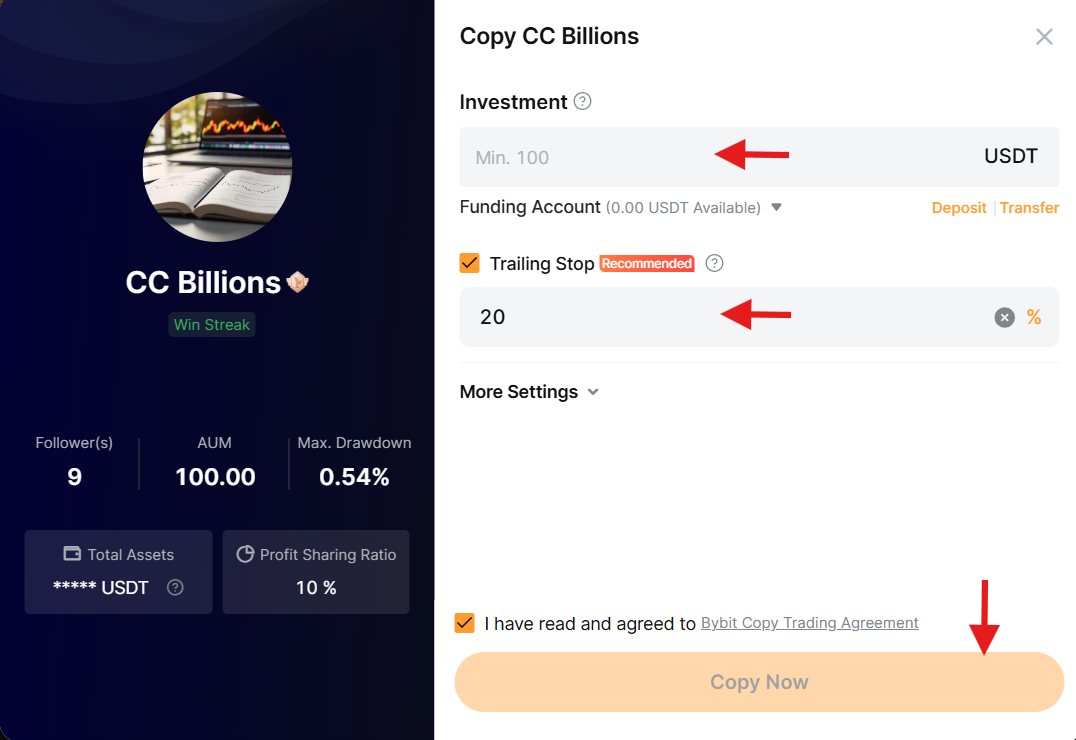
- A pop-up window will appear showing the details of the lead trader.
- Enter the investment amount and other details, then click Copy Now.
How to Withdraw Funds from Bybit?
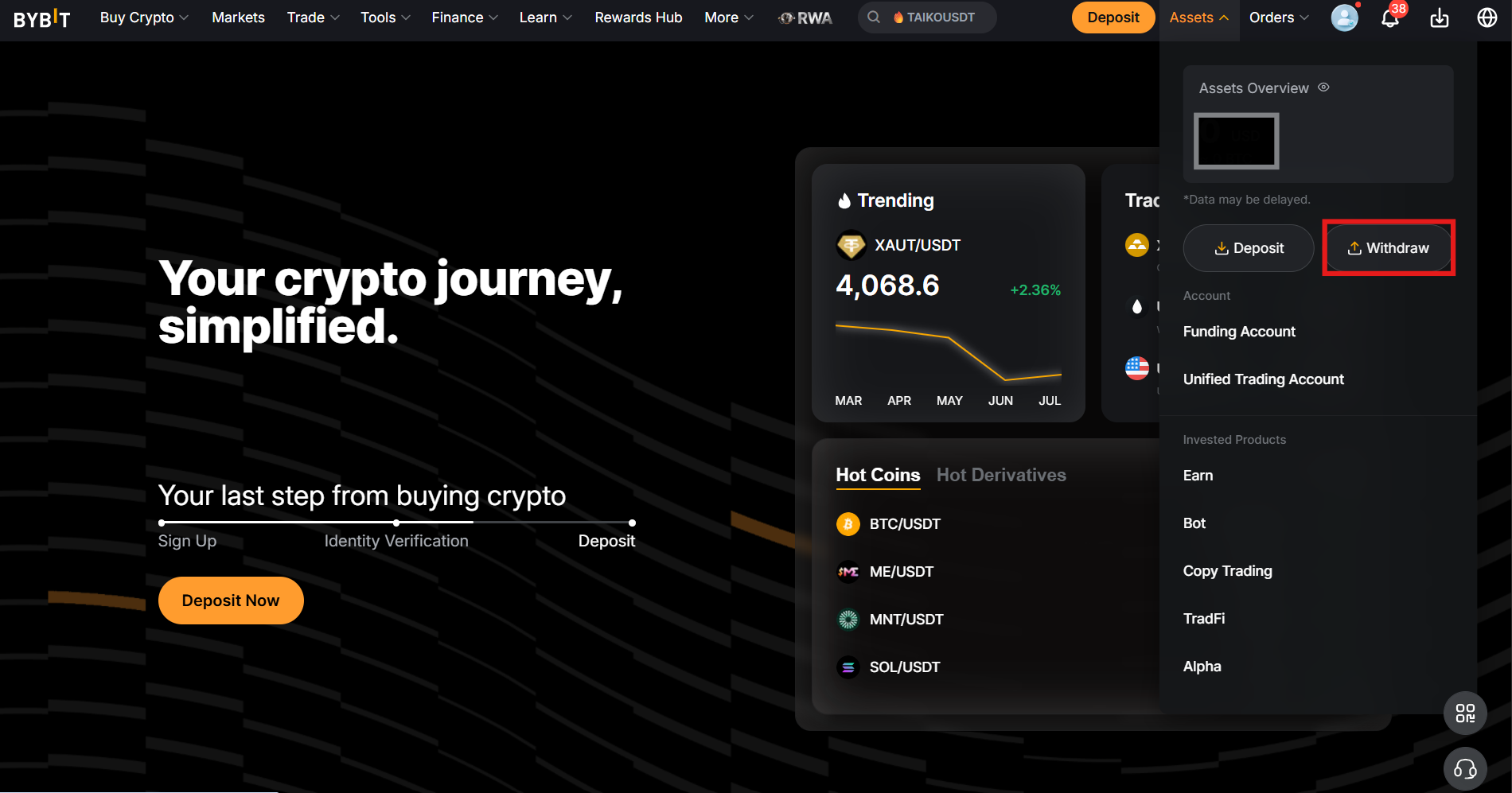
Users can easily withdraw funds on the Bybit Exchange. The platform supports several methods for making withdrawals: On-Chain Withdrawal, Internal Transfers, and Fiat Withdrawal.
To access these services, click Withdraw under the Assets tab.
On-Chain Withdrawal
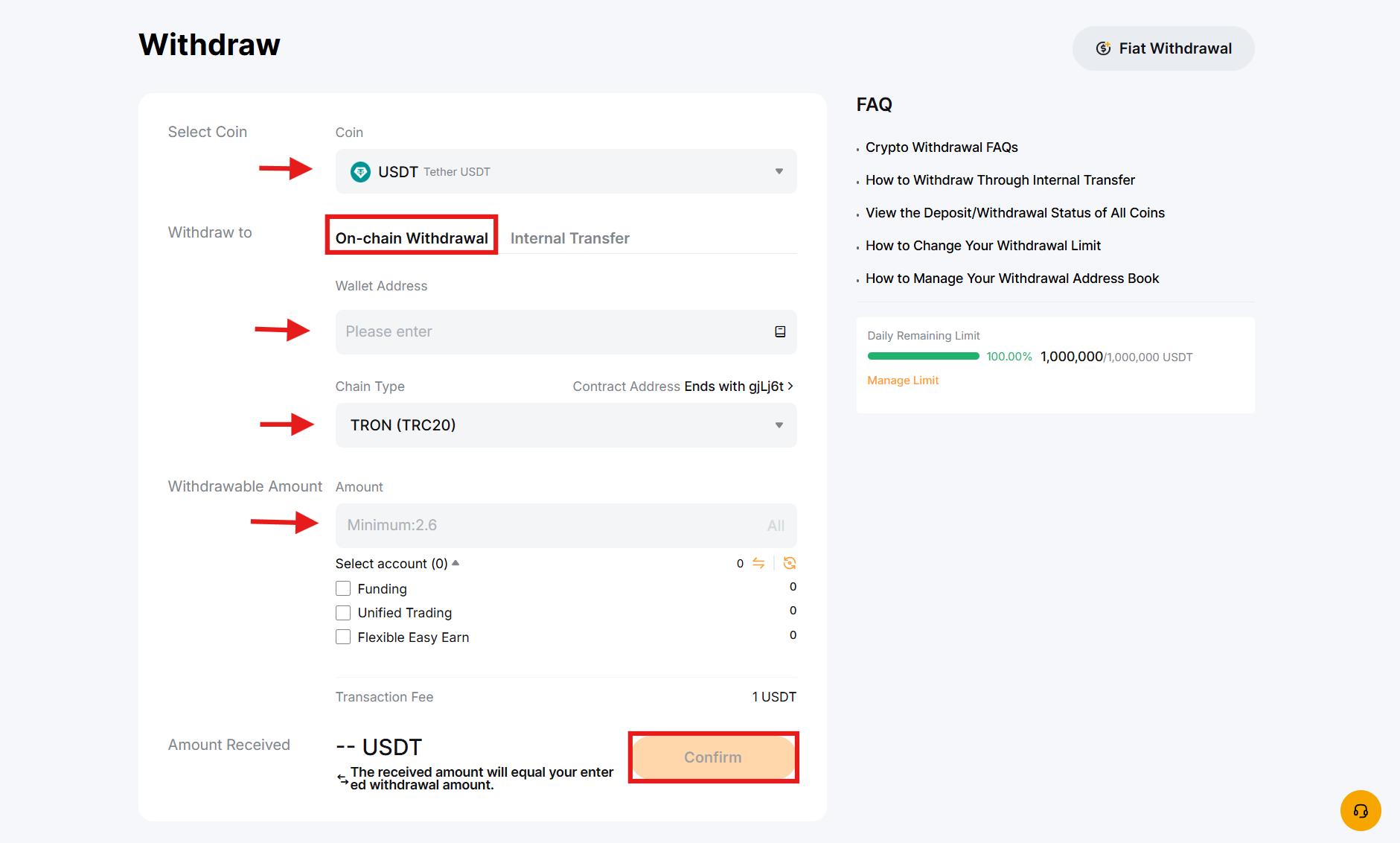
Users can withdraw funds to an external wallet or exchange through On-Chain Withdrawal on Bybit.
On the withdrawal page:
- Select the cryptocurrency for withdrawal.
- Enter the Bybit wallet address and choose the chain type.
- Enter the withdrawal amount, then click Confirm to complete the transaction.
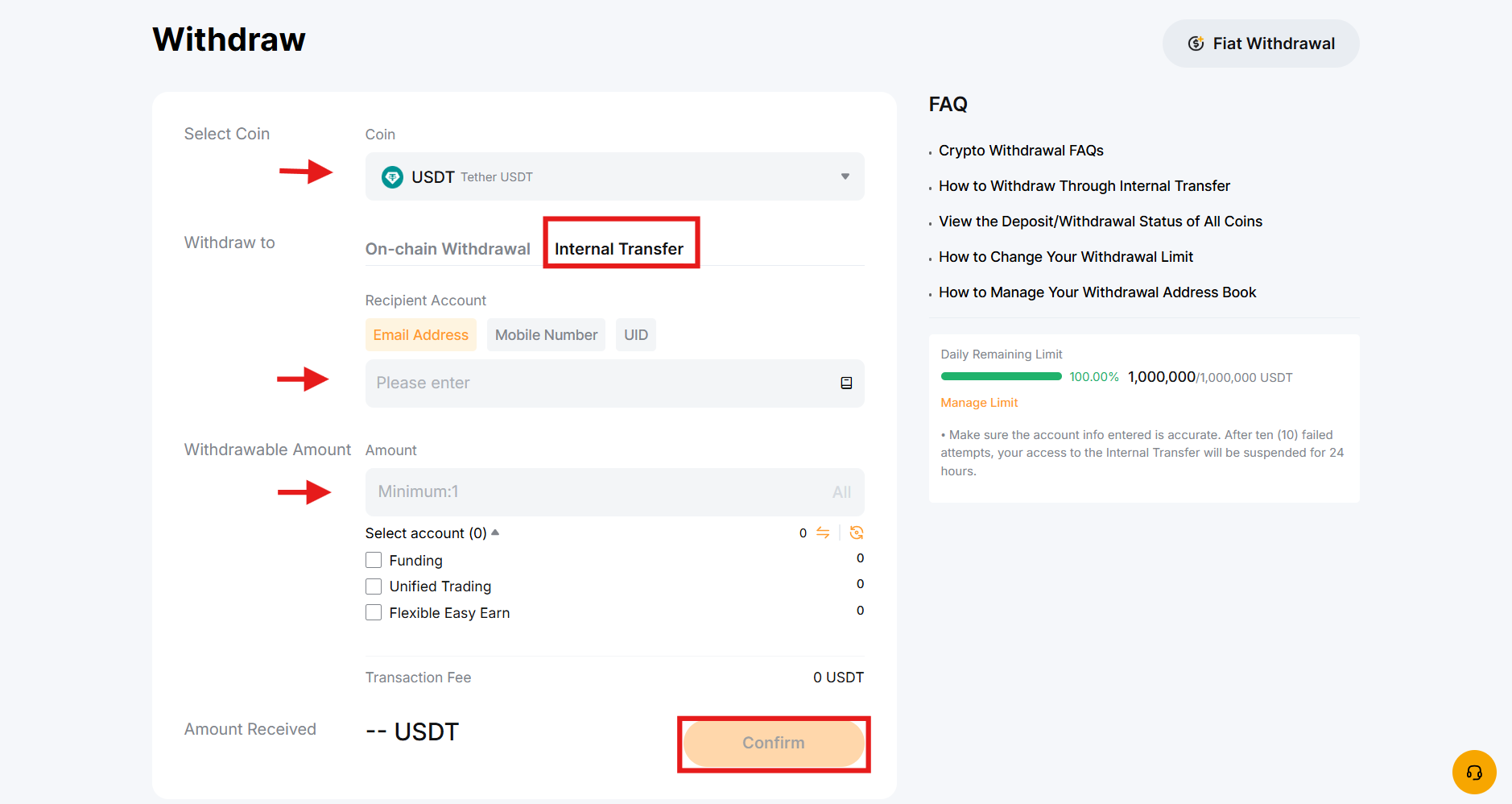
Internal Transfer
Users looking to transfer funds between Bybit accounts can use the Internal Transfer feature on the platform. It allows users to transfer funds between their Funding and Unified Trading accounts without fees.
- Click Internal Transfer on the Withdraw page.
- Select the coin you want to transfer.
- Enter your email address, mobile number, or UID (Unique Identification).
- Enter the withdrawal amount and tap Confirm to complete the order.
Fiat Withdrawal
Bybit Fiat Withdrawal is a unique feature that enables users to withdraw funds from the exchange using fiat currencies.
Click Fiat Withdrawal on the Withdraw page to start Fiat withdrawals.
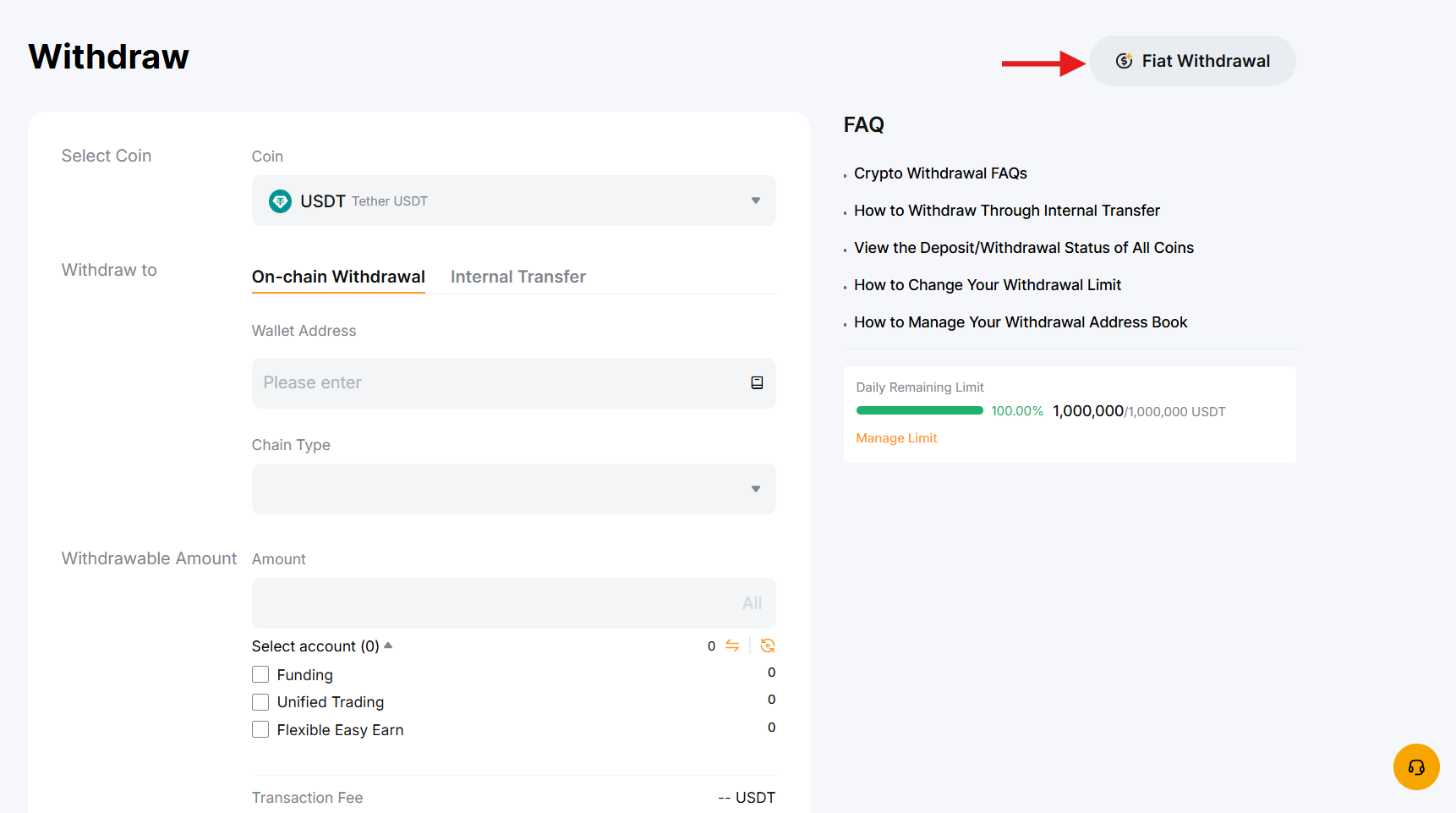
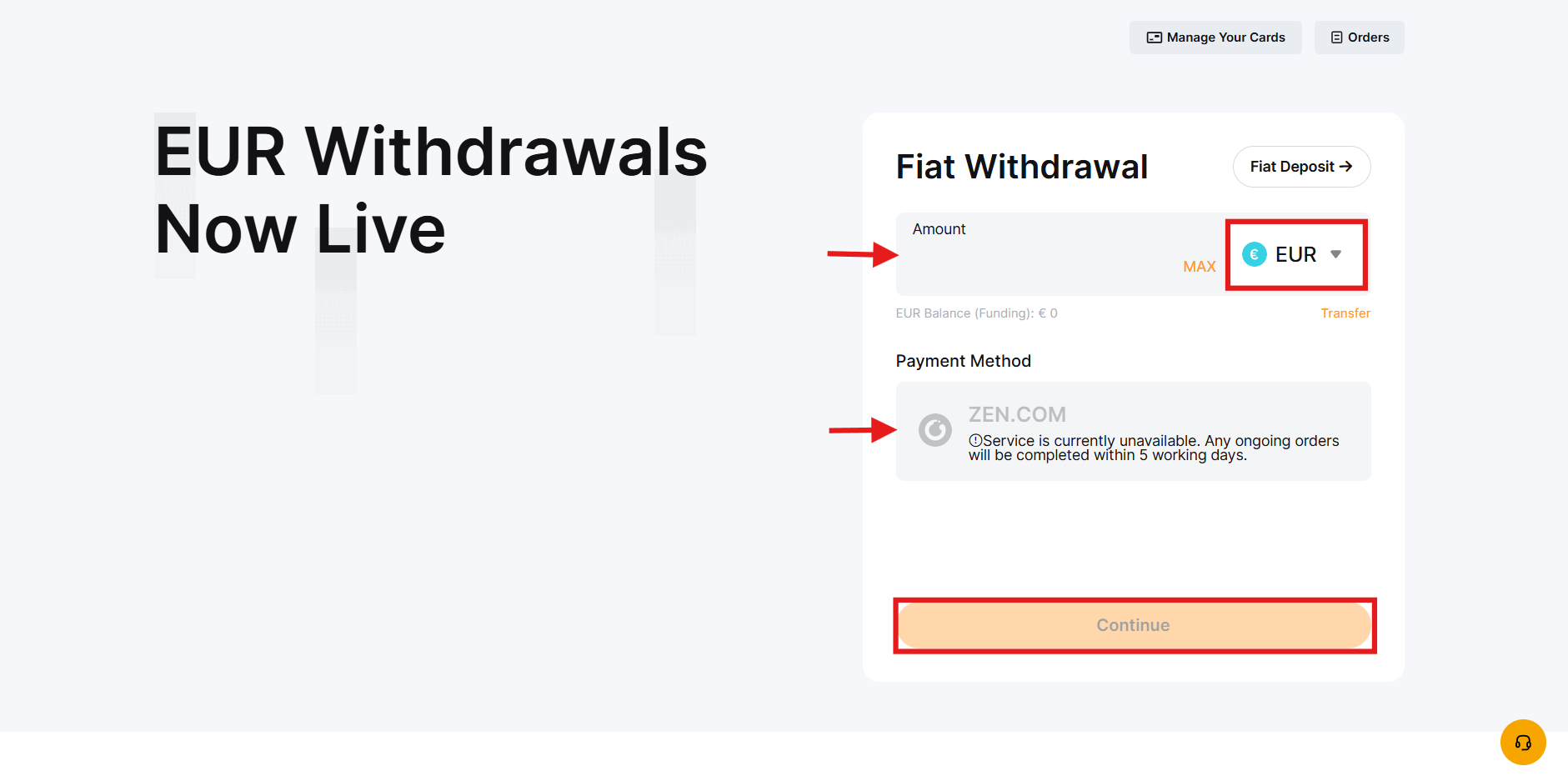
Currently, Bybit supports around 18 fiat currencies for withdrawal, including the US Dollar (USD) and the Euro (EUR).
On the Fiat Withdrawal page:
- Select the fiat currency you want to withdraw and enter the withdrawal amount.
- Choose a payment method.
- Confirm the order details and click Continue to complete the transaction.
Bybit Trading Fees
The trading fees on Bybit are calculated based on the last 30-day trading volume and the asset balance. Orders on the exchange are categorized as maker or taker for the applicable fees. A maker fee is applied when you add liquidity to the order book, and a taker fee is applied when you remove liquidity.
The following table shows trading fees on the platform:
| Market | Maker Fee | Taker Fee |
| Futures | 0.02% | 0.05% |
| Spot | 0.10% | 0.10% |
| Options | 0.02% | 0.03% |
To view the full fee structure, visit the Bybit Trading Page.
Is Bybit Safe?
Bybit has implemented robust security measures to ensure a safe environment for its users. The platform uses a triple-layer asset protection approach to minimize the risk of security breaches. In addition, it stores the majority of users’ funds in cold wallets.
The exchange utilizes advanced measures like Trusted Execution Environment (TEE) and Threshold Signature Schemes (TSS) to prevent unauthorized access to your accounts. Bybit regularly conducts Proof-of-Reserves audits to ensure maximum transparency. The platform uses real-time monitoring for withdrawals and advanced encryption solutions like the Know Your Customer (KYC) procedure for enhanced safety.
Bybit uses strict login security protocols, such as two-factor authentication, encrypted data transmission, human-computer authentication, and hardware authentication. It utilizes API access control to detect suspicious behavior for the safety of its users. Additionally, the platform has anti-phishing codes and provides 24/7 security alerts for better risk management.
Bybit Security Checklist
- Enable Google 2FA before making a deposit.
- Set up an anti-phishing code to spot fake emails.
- Never click login links for email or social media; instead, type bybit.com directly.
- Use a unique password and a hardware or app-based authenticator, not SMS alone.
- Test large withdrawals with a small amount first.
Is Bybit a Regulated Exchange?
Bybit holds a Minimum Viable Product (MVP) Preparatory License from the Virtual Assets Regulatory Authority in Dubai, making it a fully authorized cryptocurrency exchange.
The platform is registered in the British Virgin Islands as Bybit Fintech Limited. Its headquarters are in the UAE, and its operational offices are in Hong Kong and the Netherlands.
Recently, Bybit obtained a license from the Cyprus regulatory authority. It is considered an essential step towards getting the Markets in Crypto-Assets Regulation (MiCAR) License in Austria. This license will help the cryptocurrency exchange offer its services and products within the European Economic Area (EEA).
Bybit also faces restrictions in certain jurisdictions. It is not a fully operational cryptocurrency exchange in some heavily regulated countries, such as the U.S.A., Canadian provinces of Quebec and Ontario, China, and Singapore. In addition, the exchange is completely restricted in Cuba, Iran, North Korea, Luhansk, Syria, Crimea, and Donetsk.
Bybit Pros and Cons
| Pros | Cons |
| 84+ million users | KYC Level 1 verification required for fiat deposits |
| Up to 100x leverage (200x on selected pairs) | Not available in the US |
| Deep liquidity to handle large orders | A steep learning curve for beginners is required |
| TradFi trading to trade real-world assets | No NFT marketplace |
| Demo trading for beginners | Restricted in China, parts of Canada, and Singapore |
Common Errors and Fixes
| Problem | Likely Cause | Fix |
| Deposit not showing | Wrong chain/network selected | Verify the network selected matches the network selected in the withdrawal wallet or contact customer support |
| Can't withdraw funds | KYC or 2FA not completed | Complete identity verification and enable 2FA in account settings |
| Unable to execute orders | Limit price not reached yet, or insufficient balance | Check your available balance or the order book; adjust price or use a market order if speed matters |
| Position liquidated unexpectedly | Too high leverage for account margin | Use low leverage, isolated margin, and set stop-loss levels on every leveraged position |
| Login blocked or flagged | Logging in from a new device or location | Complete email verification and avoid VPNs that frequently change your IP |
Essential Steps for Beginners on Bybit
To use Bybit as a beginner, the following steps are useful:
- After your account is verified, start with a small amount.
- Place a low-value spot order before experimenting with leverage.
- Use the Bybit demo trading account to test strategies without using real funds.
- As you get comfortable, start with copy trading or auto-invest to minimize risk.
- Continuously revisit the fee and security sections above as your trading volume grows.
Closing Thoughts
Bybit remains among the world's largest cryptocurrency exchanges by trading volume. The platform is built to serve both beginners and experienced traders across spot, futures, options, and TradFi markets.
It offers deep liquidity, a wide product range, and audited security, making it a reasonable starting point for traders. But as with many cryptocurrency exchanges, success depends on understanding how to use tools, not just having access to them.
Frequently Asked Questions (FAQs)
Where is Bybit located?
Bybit is headquartered in the United Arab Emirates. It has operational offices in Hong Kong and the Netherlands.
Can I use Bybit in the U.S.?
Bybit is not available to residents in the U.S.
What is TradeGPT on Bybit?
TradeGPT is an AI (Artificial Intelligence) powered tool offered by Bybit to improve its users' trading experience. It is built on the GPT-3.5 model and offers real-time market data and analysis to help traders.
Does Bybit support KYC?
Bybit is a centralized cryptocurrency exchange that supports the KYC (Know Your Customer) procedure. Identity verification unlocks full account functionality and higher withdrawal limits.
What is the maker fee for futures trading on Bybit?
Bybit charges a 0.02% maker fee for Futures trading.
What is the taker fee for futures trading on Bybit?
The taker fee for futures trading on Bybit is 0.05%.
What are the fees for spot trading on Bybit?
Bybit charges a 0.10% taker and maker fee in spot trading.
Disclaimer: All content on The Moon Show is for informational and educational purposes only. The opinions expressed do not constitute financial advice or recommendations to buy, sell, or trade cryptocurrencies. Trading involves significant risk and may result in substantial losses. Always seek independent financial advice before making investment decisions. The Moon Show is not responsible for any financial losses or decisions made based on the information provided.
Please view the full disclaimer at: https://themoonshow.com/disclaimer

WEEX Exchange Tutorial 2026: A Complete Step-by-Step Guide
WEEX is not among the largest cryptocurrency exchanges. It does not match the trading volume of...

MEXC Exchange Tutorial 2026: A Complete Step-by-Step Guide
MEXC lists over 3,000 tokens, charges zero maker fees on both spot and futures, and offers leve...
The Ultimate LeveX Exchange Tutorial: Step-by-Step Guide for Beginners
LeveX is a newer cryptocurrency exchange built to deliver a fast and focused trading experience...