Ledger Nano X Crypto Wallet Review – Features, Security, and Everyday Use
The Ledger Nano X is a hardware wallet that protects your private keys from online threats. The wallet offers USB-C and Bluetooth connectivity, supports over 100 applications, and lets you buy, sell, stake, and store more than 15,000 coins directly in the Ledger Wallet app. Protected by a CC EAL5+ certified Secure Element chip and the BOLOS operating system, your assets remain secure. Furthermore, it is certified by the French Cybersecurity Agency ANSSI (CSPN Certification) and uses PIN protection to secure digital assets. However, the wallet device lacks a large touchscreen and is not fully air gapped.
Ledger Nano X Pros and Cons
Pros
- Uses secure elements (CC EAL5+, ST33J2M0)
- Bluetooth 5.2 connectivity
- Holds up to 100 apps
- Supports over 15,000 coins
- Passphrases for extra protection
- User-friendly
- Buy, sell, swap, and stake features
Cons
- No touchscreen
- Not fully air gapped
In cryptocurrency, controlling private keys is essential to fully control your money. Phishing attacks, hacks, malware, and exchange collapses put digital assets at risk, especially as portfolios grow. This is where hardware or cold storage wallets come in: physical devices not connected to the internet that store key private keys offline. One such leading hardware crypto wallet is the Ledger Nano X that protects digital assets from online threats.
This guide reviews the Ledger Nano X crypto wallet, its features, security, and daily use.
What is Ledger Nano X?
Released in May 2019 by Ledger, the Nano X is a secure cryptocurrency hardware wallet for storing digital assets offline. The device offers USB-C and Bluetooth connectivity, enabling you to manage cryptocurrency safely on a desktop or a mobile device. It supports up to 100 apps, allowing you to send, receive, stake, and store over 15,000 coins directly through the Ledger Wallet app (formerly Ledger Live).
The Ledger Nano X wallet features a robust Secure Element, a highly certified (CC EAL5+) secure chip that acts as a device vault, storing private keys and authorizing transactions. The wallet’s mature ecosystem, which enhances its ability to manage a wide range of coins, NFTs, and DeFi positions. The increased capacity for coins and easy connectivity make it a top choice for those who want security without giving up convenience.
Ledger Nano X Design and Usability
Ledger now calls all its hardware devices “signers.” The Ledger Nano X is a compact, metal-clad signer with a small screen and two physical buttons. The inner body is made of plastic with a brushed metal swivel color. However, it is not a fully metal, air-gapped device, and the hinge protects its screen and buttons.
Its key specs include:
- Dimensions: Roughly 72mm x 18.6mm x 11.75 mm.
- Weight: About 34 grams, feels solid but not heavy.
- Screen: 128 × 64-pixel OLED display.
- Connectivity: USB-C and Bluetooth 5.2.
- Storage: Up to 100 apps, depending on the app size.
- Battery: Around 100 mAh internal battery.
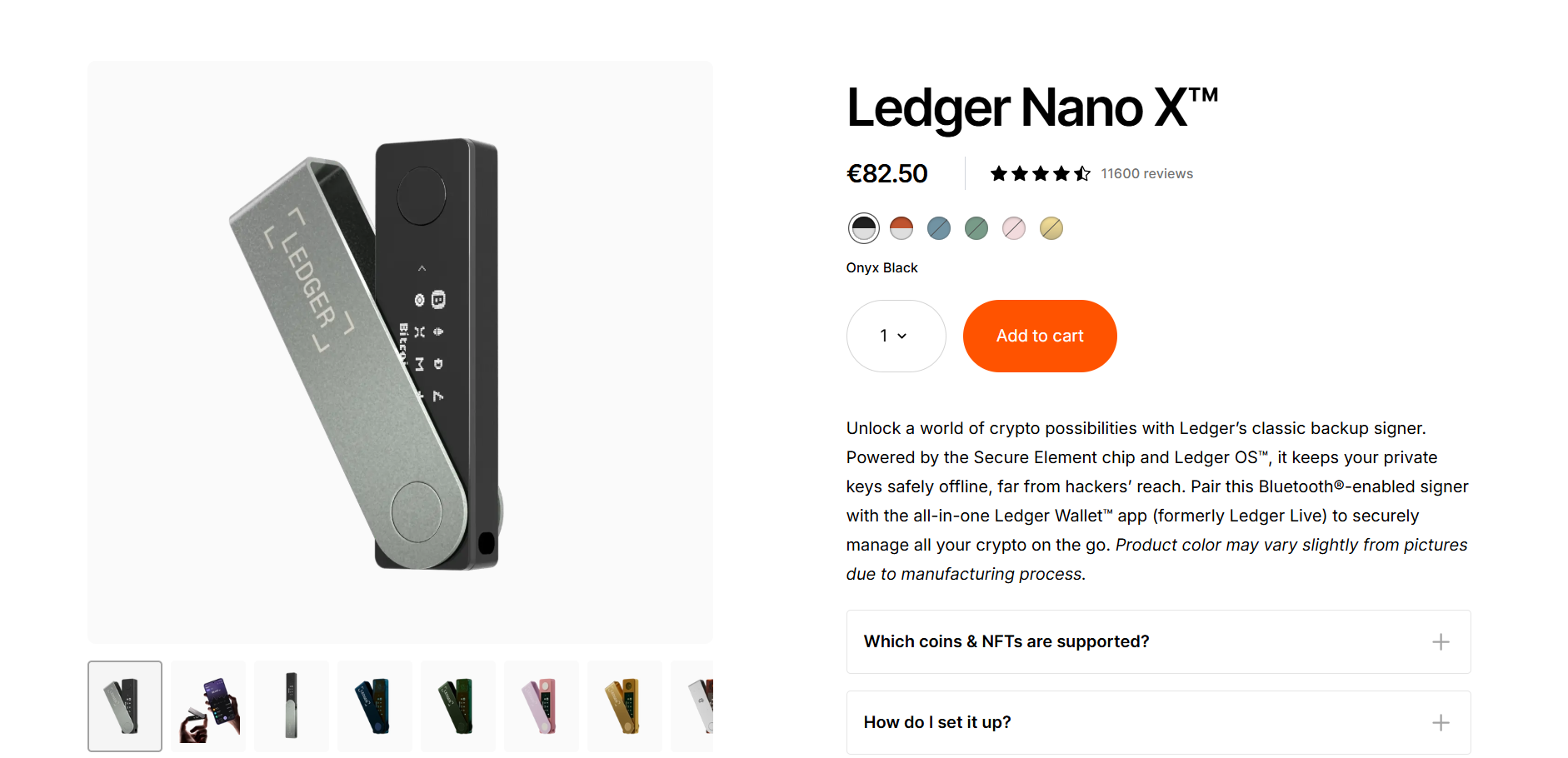
In Hand Feel
The Ledger Nano X seamlessly combines simplicity with functionality. It features two physical buttons on top. You can press either to move left or right in menus, or press both together to select or confirm.
It has a small screen but is still serviceable. You can scroll it horizontally to check the full address for Bitcoin, Ethereum, and standard transactions. For complex NFT and DeFi confirmations, you scroll more on its compact display. This ensures you visually confirm everything on the device, not just in the app.
Battery Life and Bluetooth
The Ledger Nano X crypto wallet features a 100 mAh internal battery to support daily transactions. Once the battery is dead, you can easily recharge your wallet device via a laptop or phone with a USB-C port and use it like a wired hardware wallet. This shows that the battery is a convenience feature and not a hard dependency.
The wallet’s Bluetooth, on the other hand, uses end-to-end encryption and protects private keys in transit. The keys are safely stored in the Secure Element, and only signed transaction data gets transmitted.
Is Ledger Nano X Safe?
The Ledger Nano X is a secure way to manage your digital assets. The cryptocurrency wallet stores your private keys offline on a secure chip that is isolated from the internet. It is built with a CC EAL5+- certified Secure Element chip (ST33J2M0) that ensures your device remains highly secure. Additionally, it is protected by a 4- to 8-digit PIN code that you can select when setting up the device.
On top of it, the wallet runs its own BOLOS operating system. It isolates the apps from each other and from the core key management logic. This way, each app manages its own blockchain without accessing others' keys or data.
All transactions on the Ledger Nano X are signed after you confirm the details on the screen and press the physical buttons. Passphrases and hidden wallets add an extra layer of security. You can create a second wallet with a different passphrase, meaning if someone forces you to unlock the device, you can reveal a decoy wallet without exposing your main holdings.
The Ledger Connect Kit Incident – What Actually Happened
In December 2023, the Ledger Connect Kit, a JavaScript library used by DeFi front-ends and dApps, was hit by a malicious update after attackers gained access to a former employee’s NPM account. The attackers published a rogue NPM package that was briefly used by some dApps. Users were tricked into visiting phishing sites and signing up for malicious transactions, resulting in several losses.
However, the Ledger Nano X devices were not remotely hacked. The firmware and Secure Element remained intact as the attack lived in the web layer, not the hardware layer. The attack occurred due to a software supply-chain failure, prompting Ledger to improve access controls, monitoring, and auditing of its services.
What Happens if the Nano X Wallet is Lost?
If you lose your Nano X wallet, it does not mean you have lost your cryptocurrency. Your digital assets are stored on the blockchain that you can access, manage, and retrieve as long as you have your secret recovery phrase. This highlights the importance of keeping your recovery phrase in a safe place.
All you need is another Ledger Nano X wallet and your secret recovery phrase to regain access to your digital assets. Additionally, you can subscribe to Ledger Recover for added security. This service lets you easily restore wallet access even if you lose both the wallet and the recovery phrase.
Best Security Practices with Ledger Nano X
The following are key security practices for the Ledger Nano X wallet.
- Avoid accepting a wallet with a pre-printed seed phrase or a pre-configured PIN.
- Buy the wallet from the Ledger official store or certified resellers listed by the company.
- Always write the seed phrase by hand and keep it in a safe place.
- Download all the apps on your wallet using the Ledger Wallet app (formerly Ledger Live).
Ledger Wallet App
Formerly Ledger Live, the Ledger Wallet app allows you to easily start managing cryptocurrencies. For the desktop version, you can download the app from the official Ledger website and connect your Nano X device with it via Bluetooth or USB-C. On the other hand, if you want to use it on a mobile device, you can download the app from the App Store and the Google Play Store.
The Ledger Wallet app enables you to verify transactions and manage all types of crypto with a single, secure solution. It allows you to buy, sell, send, and receive cryptocurrencies using your Nano X wallet. Additionally, you can stake digital assets in the app and improve your earning strategy.
The app supports over 15,000 cryptocurrencies, including Bitcoin (BTC), Ethereum (ETH), Solana (SOL), and more. With the app, you can navigate the DeFi landscape safely. It enables you to swap securely across CEX and DEX chains.
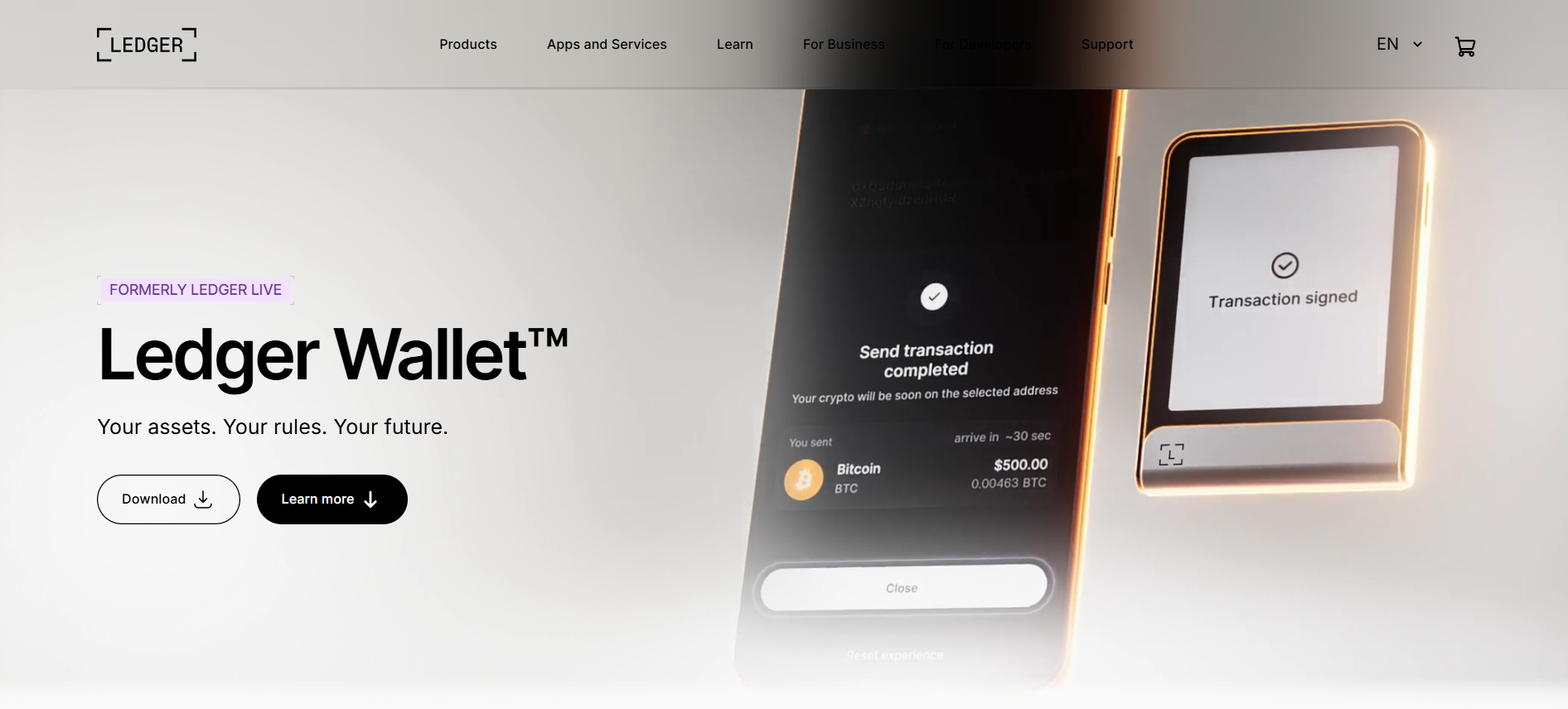
From a single interface, you can view your portfolio, balances, and transactions across multiple accounts and chains. You can send and receive assets, use integrated providers like MoonPay and Banxa to buy or sell directly into your hardware wallet, and access swaps and DEX integrations. By pairing your Nano X wallet with the Ledger Wallet app, you can manage DeFi and NFTs while staying offline between confirmations.
Setting Up the Ledger Nano X
You can set up the Ledger Nano X crypto wallet by following these steps.
- First, unbox the wallet and check for tamper evidence on the device and packaging.
- If you are using a desktop, download the Ledger Wallet app from Ledger’s official website. For the mobile version, you can download the app from the iOS App Store and Google Play Store.
- Connect your Nano X device via USB-C or pair it with your phone using Bluetooth.
- Create and confirm your 4- to 8-digit PIN on the device.
- You will see a 24-word recovery phrase on the device. Write it down on paper or metal and avoid taking its photos or storing it in cloud notes.
- The wallet app will ask you to confirm some of the words to ensure you wrote them correctly.
- After this, inside the wallet app, select the apps for the coins you want to use. For instance, if you want to use a Bitcoin wallet, select the Bitcoin app.
- Install the selected app on your Ledger device and follow the on-screen instructions.
- Open the app on your Ledger device and make a small test transaction to your new wallet before moving large amounts.
Mobile Setup and Bluetooth Pairing
Connecting the Ledger Nano X to the wallet app via Bluetooth is simple.
All you need to do is:
- On your mobile device, install the Ledger Wallet app from the App Store or Google Play Store.
- Turn on Bluetooth on your phone and on the Nano X wallet.
- Start pairing from inside the app instead of the OS Bluetooth settings.
- Confirm the pairing code appearing on both the wallet device and the phone.
However, there can be some common issues when setting up the device:
- If the pairing fails, forget the device in your phone’s Bluetooth settings. After this, restart both devices and try again.
- If your phone is older, ensure that Bluetooth permissions are granted and the battery-saving mode does not block background transactions.
- If the wallet app reports a firmware issue, you can update it in the “My Ledger” section of the desktop app first.
Pricing and Where to Buy It?
The Ledger Nano X is a hardware cryptocurrency wallet that is designed to keep your digital assets offline. Currently, the wallet is listed for €82.50 on the official Ledger store. Sometimes you will see bundle discounts when purchasing multiple devices, as well as occasional sales.
You might also see cheap Nano X wallet offers on marketplace sites, but they come with the risk of fraud or scam. Therefore, it is essential that you buy the Nano X wallet from Ledger’s official store or authorized resellers to securely store your digital assets.
Also, you should avoid used devices or random sellers who may tamper with them. Download the Ledger Wallet app from Ledger’s site or official app stores, not from search browsers or third-party ads or links. If any interface asks you to provide the 24-word seed phrase, treat it like a scam. Neither the official app nor the device ever asks you to do that.
Final Thoughts
The Ledger Nano X is one of the safest and most versatile cryptocurrency hardware wallets available today. The Ledger Wallet ecosystem and Secure Element improve the safety of digital assets. For users who prefer a mix of security, wide coin support, and the ability to manage everything from a phone or laptop, this wallet can be an excellent choice. In a market where hacks, platform failures, and exchange collapses are part of history, the Ledger Nano X crypto wallet provides full control over private keys and strong protection against threats.
Frequently Asked Questions (FAQs)
Is the Ledger Nano X crypto wallet safe in 2026?
The Ledger Nano X wallet remains secure in 2026, as your private keys remain inside the CC EAL5+ Secure Element chip, all transactions are signed on the device, and the BOLOS operating system isolates each app.
Why should I buy the Ledger Nano X wallet?
If you prefer mobile use, Bluetooth, and on-the-go signing, the Nano X offers enhanced convenience.
Is the Ledger Nano X Bluetooth safe?
Yes, the Ledger Nano X Bluetooth only transmits encrypted data, and the private keys never leave the Secure Element.
What if the Ledger company disappears?
Nothing will happen to your crypto. All your assets are live on the blockchain, not with the Ledger. Even if the company goes out of business, your 24-word recovery phrase lets you store your entire portfolio on any BIP39-compatible device, such as Trezor.
What to do if I lose or break my Nano X wallet device?
All you need is a new Ledger Nano X device, and you can recover everything by restoring your 24-word recovery phrase.
How many coins are supported on the Ledger Wallet app?
The Ledger Wallet app supports more than 15,000 coins, including BTC, ETH, SOL, ADA, and more.
How many apps can I download on the Ledger Nano X wallet?
You can install up to 100 crypto apps at a time on the Ledger Nano X wallet.
Where should I buy the Ledger Nano X wallet safely?
You should buy the Nano X wallet from Ledger’s official store or its authorized sellers.
What are some Ledger Nano X features?
The Ledger Nano X comes with Bluetooth connectivity, a CC EAL5+ certified Secure Element chip, Ledger Wallet app compatibility, and multi-chain support.
What is the cost of Ledger Nano X?
Currently, the Ledger Nano X is available for €82.50 on the official Ledger store.
Disclaimer: All content on The Moon Show is for informational and educational purposes only. The opinions expressed do not constitute financial advice or recommendations to buy, sell, or trade cryptocurrencies. Trading involves significant risk and may result in substantial losses. Always seek independent financial advice before making investment decisions. The Moon Show is not responsible for any financial losses or decisions made based on the information provided.
Please view the full disclaimer at: https://themoonshow.com/disclaimer
Ledger Wallet Review - Features, Models, and Security Explained
A cryptocurrency wallet is a software application or a physical device that enables users to st...

Exodus Wallet Review – Security, Fees, and Usability
Exodus is a non-custodial cryptocurrency wallet that lets you send, receive, store, and swap ov...
Trust Wallet Review - Features, Security, and Performance Explored
A cryptocurrency wallet is a tool that allows users to manage, store, send, and receive cryptoc...