How to Find a Lost Crypto Wallet?
Key Takeaways:
- Your cryptocurrency is stored on the blockchain, not inside your wallet, so losing access to a wallet does not necessarily mean your funds are gone.
- The 12- or 24-word recovery phrase (seed phrase) is the most important tool for restoring a lost crypto wallet and resetting a forgotten password.
- A zero balance after restoring a wallet usually means the wrong network is selected or tokens need to be manually added, not that the funds are lost.
- If you still have your seed phrase, you can restore your wallet on a new device and create a new password even if you forgot the original one.
- The best way to prevent permanent loss is to store multiple secure offline backups of your seed phrase and test them periodically.
Losing access to a crypto wallet can be a stressful experience for any trader or investor. Whether you misplaced your recovery phrase, forgot your password, mistakenly deleted your wallet application, or can no longer access your old hardware wallet, it may seem like you have lost your digital assets. However, that is not the case. You can still recover your wallet or your assets.
Most of the time, your cryptocurrency is still securely stored on the blockchain and can be recovered if you have the right information.
In this guide, we will discuss how to find lost crypto wallets, recover your assets, and protect your assets from future loss.
Let’s begin!
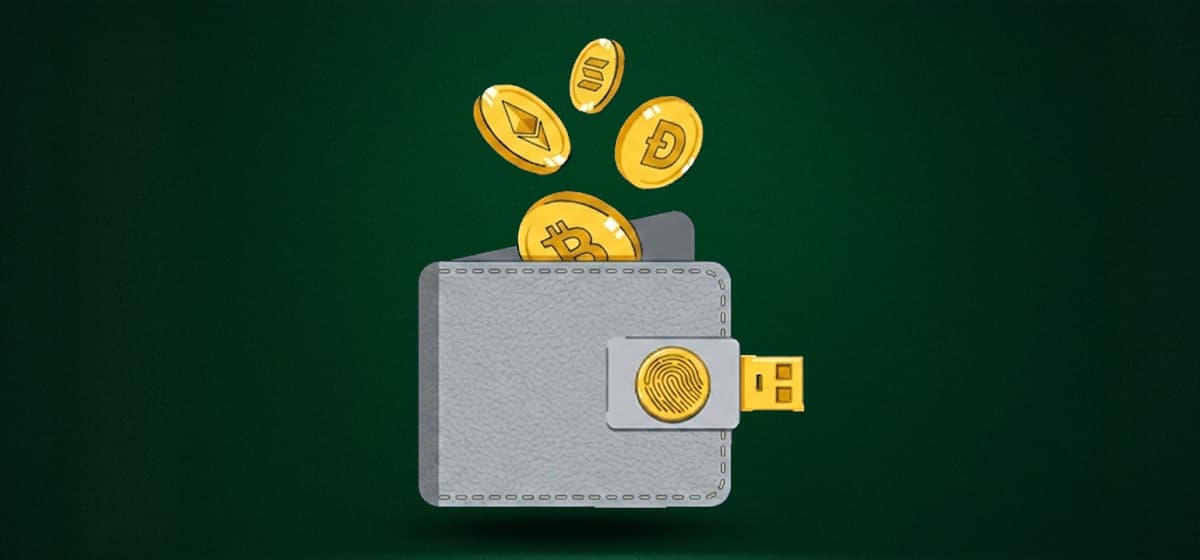
What is a Crypto Wallet?
A crypto wallet (hot and cold wallets) stores your private key, which allows control and access to your digital assets on a blockchain. Without these private keys, a trader cannot manage, send, or receive coins. A wallet usually contains two components: a private key (similar to a password that will protect and control your assets) and a public key (similar to a bank account number that is used to send or receive crypto). Wallets are vital for the integrity and security of your digital assets, which is why you must make a decision between hot wallets vs. cold wallets after careful consideration.
Hot Wallets
Hot wallets are connected to the internet. These wallets are software-based platforms or applications that allow you to send, receive, and store cryptocurrencies without hassle. Hot wallets can be desktop applications, web-based wallets provided by cryptocurrency exchanges, or mobile applications.
These wallets are designed to provide users with convenience. They help in trading quickly, interact with decentralized applications (dApps) without effort, and access funds with ease. This makes hot wallets more appealing to traders, beginners, and anyone who needs frequent access to cryptocurrency.
Cold Wallets
On the other hand, cold wallets are offline wallets. Unlike hot wallets, they are not connected to the internet. Thanks to their offline status, cold wallets are less vulnerable to hacking attempts. They are available as physical devices that store your private keys, hardware wallets, and even paper wallets at times. When using cold wallets, the key is printed or written and kept physically safe.
The main idea behind cold wallets is simple: as long as the private keys are not online, cybercriminals cannot access them. This makes them attractive to investors who want to safeguard their large amounts of cryptocurrency over long periods.
Common Reasons Why Crypto Wallets Go Missing
Many traders assume they have lost their crypto when the issue is simply a technical problem or misplaced credentials. The most common causes include:
- Forgotten passwords
- Lost seed phrases
- Broken or stolen hardware wallets
- Deleted wallet applications
- Incorrect wallet settings
- Two-factor authentication failure
- Software updates that hide balances
In some cases, the wallet is still accessible, but the correct blockchain or token is not enabled in the application.
How to Find Lost Crypto Wallets?
Here is a step-by-step guide that will help you find your lost crypto wallets and secure your assets.
Verify Your Wallet Still Exists
Your first step should be to confirm that the wallet still exists and that your funds are still on the blockchain. If you know your wallet address, search it using a blockchain explorer such as Blockchain.com for Bitcoin (BTC) or Etherscan for Ethereum and ERC-20 tokens. If the balance appears, your assets are still there. All you need to do is restore your access to the wallet.
Look For Your Recovery Phrase
The recovery phrase, also called a seed phrase, is the most important backup for a non-custodial wallet. It usually consists of 12 to 24 words generated when you first created the wallet. While searching for your recovery phrase, you should look at:
- Paper notes
- Fireproof safes
- Password managers
- Encrypted USB drives
- Secure cloud backups
If you find the seed phrase, you can usually restore the wallet on any compatible wallet application.
Restore the Wallet
To restore the wallet, you must first install the original wallet software or another trusted wallet that supports the same blockchain. For example, Ledger is a non-custodial wallet that supports a wide range of cryptocurrencies and allows users to restore wallets using seed phrases.
Choose the “Restore Wallet” option and enter the recovery phrase exactly in the correct order. Once verified, your balance should reappear.
Use Backup Files
Some wallets create encrypted backup files, such as Bitcoin Core’s wallet.dat. Search old computers, USB drives, and external hard disks for files named:
- dat
- json
- wallet
- .wallet
If you locate one of these files, import it into the relevant wallet software to restore access.
Recover Password
As long as you have your seed phrase or backup files, you can access your system. In case you have just forgotten your password, you can simply restore the wallet and create a new password to restore your access. To do this, open the wallet application and select the “Restore Wallet” or “Import Wallet” option.
Once the wallet is restored, the application will prompt you to set a new password. Reset it, log into your wallet, and your cryptocurrency balances and transaction history should then reappear automatically. Sometimes, the wallet is restored successfully, but balances appear as zero. This can happen when:
- The wrong blockchain network is selected
- Tokens are not added to the wallet interface
- Synchronization is incomplete
Re-enabling assets or correcting the wallet settings can correct this issue.
Contact Official Support
If you still cannot access your wallet, contact the official support channel for the wallet provider. You should only use the verified website to avoid scams and never share your seed phrase or private keys with support agents.
What Should I Do If I Lost My Seed Phrase?
If you lose your seed phrase but still have access to your wallet, transfer your funds immediately to a new wallet and securely store the new recovery phrase. If you have already lost access to the wallet and do not have the seed phrase, private keys, or a backup file, recovery may be impossible. This is because the seed phrase is the master key to your crypto assets. Without it, there is no central authority that can restore access for you.
Is It Safe to Use Crypto Wallet Recovery Services?
Professional wallet recovery services can be helpful when dealing with corrupted wallet files or forgotten passwords. However, you should research any company carefully and verify its reputation before sharing any sensitive information. Legitimate services will never ask for your seed phrase unless there is a specific and well-understood reason. Recovery services can be effective, but they should only be used when all other options have been exhausted.
Can I Recover a Hardware Wallet if The Device is Damaged?
Yes, hardware wallets are designed to be recoverable even if the physical device is lost, stolen, or damaged. As long as you have the seed phrase, you can restore your wallet on a replacement device or a compatible software wallet. Your cryptocurrencies are stored on the blockchain, not inside the hardware wallet itself. The device simply protects your private keys and facilitates secure transactions.
Final Takeaways
Losing access to a crypto wallet can be stressful, but recovery is often possible if you have prepared properly. Your assets remain on the blockchain waiting for the correct credentials to unlock them. Start by locating your seed phrase, backup files, or old devices. You should verify balances on blockchain explorers and use trusted wallet software to restore access. If you maintain secure backups and follow good security practices, even a lost wallet does not have to mean lost cryptocurrency.
Margin Trading for Beginners: Leverage, Risks, and Examples
Margin trading for beginners starts with understanding how borrowed funds change risk. A small ...
Find Lost Crypto Wallets – A Step-by-Step Recovery Guide
Losing a crypto wallet does not always mean losing access to assets. Recovery may be possible i...

How to Buy Bitcoin for Beginners – A Step-by-Step Guide
When you are new to crypto, buying Bitcoin (BTC) can feel complicated. In practice, the process...